You just dropped serious cash on a premium VR headset. Now you're trying to pair your favorite wireless earbuds for a private meeting, thinking nobody's listening in.
Think again.
It's shockingly easy for unencrypted Bluetooth streams to leak your exact room audio right onto the local network.
The False Sense of VR Cloud Privacy
You sync your presentation files to the headset's cloud, assuming the tech giant's native security has you covered. It's a comfortable illusion.
That standard server-side encryption isn't actually protecting your data. The host company holding your VR environment also holds the master decryption keys.
If their servers are compromised, your unencrypted audio streams and private files are sitting right out in the open. You're completely exposed.
Let's clear up exactly what happens the second you hit 'pair' on your headset.
| The Common Myth | The Hard Fact |
|---|---|
| Private rooms mean private audio. | Nope. Radio frequencies blast straight through physical walls. |
| Native Bluetooth is fully locked down. | Standard pairing broadcasts raw hardware IDs continuously. |
The Cloud Privacy Quick Summary
- You don't own the keys: Server-side encryption leaves your master decryption keys fully under the host corporation's control.
- Audio metadata leaks are real: Standard Bluetooth pairing protocols ping unencrypted routing metadata across your local network.
- Client-side is mandatory: True zero-knowledge architecture is the only proven method to lock down sensitive VR transmissions.

Mechanical Breakdown: How Unencrypted Cloud Data Leaks
Standard VR cloud environments are an absolute privacy nightmare for three specific reasons. First, third-party employee abuse happens constantly.
When rogue database admins have access to your server-side keys, they can silently pull your headset's synced capture files. You won't ever receive an alert.
Second, silent legal subpoenas force massive cloud providers to hand over your unencrypted data. They aren't legally required to warn you first.
Finally, standard wireless audio streams leak unencrypted metadata continuously. Every time your headset searches for a connection, it broadcasts your hardware identifiers.
This is a stark contrast to true zero-knowledge client-side encryption. In a zero-knowledge setup, the host company has literally zero mathematical ability to view your files.
Your local hardware encrypts the data before it ever hits the Wi-Fi or Bluetooth radio. Check out the mechanical differences below.
| Feature Profile | Standard Server-Side Encryption | True Zero-Knowledge Client-Side |
|---|---|---|
| Key Ownership | Cloud Provider | Local User Only |
| Employee Access | High Risk of Internal Snooping | Mathematically Impossible |
| Subpoena Resistance | Provider Will Surrender Data | Only Ciphertext Surrendered |
| AI Ingestion | Provider Trains Models on Data | Data is Unreadable by AI |
Pro Tip: Never use native cloud syncing for confidential VR workspaces. Always route your audio and files through an external, hardware-encrypted transmitter utilizing the aptX Adaptive codec with client-side key derivation enabled.
The Zero-Knowledge Mathematical Shield
Client-side key derivation happens entirely on your local VR processor. Before your voice packets ever touch the network wire, complex algorithms lock them down.
To an unauthorized observer sniffing your network, your intercepted audio files look like pure random ciphertext. It's just a wall of chaotic digital noise.
Without your highly specific local key, the math simply won't let them in. It's brilliant.
The "Invisible Network" Fallacy
People naturally assume their home Wi-Fi creates a safe bubble. That's a massive mistake. Standard routers don't stop local hardware pinging.
When your headset aggressively scans for headphones, it blasts your exact MAC address data to any device listening within a 50-foot radius. It's an absolute goldmine for basic packet sniffers sitting right outside your physical room.
Stop relying on your ISP's default security.
To eliminate wireless packet sniffing and Bluetooth leaks entirely, using a direct wired connection is the safest offline method. Watch this step-by-step walkthrough on how to properly connect wired headphones to your Meta Quest 3:
Hardening Your Setup: Implementing Zero-Knowledge Across Your VR Hardware
Securing your wireless VR audio isn't just theory. You need concrete tools.
Before you pipe confidential voice chats through Bluetooth or sync project files to your headset, you must encrypt the data locally. This guarantees that your unencrypted metadata never leaves your physical room.
Platform-Specific Secure Routing Guides
For Windows & macOS:
Don't rely on native OS Bluetooth managers for sensitive VR work. Instead, route your audio through a dedicated hardware dongle with aptX Adaptive codec support.
For cloud-synced VR project files, install an open-source encryption tool like Cryptomator. It creates a virtual X: drive on your PC. Files placed here are locally scrambled before they ever sync to the cloud provider holding your VR workspaces.
For Android & iOS (Standalone VR Apps):
If you're managing VR files via mobile apps, native device encryption isn't enough. Use client-side encrypted containers to hold your audio assets and presentation decks.
Tools utilizing AES-256 local encryption ensure your mobile device only uploads ciphertext to your headset's companion app.
Emergency Recovery Key Backup Protocol
If you forget your zero-knowledge master password, your files are gone permanently. There is no customer support reset link.
Follow this strict protocol:
- Generate a 24-word seed phrase: Use a highly secure, offline password manager.
- Write it physically: Engrave or write the master phrase on a physical medium.
- Store off-site: Place this physical copy in a secure lockbox or safe.
- Never take a photo: Do not screenshot your recovery key. If your phone syncs to a compromised cloud, you've just handed over the keys.
Privacy advocacy groups like the Electronic Frontier Foundation (EFF) consistently warn against digitizing your master recovery phrases. Keep them strictly offline.
Do's vs. Don'ts: VR Encryption Habits
| The Habit | What You Should Do | What You Must Never Do |
|---|---|---|
| Bluetooth Pairing | Pair via a dedicated, hardware-encrypted USB-C transmitter. | Use the VR headset's native, unencrypted Bluetooth menu. |
| Cloud Storage | Run all VR files through a local zero-knowledge vault first. | Sync native VR folders directly to Google Drive or Dropbox. |
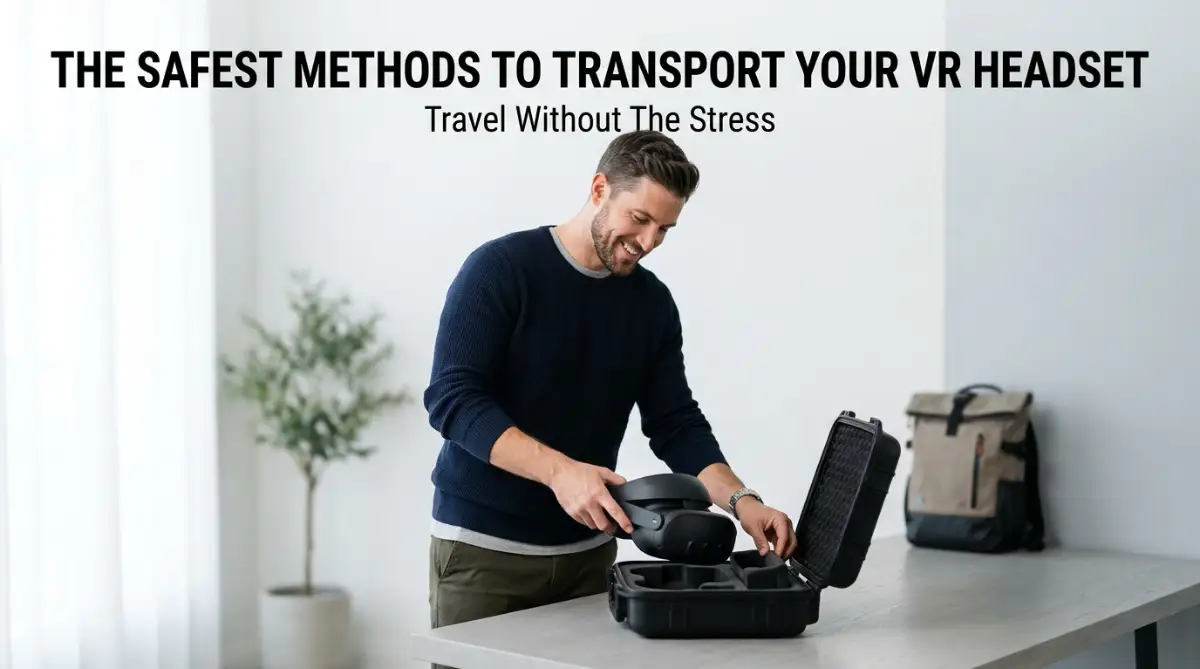
| Hardware Prep | Safely pack and travel with your VR headset keeping dongles secure. | Connect to public hotel Wi-Fi before encrypting your audio streams. |
Critical Traps That Shatter Your Encryption
Even brilliant technical setups fail because of simple human errors. You can install all the zero-knowledge software in the world and still leak your own data.
The biggest trap? Generating unencrypted public share links.
Users often encrypt their VR project files perfectly, but then hit "share link" inside the native cloud provider's dashboard. That action bypasses your client-side vault entirely. It creates a decrypted backdoor directly to your asset.
Temporary cache file leaks are another silent killer. When you open a local encrypted file, your OS often creates a temporary, unencrypted copy in a hidden background folder.
If your VR headset crashes while accessing these files—forcing you to fix a black screen on your VR headset—those temporary files can get stuck in your system cache. They sit there fully exposed.
Finally, never trust closed-source proprietary encryption software. According to the National Institute of Standards and Technology (NIST), relying solely on proprietary vendor encryption leaves massive blind spots in your endpoint verification. If you can't see the code, you can't verify the security. The Cybersecurity and Infrastructure Security Agency (CISA) frequently emphasizes the importance of auditable, transparent security practices.
Your 15-Minute Lockdown Plan
You don't need a computer science degree to stop the bleeding. You just need to take immediate action.
Execute this three-step plan right now to lock down your current VR audio and file flow:
- Kill the Native Sync: Log into your VR headset's settings and disable all automatic cloud syncing and background Bluetooth scanning.
- Deploy a Hardware Transmitter: Plug an external Bluetooth transmitter into your PC or headset's audio jack. This isolates your pairing metadata from the headset's main operating system.
- Establish a Local Vault: Download an open-source encryption client. Create a local vault, move your sensitive VR presentation files inside, and point your cloud sync client strictly at this encrypted container.
You're now operating in true zero-knowledge territory.
Along with keeping your wireless connections secure, maintaining physical hardware longevity is vital for portable gear. Just like wireless headsets, mobile devices suffer when charged improperly. Avoid costly mistakes by understanding the phone battery myths ruining your device so your everyday gadgets maintain peak battery lifespan.
High-Impact FAQ
Does Bluetooth encryption slow down VR audio?
Hardware-based encryption adds a microscopic amount of latency, but modern codecs like aptX Low Latency make it imperceptible. You'll get real-time audio sync alongside robust security. However, if your headset is already lagging on its own, you should first fix VR stuttering frame rates and turn off heavy Windows 11 background services before tweaking any advanced Bluetooth settings.
Can I use a Bluetooth transmitter for better security?
Yes. Plugging a dedicated USB-C Bluetooth transmitter directly into your VR headset is vastly superior to using native OS pairing menus. It isolates the audio stream and prevents your headset's main software from logging your device's MAC address metadata.
Why does my VR headset disconnect from Bluetooth headphones?
Frequent disconnections usually stem from Wi-Fi interference, as both Bluetooth and standard Wi-Fi share the 2.4GHz band. Switching your headset's Wi-Fi connection to a 5GHz network clears the airwaves. This stable connection also prevents sudden hardware dropouts, saving you from constantly having to fix VR controller tracking issues in the middle of a session.
Disclaimer: This guide is provided for educational and informational purposes only and does not constitute formal cybersecurity or enterprise IT consulting. Always test encryption tools on non-critical test files before integrating them into active production workflows, and maintain secure offline backups of your master recovery keys.