The Agony of Floating Hands: When Virtual Reality Breaks
Imagine this exact scenario for a second. You are right in the middle of an intense gaming session.
Your heart is racing, you are fully immersed in the game world, and you are about to hit a new high score. Suddenly, without warning, your right hand simply floats away into the digital sky.
You swing your arm, but your virtual hand stays completely stuck on the floor. The magic of the game vanishes instantly, leaving you standing alone in your room feeling deeply annoyed.
I still remember almost throwing my controllers across the room during an intense game because my right hand randomly floated into the sky. I spent weeks assuming my expensive headset was broken, restarting it over and over in pure frustration. It was only after trying dozens of failed internet tricks that I realized simple room changes and battery tweaks could fix the drifting completely.
This daily struggle is destroying the fun of gaming for millions of players. Instead of enjoying their expensive equipment, users spend half their free time waving their arms around, hoping the sensors will finally pick up their movements.
Why Gamers Keep Failing to Find the Right Solution:
- Following Outdated Forum Advice: Many people jump on old internet threads and follow advice that simply does not work for modern inside-out tracking cameras.
- Throwing Money at the Wrong Fix: Gamers often rush to buy brand-new controllers, assuming their hardware is completely broken. Most of the time, the hardware is actually perfectly fine.
- Relying on Blind Restarts: The most common habit is simply turning the headset off and on again. This might fix the issue for ten minutes, but it never solves the actual root cause of the drifting.
- Misunderstanding Room Environments: People falsely believe that more light is always better. They flood their rooms with heavy lighting, which actually blinds the sensitive cameras on the headset.
How This Technical Glitch Destroys Your Peace of Mind:
- Loss of Competitive Confidence: If you play fast-paced multiplayer games, you simply cannot trust your own gear. A single tracking drop means you lose the match entirely.
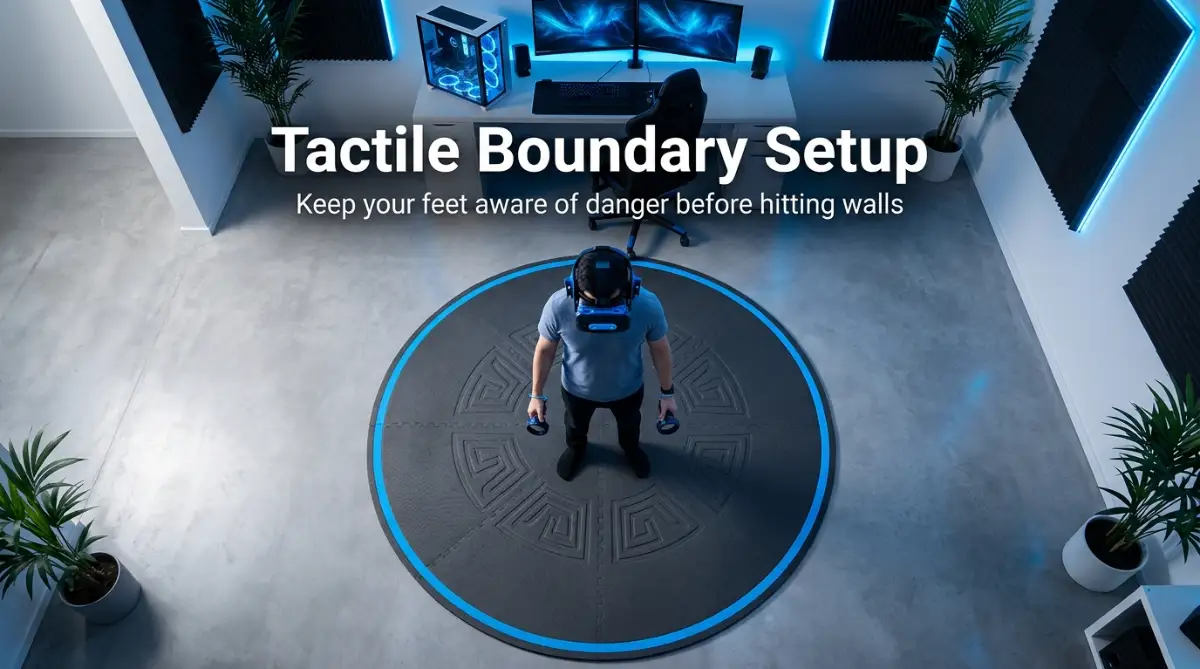
- Physical Safety Anxiety: When your digital hands disappear, your physical awareness drops. This causes users to accidentally punch walls or break nearby furniture out of pure panic.
- The Sunk Cost Frustration: Spending hundreds of dollars on a premium device, only to have it function like a cheap toy, creates a heavy feeling of buyer’s regret.
- Ruined Social Experiences: Hanging out in virtual social rooms becomes awkward when your avatar's arms are twisting into highly unnatural, broken angles.

How to Restore Flawless VR Tracking: Practical and Science-Backed Methods
We all want a completely seamless gaming experience. When I put on my headset, I want my digital hands to feel exactly like my real hands.
To achieve this, we need to stop guessing and start understanding the actual science behind how these devices see the world. Most modern headsets use something called "inside-out tracking."
This means the cameras are built directly into the visor you wear on your face. These tiny cameras are constantly looking for small infrared LED lights hidden inside the plastic rings of your controllers.
If anything gets in the way of that light connection, your hand is going to fly away. Let us fix this problem together using real, proven methods.
Step 1: Master the Physics of Room Lighting (The Infrared Mirror Effect)
Want to see these tracking and room lighting fixes in action? Watch this quick video guide to visually troubleshoot your setup and get your hands tracking perfectly in under five minutes!
Your headset is basically a very sensitive set of digital eyes. Think about what happens when someone shines a bright flashlight directly into your eyes in a dark room.
You get completely blinded, right? The exact same thing happens to your VR cameras when your room lighting is wrong.
The biggest enemy of motion tracking is actually direct sunlight. The sun naturally produces massive amounts of infrared light.
If you have a window letting in direct afternoon sunlight, those rays will completely overpower the tiny tracking lights on your controllers. Close your curtains or use blackout blinds before you play.
Watch Out for Hidden Reflective Surfaces
Mirrors, glass picture frames, and even highly polished TV screens act like optical illusions for your sensors.
When your controller emits a tracking light, that light bounces off your living room mirror and hits the headset camera. Now, the headset thinks you have a third hand floating inside your wall.
This causes massive confusion in the tracking software. If your hands keep drifting in one specific corner of your room, look around for anything shiny. Covering your mirror or turning your TV away from your play space can instantly fix tracking dropouts.
Pro Tip: The "Goldilocks" Lighting Rule
Never play in pitch darkness, but avoid stadium-level brightness. Use soft, diffused, indirect lighting. A simple floor lamp placed behind you is often the perfect setup for flawless sensor reading.
Step 2: The Hidden Battery Voltage Problem (1.2V vs 1.5V)
For months, I made the classic mistake of using cheap 1.2V rechargeable batteries just to save a few bucks. I could not figure out why my tracking kept getting worse after an hour of play until I learned how voltage affects infrared lights. Swapping them out for true 1.5V constant-output batteries instantly solved my floating hands and made my movements feel super snappy again.
This is a massive secret that most hardware manufacturers will never clearly tell you. Not all AA batteries are created equal.
Most people buy standard rechargeable batteries because it saves money in the long run. However, the majority of standard rechargeable batteries only output 1.2 Volts of power.
Your motion controllers were specifically designed to operate on exactly 1.5 Volts. When you put a 1.2V battery inside, the hidden infrared tracking lights physically dim down.
Because the lights are dimmer, the headset cameras have a very hard time seeing your hands, especially when you swing your arms really fast.
The Simple Fix for Dim Controllers
If you want to use rechargeable batteries, you must look for ones specifically labeled as "1.5V Constant Output Li-ion".
These specific batteries hold their maximum voltage right up until the second they die. Standard alkaline batteries start at 1.5V but slowly drop in power over a few days.
This slow drop in power is exactly why your tracking gets worse and worse as the week goes on. By maintaining a steady voltage, you ensure your tracking LEDs stay bright and highly visible.
Battery Comparison
Step 3: Clearing the Software Memory Cache (Erasing Ghost Boundaries)
Sometimes, the problem is not your room or your batteries. The issue is entirely trapped inside the software brain of your device.
Every time you draw a play boundary in your room, the headset saves a 3D map of your furniture and walls. Over many months of playing, the system stores hundreds of slightly different maps of the exact same room.
Eventually, the software gets confused. It tries to load three different room maps at the same time.
This heavy memory load causes the entire system to stutter. The tracking software starts dropping frames, which makes your hands feel floaty or delayed.
How to Give Your Device a Fresh Brain
You need to manually clear this cluttered memory. Go into your device settings and look for the option labeled "Clear Boundary History" or "Delete Guardian Data".
Once you delete the old history, the headset will ask you to draw a brand new play area. Do this carefully.
By clearing out the old junk data, you free up massive amounts of processing power. The system can now focus 100% of its energy on watching your hands, resulting in incredibly smooth and snappy movements.
Myth vs Reality: Common Tracking Misconceptions
Step 4: Camera Lens Maintenance and the Problem with Skin Oils
Your headset has four to six small cameras around the outside edges. We touch these edges all the time when taking the device on and off.
Human fingers are naturally covered in thin, invisible oils. When you accidentally touch the tracking cameras, you leave a greasy smudge right over the lens.
Think about wearing glasses with a huge thumbprint right in the middle of the glass. Everything looks blurry and glowing.
When your headset cameras have oil smudges, the lights from your ceiling fan or lamps create massive glowing halos in the camera's vision. These light halos completely blind the sensors, making it impossible to see the controllers.
The Proper Way to Clean Your Sensors
Never use your shirt or a paper towel to clean the camera lenses. These materials contain tiny, rough fibers that will permanently scratch the delicate plastic.
Instead, keep a dedicated, clean microfiber cloth exactly like the ones used for expensive camera lenses. Before every single gaming session, take ten seconds to gently wipe each of the outer cameras in a circular motion.
This tiny, simple habit ensures the digital eyes of your device are perfectly clear. You will be amazed at how much smoother your hand movements become just by wiping away invisible finger oils.
Step 5: Stop the Internal Battery Bounce Effect
Here is a physical hardware issue that happens constantly during heavy, active gaming. Think about games where you are throwing heavy objects or swinging swords really hard.
When you swing your arm and stop suddenly, the physical momentum continues inside the controller. The AA battery actually compresses the metal spring inside the battery compartment and disconnects for a tiny fraction of a second.
This micro-disconnect instantly turns off the controller. The headset loses your hand, and the controller has to spend three seconds reconnecting to the system.
The Rubber Band Fix
If you notice your hands only fly away when you swing really hard, you have battery bounce. You can easily fix this at home.
Take a very small piece of a rubber band or a tiny square of electrical tape. Place it securely against the flat side of the battery (the negative end) right where it touches the spring.
This adds extra tension to the compartment. Now, no matter how hard you swing your digital sword, the battery stays perfectly locked in place, maintaining a solid electrical connection.
Step 6: Avoid Wireless Frequency Interference
Your controllers talk to your headset using specific wireless radio frequencies. Usually, this happens over a 2.4 GHz connection.
Do you know what else in your house uses the exact same 2.4 GHz frequency? Almost everything.
Your home Wi-Fi router, your smart microwave, your Bluetooth headphones, and your smart home lights all share this crowded invisible highway. If too many devices are shouting at the same time, the controller's signal gets completely drowned out.
This causes your hands to stutter and freeze in mid-air.
Clearing the Invisible Airwaves
To solve this, try to separate your gaming area from heavy wireless traffic. If your internet router is sitting right next to your play space, move it to another room.
If you use a 5 GHz Wi-Fi network, make sure your headset is connected to that band instead of the crowded 2.4 GHz band. Additionally, turn off Bluetooth on your phone if it is sitting in your pocket while you play.
By removing extra digital noise from your room, you create a clear, silent channel for your controllers to communicate perfectly with your device.
Pro-Level Adjustments for Permanent Tracking Stability
We have already covered lighting and batteries, but professional gamers use a few extra tricks to keep their setups absolutely flawless. Sometimes, the environment around you is actively fighting against your device without you even realizing it.
Your headset cameras rely completely on visual contrast to understand the physical depth of your room. Think of it like walking through a heavy snowstorm where everything is perfectly white.
If your room has completely blank, solid-colored walls, the cameras cannot figure out where the walls actually are. They need reference points, like a poster, a bookshelf, or even a window frame, to anchor the digital world to the physical one.
The Empty Room Problem in Real Life
I once moved into a brand-new apartment and set up my play space in an empty, freshly painted white room. Instantly, my digital hands started floating away, and the floor height kept jumping up and down.
The software was completely lost because there were no unique visual markers for the cameras to lock onto. I simply placed a few pieces of dark masking tape on the walls in random shapes.
Immediately, the sensors grabbed onto those dark shapes, and my hand movements became perfectly stable again. You do not need a messy room, but you absolutely need some visual texture for the system to work smoothly.
Understanding Sensor Blind Spots
Another major secret involves understanding the actual physical limits of your device's vision. Inside-out tracking cameras are located on the front and sides of your visor.
This creates a specific cone of vision in front of your body. If you reach your hand too far behind your back to grab a virtual arrow, the cameras cannot physically see the controller anymore.
When this happens, the system relies on an internal sensor called an IMU (Inertial Measurement Unit) to guess where your hand is moving. The IMU is basically an electronic inner ear, but it can only guess your movements for about two seconds before it completely loses track.
This causes terrible stuttering and creates a highly uncomfortable gaming experience. In fact, sudden tracking drops are one of the main reasons people feel sick while playing.
If you want to overcome virtual reality nausea and play longer, keeping your hands within the visual range of the cameras is an absolute necessity. Always try to keep your hands slightly in front of your chest or waist, rather than resting them rigidly by your sides.
The Hidden Impact of Hardware Degration
Let us talk about the actual physical shell of your hardware. Those plastic rings on the top of your controllers are not just for impact protection.
They are made of a very specific type of plastic that allows infrared light to pass through them invisibly. Over time, as you accidentally bump your equipment into walls or desks, that plastic gets covered in microscopic scratches.
These tiny scratches act like a frosted glass window. They scatter the internal tracking lights, making them look blurry and weak to the headset cameras.
Protecting Your Equipment from Scratches
Many people try to fix this by putting stickers or thick vinyl decals on their controllers to make them look cool. This is a massive mistake because regular vinyl completely blocks the invisible infrared tracking lights.
If you want to protect the plastic from scratches, you need to use specialized clear silicone bumpers. These are designed specifically to let the invisible light pass through without causing any signal interference.
You should also apply this careful maintenance mindset to your other expensive electronics. Just like protecting your physical gaming gear, knowing how to properly maximize your internal battery health ensures your devices will last for years without random shutdowns.
PC Connection and Bandwidth Bottlenecks
If you connect your headset directly to a gaming computer, your tracking issues might not be related to the controllers at all. Instead, it could be a simple data bottleneck.
When you use a physical cable, the video data and the motion tracking data all travel through the exact same wire. If you plug that cable into a standard USB 2.0 port instead of a high-speed USB 3.0 port, the data traffic jams up instantly.
Your computer is trying to process heavy graphical data, and the motion tracking data gets pushed to the back of the line. This delay causes your hands to feel incredibly heavy or perfectly still while your head is moving.
Heavy processing loads can also stress your computer hardware significantly. If you want to keep your frame rates completely smooth, it is a good idea to check and resolve thermal throttling issues on your gaming rig before you launch a heavy application.

Everyday Habits That Silently Destroy Your Setup
Even if you follow all the right steps, certain daily habits will slowly ruin your equipment over time. Many gamers do not realize they are actively damaging their gear until it is entirely too late.
Let us break down the most common traps you need to avoid to keep your hardware running like new. Small changes in your daily routine can save you hundreds of dollars in replacement costs.
Using Household Cleaners on Delicate Lenses
The absolute fastest way to destroy your tracking system is by cleaning the external headset cameras with glass cleaner or rubbing alcohol. The plastic covers over these tiny cameras have a special anti-reflective coating applied to them at the factory.
According to guidelines from Consumer Reports on cleaning electronics, harsh chemicals permanently strip away protective screen coatings in a matter of seconds. Once that coating is gone, the cameras will suffer from massive glare every time you look near a window or a lightbulb.
This glare blinds the sensors entirely, and your hands will start floating away in brightly lit rooms. Always use a dry, clean microfiber cloth, and never apply liquid cleaners directly to the external cameras.
Playing Near Invisible Infrared Emitters
You might think your room lighting is perfect, but you could have invisible light sources screaming at your headset. Modern smart home devices are the biggest offenders in this category.
Indoor security cameras, baby monitors, and even robotic vacuum cleaners use heavy infrared blasters to see in the dark. To human eyes, a security camera looks completely dark at night.
To a VR headset, that same security camera looks like a massive, blinding spotlight shining directly into the room. If your hands keep drifting only during evening gaming sessions, try unplugging any smart cameras in your play space.
You will likely see an immediate improvement in your tracking stability just by removing this invisible interference.
Leaving Batteries Inside During Storage
This is a silent killer for almost all modern handheld electronics. When you finish a heavy gaming session, your hands are usually warm and sweaty.
Moisture can easily become trapped inside the battery compartment. If you leave cheap alkaline batteries sitting inside the device for a few weeks without playing, they are highly likely to leak battery acid.
Battery acid will completely destroy the delicate metal contact springs inside the handle. Once those springs are corroded, the electrical connection becomes unstable, causing your digital hands to randomly turn off and disappear.
Always take an extra ten seconds to pop the batteries out before putting your gear back in its carrying case.
Ignoring Wireless Network Security and Interference
For those who prefer wireless PC streaming, your local Wi-Fi environment dictates the quality of your hand movements. If you live in a crowded apartment building or use a shared network, the wireless airwaves are heavily congested.
When your internet router is struggling to handle multiple devices at once, your controller data gets delayed, causing your hands to freeze in mid-air. Moreover, playing on shared networks comes with its own set of privacy risks.
If you frequently connect your devices to shared or public dorm networks, learning how to secure your internet traffic from snooping is a highly recommended practice. To fix the tracking delay, you should set up a dedicated 5GHz router inside your exact play room that only connects to your headset.
Overlooking Physical IMU Shock Damage
We all accidentally drop things, but dropping these specific controllers is incredibly risky. Inside the plastic handle, the tiny electronic inner ear (the IMU) is suspended on a delicate micro-board.
Every time you hit a wall or drop the device on a hardwood floor, you risk knocking that IMU slightly out of alignment. Once the internal sensor is physically tilted, the software will constantly think your hand is rotating to the left, even when you are holding it perfectly still.
Always use your wrist straps, no matter how quick your gaming session is going to be. A simple five-dollar silicone grip cover can absorb enough shock to save your fifty-dollar hardware from a fatal internal injury.
Your Weekly Maintenance Action Plan
Fixing frustrating tracking glitches does not require a degree in computer engineering. It simply requires a basic understanding of how your hardware interacts with the physical world around you.
By taking a few minutes to adjust your room lighting and upgrade your batteries, you completely change the quality of your gaming experience. You no longer have to worry about your hands flying away right before a major victory.
Here is your simple checklist to run through this weekend:
- Check the Room: Cover large mirrors, pull the curtains on direct sunlight, and make sure your walls have some posters or contrast.
- Upgrade Power: Throw away the cheap 1.2V rechargeable batteries and invest in high-quality 1.5V lithium-ion alternatives.
- Wipe it Down: Grab a dry microfiber cloth and gently clean the four outer cameras on your visor before you put it on.
- Clear the Cache: Go into your system settings, delete your old guardian boundary history, and draw a fresh map of your room.
- Secure the Springs: Add a tiny piece of rubber band behind the battery to stop it from bouncing during heavy swings.
Gaming is supposed to be a fun, relaxing escape from our daily routines. Do not let tiny, easily fixable technical glitches ruin your hard-earned free time.
Try testing just one or two of these simple adjustments tonight when you load up your favorite game. You will immediately notice how much sharper and more responsive your digital movements feel.
Take back control of your virtual environment and get back to enjoying your favorite digital worlds exactly as they were meant to be experienced.
Fixing my VR tracking made gaming fun again, and I no longer worry about losing matches to random floating hands. Grab your microfiber cloth, check your batteries, and try out these quick fixes before your next gaming session. You will be amazed at how smooth and solid your movements feel once you set things up correctly!
Disclaimer: This guide is for educational and informational purposes only. Modifying your hardware or trying DIY fixes (such as adding rubber bands or tape for battery tension) should be done with care at your own risk. Always follow the official care and maintenance guidelines provided by your device manufacturer to avoid damaging your equipment or voiding your warranty