The Hidden Struggle of Virtual Reality Gaming
Imagine the pure excitement of finally unboxing your brand-new VR headset. You put it on, fully ready to explore amazing new digital worlds and fight epic battles. But within just ten minutes, a cold sweat breaks out on your forehead. Your stomach drops, the room starts spinning, and you feel incredibly sick.
This terrible feeling is known as cybersickness. It completely ruins the magic of immersive gaming and turns a fun evening into a miserable experience.
Why People Fail to Find the Right Solution (And Suffer More):
- Ignoring the body’s warning signs: Many gamers believe they can just "push through" the nausea. This actually trains your brain to hate the headset even more.
- Falling for terrible online advice: Some forums tell new players to start with intense flying or racing games. This is a guaranteed recipe for severe dizziness.
- Skipping basic hardware adjustments: A lot of users never adjust the physical lenses to match their eyes. Playing with blurry vision causes massive eye strain and instant sickness.
- Using wrong game settings: Many people leave "smooth turning" turned on. This unnatural camera movement creates immediate conflict in your brain.
How This Problem Destroys Your Gaming Confidence:
- Constant anxiety before playing: You start feeling nervous before you even put the headset on, wondering if you will feel sick again today.
- Missing out on multiplayer fun: While your friends are having a great time in virtual chat rooms, you have to log off early to lie down.
- Wasting your hard-earned money: That expensive piece of technology ends up sitting on a shelf, collecting dust because you are too afraid to use it.
- Loss of mental peace: The lingering headache and stomach pain can last for hours after you stop playing, ruining the rest of your day completely.
I completely understand how deeply frustrating this is. You just want to enjoy the amazing technology you paid for without feeling like you are on a terrible boat ride.
The good news is that you are not alone in this struggle. Millions of new players face this exact same barrier when they first try virtual reality.
More importantly, this is a highly fixable problem. Your brain just needs the right help to understand this new visual information.
I remember saving up for months to buy my first VR headset, only to spend my first evening lying on the bathroom floor feeling incredibly sick. I honestly thought I had wasted my money and that my body just wasn't built for virtual reality. It took me a lot of trial and error, plus a few terrible headaches, to finally figure out how to stop the dizziness and actually enjoy my games.
Proven Science-Backed Steps to Conquer Cybersickness
Let us look closely at how you can train your brain and adjust your environment. We will break this down into highly practical, easy-to-follow steps.
These are not random guesses. These methods are based on how human biology and technology interact with each other.
Master Your Hardware and Physical Settings
Think of your VR headset like a brand-new pair of prescription glasses. If you wear someone else's glasses, you will instantly get a headache and feel dizzy.
The same exact rule applies to virtual reality. The very first thing you must do is find your proper IPD (Interpupillary Distance).
This is simply the physical distance between the center of your left eye and the center of your right eye.
Almost every modern headset has a small dial or slider to adjust the physical lenses. If the lenses do not match your exact eye width, the digital world will look slightly out of focus.
Your eyes will work overtime trying to fix the blurry image. This massive eye strain sends panic signals straight to your brain, causing heavy nausea.
Take a ruler, stand in front of a mirror, and measure the distance between your pupils in millimeters. Then, set your headset dial to that exact number.
If you are a visual learner, watch this quick video to see exactly how to measure your IPD and adjust your lenses perfectly, then keep reading below for the simple room trick that completely cured my nausea!
Next, you need to check your screen refresh rate.
The refresh rate is how many times per second the screen updates the image. A low refresh rate causes tiny, almost invisible stutters in the picture.
Your conscious mind might not notice the stutter, but your subconscious brain absolutely does. It feels like reality is lagging, which makes you feel instantly sick.
Always go into your headset settings and set the refresh rate to at least 90Hz. If your device supports 120Hz, turn that on immediately for a much smoother experience.
Finally, do not strap the device to your face too tightly. A strap that cuts off blood flow to your forehead will cause a pressure headache that feels exactly like motion sickness.
Build Your Virtual Tolerance Slowly
Have you ever tried to run a full marathon without doing any practice runs first? Your body would simply collapse. Virtual reality works the exact same way. You need to slowly build up what the gaming community calls your "VR Legs."
When you put on the headset and walk forward in a game, your eyes tell your brain, "We are moving forward!" However, the inner ear—which controls your physical balance—tells your brain, "We are sitting completely still on the couch."
This sensory conflict is the main cause of your nausea.
Your brain gets confused by the mixed signals. As a basic human survival mechanism, your brain assumes you have eaten something toxic that is causing hallucinations.
So, it tries to make you throw up to get rid of the imaginary poison. This is a completely natural biological response. To overcome this, you must train your brain in very small steps. For your first week, only play for five to ten minutes at a time.
The absolute most important rule of virtual reality is this: The second you feel even slightly hot, dizzy, or weird, take the headset off immediately.
Never try to fight through the pain. If you force yourself to keep playing while sick, your brain will permanently associate the smell and feel of the headset with vomiting. Take a long break, drink some cool water, and wait until you feel 100% normal again. Only then should you try another short five-minute session.
My biggest mistake early on was trying to be a tough guy and completely ignoring my sweaty forehead. I quickly learned that the moment I felt even a tiny bit warm, taking the headset off immediately saved my entire day. Trust me, your brain will definitely thank you for taking those short breaks!
Over a few weeks, your brain will naturally learn that the sensory conflict is safe. Your five-minute sessions will easily turn into hours of comfortable playtime.
Optimize Your Environment and Gameplay Choices
Your physical room plays a massive role in how you feel inside the digital world. One of the best tricks used by veteran gamers is putting a fan in the room.
Point a regular house fan directly at your play area so it constantly blows cool air onto your face and body.
Why does a simple fan work so well?
First, it keeps your body temperature down, which directly fights off the hot sweats associated with nausea.
Second, it gives your brain a physical anchor to the real world. Because the air is always hitting you from one specific direction, your subconscious mind always knows which way you are facing in reality.
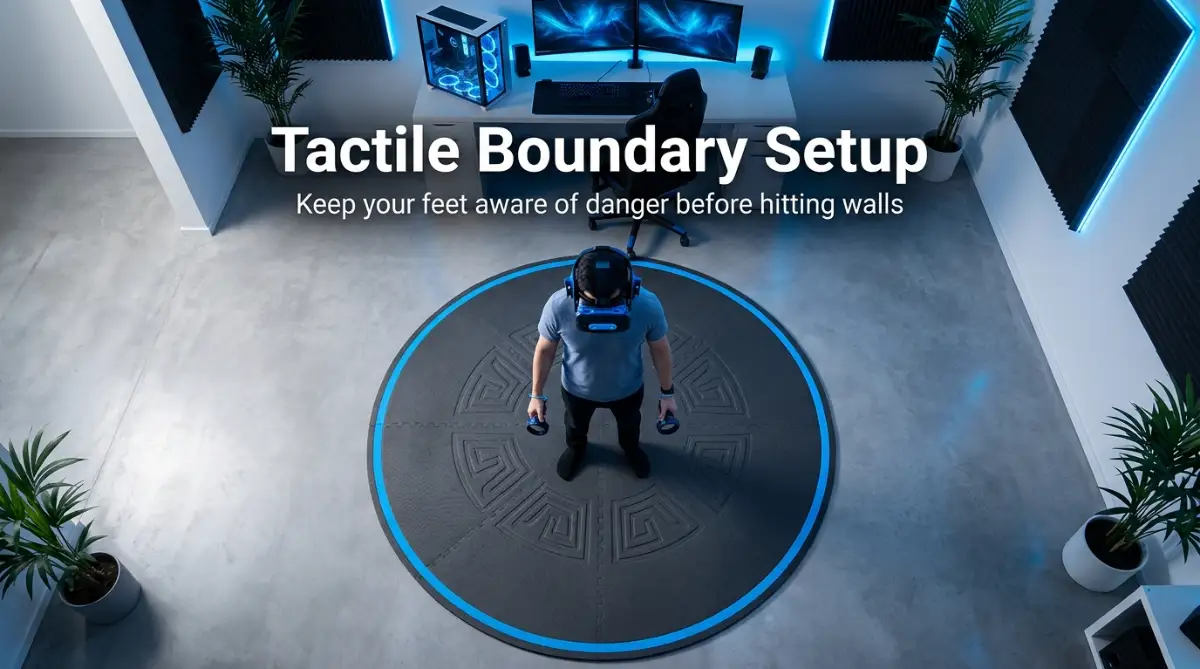
Another great physical anchor is a small, textured rug placed right in the center of your play space.
When you play barefoot or in socks, you can feel the edges of the rug. This physical touch confirms to your brain that your feet are planted safely on solid ground.
Now, you must choose the right games and movement settings.
When you are just starting out, avoid any game where you use a joystick to walk around smoothly. Smooth locomotion is the absolute biggest trigger for beginners.
Instead, start with stationary games where your digital body stands still, and the action comes to you. Games like Beat Saber or Job Simulator are perfect examples. When you do decide to play bigger exploration games, always dig into the settings menu first.
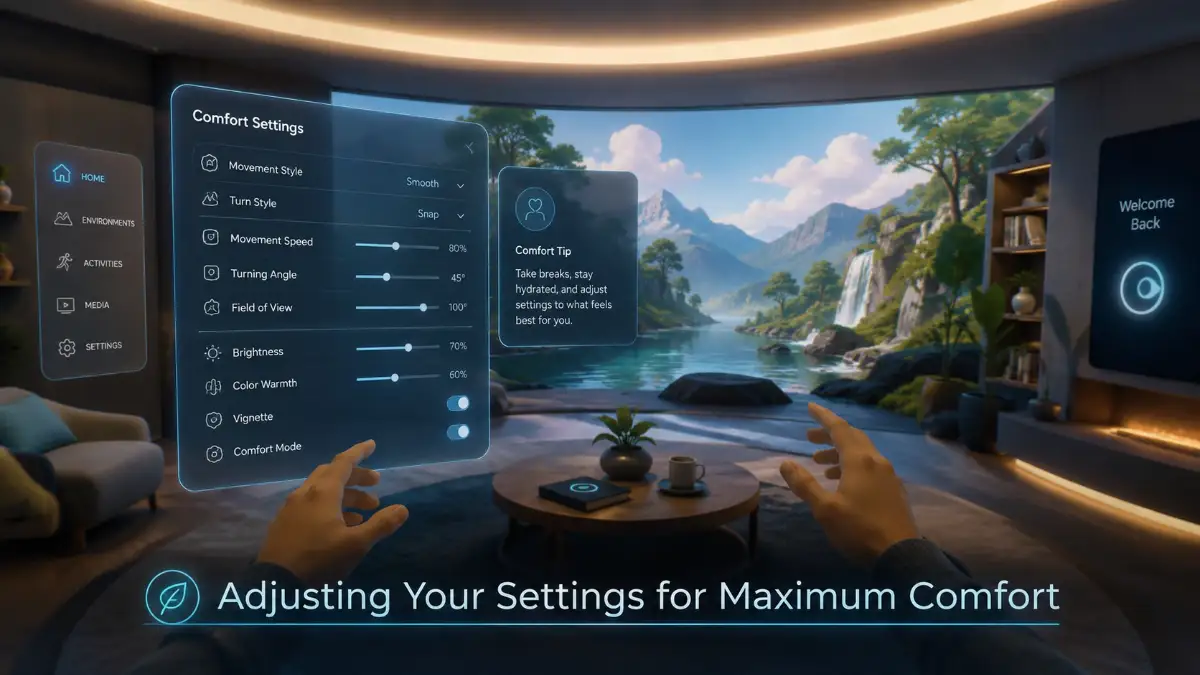
Turn on the "Teleportation" movement option. This allows you to point at a spot on the ground and instantly blink over there, completely removing the visual feeling of sliding forward. Also, look for a setting called "Snap Turning" or "Comfort Turning."
Smooth turning spins the camera in a circle, which heavily upsets your inner ear. Snap turning simply rotates your view in instant 45-degree jumps.
I know a player who felt terribly sick trying to play a popular fantasy game. I simply told him to switch from smooth turning to snap turning. That one tiny menu change completely cured his nausea, and he instantly doubled his playtime.
Taking control of these game settings puts you in the driver's seat. You no longer have to suffer through bad default choices made by the game developers.
By perfectly matching your physical hardware to your eyes, respecting your body's limits, and picking smart game settings, you take the power back. You can finally start enjoying the incredible, immersive magic of virtual reality without the dreaded stomach flip.
Expert Level Tactics to Outsmart Virtual Reality Nausea
Now that you understand the basic hardware setup, it is time to look at professional strategies. These are the exact methods used by daily virtual reality enthusiasts who spend hours inside digital worlds.
Sometimes, adjusting your headset simply is not enough. You need to prepare your physical body for the experience. The human stomach is highly sensitive to visual confusion, which is why understanding the biological causes of motion sickness gives you a massive advantage.
By combining hardware adjustments with physical preparation, you create a safety net for your brain. This two-step approach stops the dizziness before it even has a chance to start.
Professional gamers often rely on simple, natural remedies to trick their nervous system. For example, ginger has been a secret weapon for sailors dealing with sea sickness for centuries. Modern science supports this too, and you can easily find reliable medical insights on treating nausea naturally to understand exactly how ginger settles the stomach.
Just like taking control of your health, taking control of your finances requires smart decisions. Buying premium gaming gear can be expensive. If you recently used credit to build your dream gaming room, you might want to learn how to say goodbye to credit card balances with a simple step-by-step action plan.
A stress-free mind actually helps you avoid motion sickness. When you are worried about money or daily problems, your body stays tense, making you much more prone to headaches and sudden dizziness.
The Power of Natural Dietary Remedies
Before you even turn on your gaming console, consider eating a small piece of candied ginger. You can also drink a warm cup of ginger tea about thirty minutes before your gaming session.
Ginger actively blocks the nausea signals traveling from your stomach to your brain. It acts as a completely natural barrier against that terrible dropping feeling in your gut.
Another excellent natural option is peppermint. The strong, cooling scent of peppermint oil instantly refreshes your senses and distracts your brain from sensory conflict.
Many experienced players keep peppermint hard candies nearby. Sucking on a mint while exploring a digital environment keeps your mouth busy and your stomach completely calm.
Trick Your Brain with Physical Grounding Actions
One of the most effective tricks you will ever learn is simply chewing a piece of gum. It sounds almost too easy, but the science behind it is fascinating.
When you chew gum, your jaw muscles move repeatedly. This constant physical motion sends strong signals to your brain that your body is actively doing something.
It acts like a physical anchor. The repetitive movement successfully distracts your inner ear from the fact that you are visually walking while physically standing still.
Another amazing physical tool is the acupressure wristband, often sold as a "sea band" at local pharmacies. These soft fabric bands have a small plastic bump that presses directly onto the P6 acupressure point on your inner wrist.
Applying light pressure to this specific nerve is a proven method to reduce nausea without using any chemical medications. You simply wear them on both wrists during your gaming session for a highly comfortable experience.
Master the "Tunnel Vision" Comfort Setting
Almost every high-quality virtual reality game has a special comfort setting hidden in the options menu. This feature is commonly called "Vignetting" or "Tunnel Vision."
When you push your controller to walk forward, the game instantly darkens the outer edges of your vision. Your view temporarily shrinks down to a small circle in the very center of the screen.
Why is this so incredibly helpful? Our brains detect motion primarily through our peripheral vision (the extreme left and right sides of our sight).
By blacking out the peripheral vision during movement, the game prevents your brain from feeling the false forward momentum. When you stop walking, your full vision instantly returns to normal.
Using the vignette setting is like adding training wheels to a bicycle. It allows you to explore massive digital worlds safely while your brain slowly gets used to the experience over a few weeks.
The Most Dangerous Pitfalls That Ruin Your Gaming
Even with the best preparation, making a few common mistakes can instantly destroy your virtual reality experience. Many beginners accidentally force themselves into feeling sick by ignoring basic safety rules.
These bad habits do not just ruin a single gaming session. If you repeatedly make your brain feel sick, you might develop a permanent mental block against putting the headset on again.
1. Playing on a Completely Full or Empty Stomach
Never put your headset on immediately after eating a massive, heavy meal. When your stomach is full, your body sends extra blood to your digestive system to process the food.
Adding the intense sensory confusion of virtual reality on top of a working digestive system is a guaranteed recipe for sudden vomiting.
On the other hand, playing on a completely empty stomach is just as bad. Low blood sugar already makes you feel lightheaded and weak.
The best approach is to eat a light, healthy snack about an hour before you play. A simple banana or some dry crackers will keep your stomach settled and happy.
2. Forgetting to Clean Your Lenses Properly
Imagine trying to drive your car at night with a heavily smudged, dirty windshield. The lights from other cars would scatter, forcing your eyes to strain terribly just to see the road.
The exact same thing happens with your digital lenses. Just one single oily fingerprint can blur a huge section of your screen.
Your eyes will naturally try to focus through the blur, causing massive eye strain in just a few minutes. This visual fatigue leads straight to a heavy pressure headache.
Always keep a clean microfiber cloth next to your setup. Wipe the lenses gently before every single use to guarantee crystal-clear vision.
Additionally, many players back up their customized headset profiles on digital servers. To keep your personalized settings safe, it is highly recommended to understand the hidden dangers of cloud storage and how end-to-end encryption saves you.
3. Jumping Straight into Extreme Roller Coasters
For some reason, the first thing many new players try is a virtual roller coaster or an extreme flying simulator. This is the absolute worst possible choice for a beginner.
These extreme games throw you around the environment at high speeds, doing loops and sudden drops. Your eyes believe you are falling through the sky, but your feet are safely on the floor.
The sensory disconnect is so violent that even professional gamers feel slightly dizzy after playing them.
Always start with calm, stationary games. Build your tolerance slowly before you even think about jumping into a virtual fighter jet.
If an expensive gaming habit has hurt your wallet, you do not need to stress. You can easily find out how to fix a damaged credit score without falling for scams to keep your finances as healthy as your gaming habits.
4. Pushing Through the Warning Signs
This is the biggest mistake of all. Many people treat motion sickness like a minor muscle ache at the gym, thinking they can simply push through the pain.
Virtual reality sickness does not work like that.
The longer you stay in the headset while feeling nauseous, the sicker you will become. You will eventually reach a point where you have to spend the rest of the day lying in a dark room.
Worse still, your brain will start to associate the physical smell of the headset with the feeling of intense sickness.
The second you feel a cold sweat on your forehead or a weird feeling in your stomach, take the device off. A ten-minute break is much better than a ruined afternoon.
5. Using Smooth Turning Instead of Snap Turning
Using the joystick to smoothly turn your camera around in a circle is incredibly disorienting. In real life, when you turn your head, your brain registers the physical neck movement.
When you use a controller to spin your digital body while your physical neck stays completely still, your inner ear goes into complete panic mode.
Always dive into the game options and switch your turning style to "Snap Turn." This moves your camera in instant, blink-like jumps.
Because there is no visual blur of the world spinning around you, your brain completely ignores the movement, saving you from a terrible wave of dizziness.
Your Blueprint for Comfortable and Endless Virtual Adventures
Overcoming cybersickness is entirely possible, and it does not take a miracle. It simply takes a little bit of patience, some smart adjustments, and respect for your own body.
Remember, millions of people have successfully trained their brains to enjoy digital worlds. You are highly capable of doing the exact same thing.
Your action plan for today is simple:
- First, measure your eyes and set your physical lens dial properly.
- Second, turn on snap turning and the comfort vignette in all your games.
- Third, grab a piece of ginger candy or a stick of chewing gum before you start playing.
By taking these easy steps, you are protecting your gaming investment and guaranteeing a highly enjoyable experience.
Do not let temporary dizziness steal the fun of exploring amazing new worlds. Take it slow, listen strictly to your body, and always remember to take breaks.
Before you know it, you will be playing your favorite titles for hours on end, completely free from any uncomfortable feelings. Put on that headset with total confidence, and get ready for an incredible adventure!
Looking back now, I am so glad I didn't give up on VR during those rough first few days. Today, I can easily spend hours exploring virtual worlds with my friends without a single stomach drop. If I could train my stubborn brain to handle it, I know for a fact that you can do this too!
Disclaimer: The tips and tricks shared in this article are based on my personal gaming experience and general best practices. I am not a medical professional. If your motion sickness becomes severe, causes extreme pain, or lasts for days after playing, please stop using the headset and talk to a doctor.