The Hidden Frustration Behind Blurry Digital Worlds
You just spent your hard-earned money on a brand-new virtual reality headset. You excitedly take it out of the box, put it on your head, and expect to be transported to a magical new world. Instead, you are greeted with a smudged, blurry, and headache-inducing mess. This is a highly common problem that ruins the excitement for countless new gamers every single day.
I remember saving up for months for my first headset, only to get a huge headache after ten minutes because everything looked like a foggy mess. I almost returned it, thinking my eyes were just too bad for modern gaming. It took me weeks of frustrating trial and error to figure out what I was actually doing wrong.
When your digital vision is compromised, the magic of gaming completely disappears. Health professionals warn that staring at unoptimized screens can quickly cause digital eye strain, leading to painful headaches.
Sadly, many people struggle to find the right solutions because the internet is heavily flooded with bad advice.
Here is why bad information makes the problem so much worse:
- Dangerous cleaning habits: People often use their t-shirts or paper towels to wipe the screens, which causes permanent micro-scratches.
- Ignoring the hardware settings: Many users completely miss the physical sliders built into the device, thinking everything is fixed automatically.
- Bad fitment advice: Gamers often tighten the side straps too much, which puts heavy pressure on the face without actually fixing the blurry center.
- Overlooking software limits: Some players assume the blurry graphics are just how the game looks, not realizing they can change resolution settings.
This ongoing struggle does much more than just ruin a gaming session. It deeply impacts your mental peace and overall confidence in using modern hardware.
Here is how poor visual clarity directly affects your gaming experience:
- Constant motion sickness: When your eyes cannot focus properly, your brain gets confused, leading to severe nausea.
- Buyer's remorse: You start feeling like you wasted a massive amount of money on a broken or low-quality product.
- Social isolation: You avoid playing multiplayer games with your friends because you cannot clearly see targets or read the in-game text.
- Physical discomfort: Squinting your eyes for hours creates heavy tension in your forehead and neck muscles.
Understanding the basic concepts of virtual reality optics is your first major step toward fixing this annoying problem. You do not have to settle for a poor experience.
With just a few simple adjustments, you can transform your blurry digital world into a crystal-clear adventure. Let us dive into the exact methods you need to use right now.
Proven Methods to Sharpen Your Digital Vision
Finding the perfect focus in a digital environment requires a mix of physical hardware adjustments and simple maintenance. If you want a smooth experience, you must treat your device with care.
Just like a photographer needs exact drone calibration tips to avoid costly repairs, your headset needs precise alignment. Your eyes are completely unique, meaning the device must be customized specifically for your face.
By following these highly effective steps, you will immediately notice a massive improvement in your visual clarity. Let us break down exactly what you need to do.
Finding Your True Interpupillary Distance (IPD)
The most important setting on your entire device is the Interpupillary Distance, commonly known as IPD. This simply refers to the exact measurement of the space between the centers of your two pupils.
Every single human being has a slightly different distance between their eyes. If the lenses inside your device do not perfectly match this distance, everything you look at will appear blurry and distorted.
Most modern devices have a small physical slider or wheel located on the bottom or inside the face pad. You need to adjust this slider while looking at text inside the main menu.
Slowly move the slider to the left and right until the letters become perfectly sharp. If you want to be incredibly accurate, you can actually measure your own IPD using a ruler and a mirror.
Simply stand in front of a mirror, place a ruler flat against your forehead, and measure the distance between your pupils in millimeters. Once you have that exact number, simply match it to the settings on your device.
If you are still a bit confused about finding your exact IPD number, watch this quick video to see exactly how to measure it at home. After watching, keep reading below to learn how you can stop your lenses from constantly fogging up while you play!
When you get this setting right, you will feel an immediate sense of relief in your eyes. The constant need to squint will completely disappear.
Mastering the Art of the Sweet Spot
Every lens used in these modern gaming devices has a very specific center point, which experts call the "sweet spot." If your eyes are not looking directly through this exact center point, the outer edges of your vision will quickly become blurry.
This is why how you wear the device is actually more important than how tight you make it. Most beginners make the massive mistake of pulling the side straps as tight as possible.
This just smashes the plastic against your cheekbones and usually pushes the lenses out of alignment. Instead, you need to focus entirely on the top head strap.
I used to pull my side straps incredibly tight because I thought it would force the screen to look sharper. That was a huge mistake that only gave me a red mark on my face and a massive headache. Once I let the top strap do all the heavy lifting, the sweet spot magically lined up for my eyes.
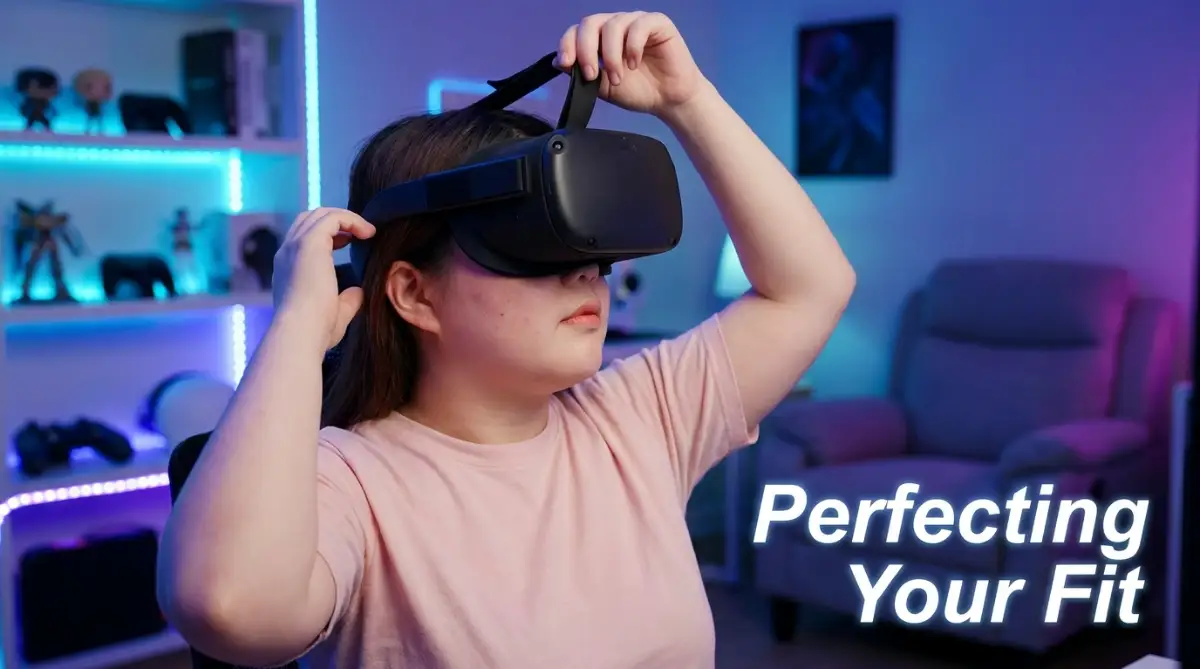
The top strap carries all the weight of the device. You should undo all the velcro straps completely before putting the device on your head.
Place the back pad low on the back of your skull, exactly where your head starts to curve inward towards your neck. Hold the front of the device against your face and move it slightly up and down until the image is perfectly clear.
Once you find that magical clear spot, tightly secure the top strap to lock it in place. Only then should you gently tighten the side straps for basic stability.
The Only Safe Way to Clean Delicate Lenses
No matter how perfectly you adjust your straps, a dirty lens will always ruin your gaming experience. Your eyelashes constantly brush against the glass, leaving behind tiny drops of natural skin oil.
Sweat from your forehead also creates a thin, foggy film over the delicate glass. To fix this, you must build a strict and highly careful cleaning routine.
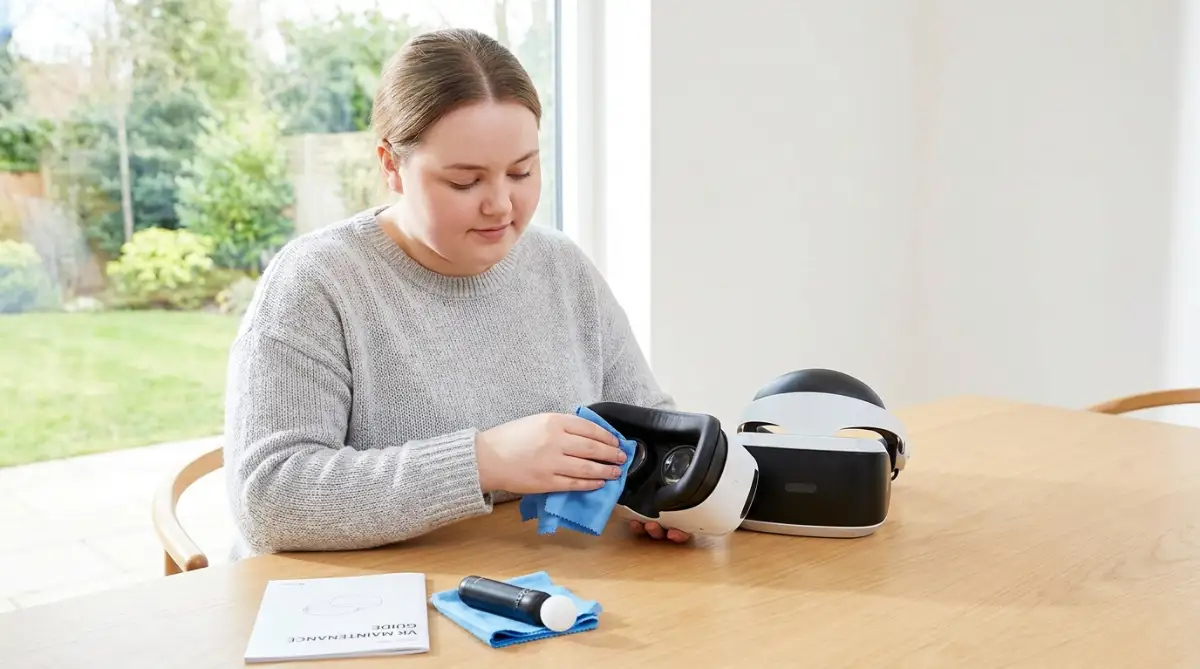
You should never use paper towels, toilet paper, or your shirt to wipe the glass. These materials contain tiny wood fibers that will easily carve permanent micro-scratches into the expensive lenses.
Instead, you must only use a high-quality, dry microfiber cloth, just like the ones used for expensive camera equipment. Gently wipe the glass in small, circular motions starting from the center and moving outwards.
You should also completely avoid using harsh liquid chemical cleaners, alcohol wipes, or standard glass cleaners. These harsh chemicals will permanently strip away the protective anti-glare coating from the lenses.
If there is a stubborn smudge that a dry cloth cannot remove, you can lightly breathe on the lens to create a tiny bit of natural moisture. Then, use your microfiber cloth to gently buff the smudge away.
Keeping your glass perfectly clean is the easiest way to ensure your graphics remain incredibly beautiful and sharp.
Improving Airflow to Stop Foggy Screens
Even if your lenses are perfectly clean, your body heat can quickly cause serious vision problems. When the warm air radiating from your face hits the cold glass of the lenses, heavy condensation instantly forms.
This creates a thick, milky fog that makes it completely impossible to see anything at all. This is incredibly common during intense, active games that make you sweat.
To stop this from happening, you need to give your device a few minutes to warm up before you put it on your face. Simply turning the device on and letting it sit on your desk for five minutes will heat the internal components.
When the glass is warm, your body heat will not cause any condensation to form. You can also invest in custom face cushions that feature tiny air vents.
These clever vents allow the hot air to easily escape from the device without letting any outside light leak in. You can also point a small desk fan directly at your gaming area.
A gentle breeze on your body will keep your core temperature down, heavily reducing the amount of sweat and heat you produce.
Pro-Level Secrets for a Flawless Gaming Experience
Now that we have completely optimized your physical hardware, we need to focus on pushing your software to the absolute limit. Getting the sharpest image possible requires you to understand how your computer processes visual data.
Sometimes, the blurriness is not caused by the physical lenses, but rather by the game engine itself. When properly configured, digital graphics can look as highly detailed and breathtaking as high-quality conceptual art using AI.
To achieve this level of stunning visual fidelity, you must optimize your internal software settings carefully. Let us explore these advanced tricks.
Tweaking In-Game Super sampling
One of the most powerful tools for improving visual clarity is a software setting known as super sampling. This amazing feature forces your computer to render the game at a much higher resolution than your screen can actually display.
The software then beautifully shrinks that massive, highly detailed image down to fit perfectly on your screens. This totally eliminates rough, jagged edges and makes tiny text incredibly easy to read.
You can usually find the super sampling slider deeply hidden inside the main video settings of your gaming software. Slowly increasing this slider will dramatically sharpen your entire world.
However, you must be extremely careful when pushing this setting too high. Super sampling puts a massive, heavy workload on your graphics card.
If your machine cannot handle the stress, your game will start lagging and dropping frames heavily. A lagging screen feels incredibly jumpy and disorganized, very similar to how bad video editing is secretly killing your YouTube money.
If you push your computer too hard, it will begin to overheat rapidly. Pushing hardware beyond its natural limits is exactly what causes dangerous overheating issues in high-performance laptops.
You should increase the super sampling slowly, testing the game each time to ensure your frame rate stays incredibly smooth.
Managing Your Room Lighting and Tracking
Many people do not realize that the physical lighting inside their bedroom directly impacts their digital vision. Modern devices use tiny exterior cameras to heavily track your physical movements in real space.
If these tiny cameras cannot see your room clearly, the digital world inside your headset will begin to shake, vibrate, and blur. This constant, tiny shaking makes everything look incredibly fuzzy and out of focus.
Your gaming room must be evenly lit with warm, comfortable light. You should completely avoid playing in extremely bright, direct sunlight because it heavily blinds the tracking cameras.
You must also be very careful with large mirrors or exposed glass windows in your room. Mirrors bounce the tracking lights back into the cameras, causing severe software confusion and jittery vision.
Covering your mirrors with a simple blanket and closing your window curtains will instantly stabilize your virtual environment. When the tracking is totally smooth, your eyes can finally relax and focus clearly on the game.
Optimizing Wi-Fi for Wireless Streaming
If you are playing PC games wirelessly through a router, your network connection plays a massive role in image clarity. When your Wi-Fi signal drops, the game engine automatically lowers the video quality to keep the game running.
This causes the beautiful graphics to suddenly turn into large, blurry, pixelated blocks. To prevent this highly annoying issue, you must use a dedicated 5GHz or 6GHz router strictly for your gaming setup.
Your main computer should always be plugged directly into the router using a high-quality ethernet cable. You should also make sure you are playing in the exact same room as your router to avoid thick walls blocking the signal.
When your wireless data flows smoothly without interruptions, your digital vision will remain perfectly sharp and highly detailed.
Big Mistakes That Are Ruining Your Headset
Even when you know exactly how to improve your visual clarity, it is incredibly easy to make simple mistakes that cause permanent damage. Many gamers unknowingly destroy their expensive devices simply because they lack proper education.
Avoiding these massive pitfalls will save you a tremendous amount of money and frustration. Here are the most dangerous mistakes you need to stop making immediately:
1. Exposing the inner lenses to direct sunlight:
This is the fastest and most common way to completely destroy your device. The thick glass lenses inside your headset act like powerful magnifying glasses.
If direct sunlight hits those lenses for even a few seconds, it will burn a permanent, colorful scar directly into the internal screen. You must always store your device inside a dark case or place a protective cover over the lenses when you are not playing.
2. Wearing thick metal glasses inside the device:
If you have poor natural eyesight, you obviously need your prescription glasses to see clearly. However, pushing metal glasses inside the tight plastic headset is extremely dangerous.
The hard edges of your glasses will violently rub against the delicate internal lenses, causing deep, unfixable scratches. You should highly consider buying custom prescription lens inserts that snap safely over the screens.
3. Ignoring regular software updates:
Companies constantly release highly important software updates that optimize screen performance and tracking accuracy. Ignoring these basic updates means you are missing out on free visual improvements.
Always leave your device connected to Wi-Fi while charging so it can automatically download these helpful optimization patches.
4. Pushing through severe motion sickness:
If your vision is slightly blurry and you start feeling dizzy, your brain is begging you to stop. Many stubborn gamers try to fight through the nausea, hoping they will just get used to it.
This is a terrible idea that will only make you feel incredibly sick for the rest of the day. As soon as you feel dizzy, immediately take the device off, rest your eyes, and double-check your IPD settings before trying again.
5. Over-tightening the facial interface:
Trying to force the device closer to your eyes by tightening the side straps to the maximum level is a massive error. This cuts off blood circulation to your face, causes massive headaches, and actually distorts your visual sweet spot.
A properly worn device should gently rest against your cheeks without leaving deep, red pressure marks on your skin.
Ready to Experience True Immersion?
Getting perfectly clear vision in your digital adventures does not require any expensive upgrades or complicated modifications. By simply understanding how your unique eyes interact with the hardware, you hold the power to completely transform your experience.
Taking just five minutes to accurately measure your interpupillary distance will instantly relieve the heavy strain on your eyes. Learning how to properly balance the top head strap will completely change how comfortable you feel during long sessions.
Always remember to treat your delicate lenses with the highest level of respect and care. A clean, simple microfiber cloth is your best friend when it comes to maintaining that beautiful, sharp visual fidelity.
Do not be afraid to slowly experiment with your internal software settings to find the perfect balance between beautiful graphics and smooth performance. It takes a little bit of patience, but the final results are absolutely amazing.
You deserve to experience these digital worlds exactly how the passionate creators intended. Go grab your device, carefully clean your lenses, make those tiny adjustments, and step back into a crystal-clear adventure today.
Looking back, I am so glad I did not give up and return my headset during those frustrating first days. Taking a few minutes to set things up perfectly completely changed my gaming life, and I know it will do the exact same for you. Get ready to finally see what you have been missing!
Disclaimer: The information provided in this article is for general educational purposes only. Always follow the official safety guidelines and instructions provided by your specific device manufacturer before cleaning lenses or changing advanced software settings to avoid accidental damage.