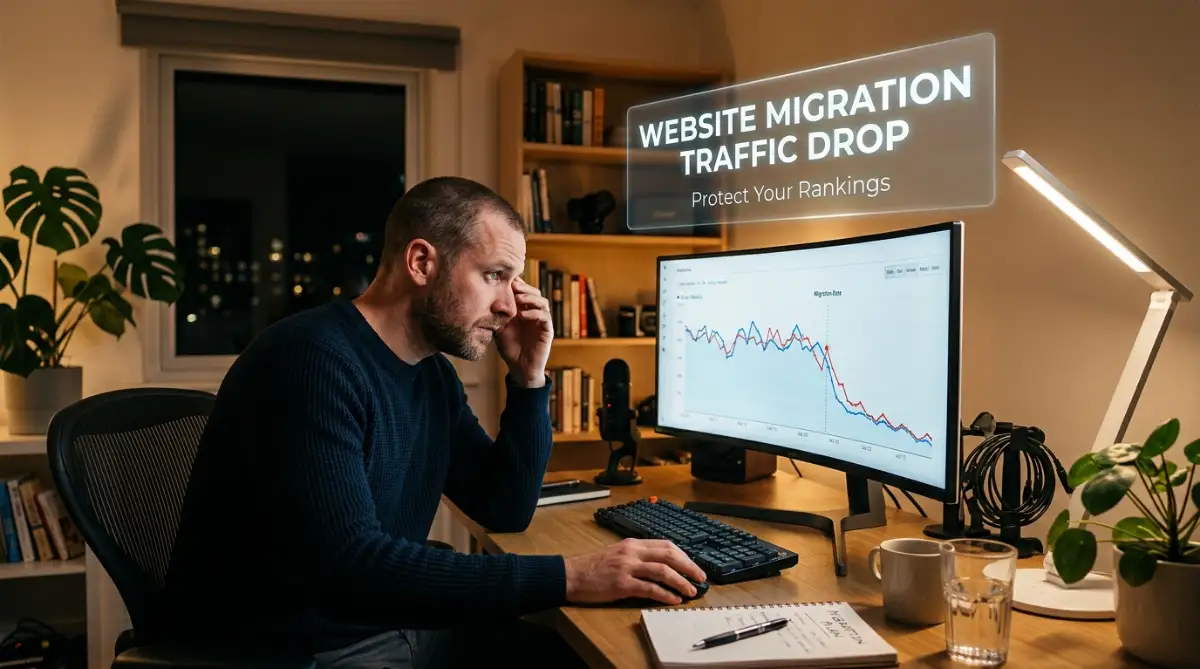
The Day My Analytics Dashboard Flatlined
I still remember the exact moment my stomach dropped to the floor. I had just spent weeks carefully moving my most profitable blog to a brand-new hosting server. Everything looked perfect on the surface, and the new design loaded much faster than before.
But when I opened my analytics dashboard three days later, my heart literally skipped a beat. My daily visitors had suddenly dropped by over eighty percent overnight.
I panicked, refreshed the page dozens of times, and quickly realized I had made a massive mistake that was costing me real money.

The anxiety that followed was something I would never wish on my worst enemy. You pour endless hours into writing great content, building backlinks, and earning Google's trust.
Then, in the blink of an eye, a simple technical move wipes out months of hard work. The mental toll of seeing those numbers crash is incredibly heavy.
Every morning, you wake up hoping to see a recovery, only to be met with the same depressing flatline. You start second-guessing every decision you made.
Did you pick the wrong hosting provider? Did you mess up the database? This fear keeps so many website owners stuck on terrible, slow servers because they are simply too terrified to move.
The reality is, everyday bloggers and business owners lose their sleep over this exact problem. They watch their passive income dry up and their online visibility vanish.
But here is the good news I learned the hard way: a traffic drop is not a mysterious curse. It is simply a math problem waiting to be solved.
When you understand exactly how search engines view a site move, you can protect your digital asset completely.
Let me show you exactly how to move your digital home without losing a single visitor.
What Actually Happens Behind the Scenes During a Site Move?
Think of your website like a popular physical store in a busy city.
Over the years, you have handed out thousands of business cards with your exact street address. Search engines like Google are the taxi drivers who know exactly how to bring customers to your door.
When you migrate your site, whether you are changing your domain name or just switching hosting providers, you are essentially moving your store to a new building.
If you just pack up and leave without putting a forwarding sign on the old door, the taxi drivers will bring customers to an empty lot.
They will get confused, turn around, and eventually stop bringing people altogether.
This is exactly what happens when search engine bots crawl your old links and hit a dead end. They immediately drop your rankings to protect their users from broken pages.
Myth vs Reality: The Traffic Drop Expectation
The Myth: A massive drop in search visibility is completely unavoidable when you switch servers or change domain names.
The Reality: If you map everything correctly, your visitors and search bots will never even notice you moved. A small temporary dip might happen, but a massive crash means something is technically broken.
The Ironclad Blueprint to Protect Your Rankings
You do not need to be a coding genius to pull off a safe transfer. You just need to follow a highly organized process.
Let us break down the exact actions you must take before, during, and after your big move.
1. Mapping Your URLs Like a Private Detective
Before you even think about touching a database backup, you need a complete inventory of your current digital property.You cannot protect pages if you do not know they exist.
Open a simple spreadsheet and list every single URL on your current website. You can use free crawling tools to generate this list automatically.
Why does this matter so much?
Because your new website must have an exact match or a logical replacement for every single old URL. If your old contact page was yoursite.com/contact-us, and your new site uses yoursite.com/contact, you have just created a broken link.
Google will drop the ranking for that page instantly because the original link no longer works. Documenting your existing structure gives you a clear map to follow.
2. Building the Perfect Staging Environment
Never, ever make changes directly on your live website. You need to create a staging site, which is basically a secret clone of your website where you can test everything safely.
Most modern hosting companies offer a one-click staging feature. When you build this secret clone, you must block search engines from looking at it. If Google finds your staging site, they might index it and penalize you for having duplicate content.
You can easily block them by checking a simple box in your WordPress reading settings that says "Discourage search engines from indexing this site."
3. Setting Up Unbreakable 301 Redirects
This is the absolute most important part of the entire process.
A 301 redirect is the digital version of a mail forwarding service. It permanently tells web browsers and search engines, "This page has moved, please go to this new address automatically."
If you are changing your domain name, you need to set up wild-card redirects at the server level. This ensures that anyone clicking an old link instantly lands on the exact same article on the new domain.
If you are just changing hosting but keeping the same domain, your URL structure usually stays exactly the same. But you still need to double-check that no slugs were accidentally changed during the import process.
My Personal Realization: I once lost thousands of visitors because I forgot to redirect my old image attachment pages to my new media folders. I learned that every single asset on your site, including images and PDF files, needs a proper redirect rule. Now, I always test my top 50 highest-performing URLs manually before going live.
4. Freezing Your Content Production
During a migration, your database is moving from one place to another.
If someone leaves a comment, or if you publish a new blog post while the transfer is happening, that new data might get lost in the void. You need to announce a "content freeze."
Stop publishing new articles. Stop updating old posts. Turn off your comment section temporarily. This ensures that the exact copy of the database you export is perfectly identical to what you will import on the new server.
5. Managing Your DNS Settings Without Downtime
Your Domain Name System (DNS) is like the phonebook of the internet. When a user types your web address, the DNS tells their browser which server holds your files.
When you switch hosting companies, you have to update your nameservers to point to the new location. The problem is, this update does not happen instantly across the globe. It can take anywhere from a few hours to a full day for every internet provider in the world to recognize the new location. This delay is called DNS propagation.
To prevent downtime, keep your old hosting account active for at least two weeks after the move. This way, if a user's internet provider still has the old phonebook record, they will just see your old site instead of an ugly error screen. They get the information they need, and Google does not see a broken website.
6. The Post-Launch Crawl and Error Hunt
Once the new nameservers are fully active, the real investigative work begins. Do not just assume everything is working because the homepage loads. You need to actively hunt for errors before search engines find them.
Use an online broken link checker tool to scan your entire new domain. Look specifically for annoying 404 "Page Not Found" errors.
If you find a 404 error, it means a piece of your URL map was broken during the transfer. You must immediately create a new 301 redirect to fix it.
7. Tracking Performance in Real-Time
Monitoring your search traffic closely is non-negotiable after a major site move.
You need to watch your analytics like a hawk for the first thirty days. Google Search Console will be your best friend during this period.
Submit your brand new XML sitemap to Google Search Console immediately. This acts as a direct invitation, asking Google's bots to come and explore your new digital home.
By submitting the sitemap, you force the search engine to process your new URLs and recognize your 301 redirects much faster.
Inside the console, keep a close eye on the "Coverage" or "Page Indexing" reports.
If you suddenly see a massive spike in "Not Found" or "Server Error" warnings, you have a serious problem that needs instant attention.
Understanding the Temporary Dance
Even if you do everything perfectly, you might still see a tiny dip in your daily visitors. Do not panic if your numbers drop by ten or fifteen percent for a few days.
Google takes a little time to re-evaluate your site structure and verify that the new pages offer the same great value as the old ones. We call this the "Google Dance."
As long as your redirects are solid and your site speed is good, your numbers will bounce back. Often, because new hosting is usually faster, your rankings might actually improve after the dust settles.
8. Testing Your SSL Certificate and Security
In today's internet environment, security is a major ranking factor. When you move to a new server, your old SSL certificate (the technology that makes your site URL start with HTTPS) does not always transfer smoothly.
If your new site loads over an insecure HTTP connection, Google Chrome will display a massive, scary warning to your visitors.
Users will immediately click the back button, which sends a terrible signal to search engines. Before you announce that your site is officially moved, verify that your SSL certificate is active.
Check that every single page forces the HTTPS connection. Sometimes, old images will still try to load via HTTP, causing a "mixed content" error.
You can fix this easily with a simple search-and-replace plugin to update all image links in your database.
9. Auditing Mobile Usability
Sometimes, a database migration can cause strange formatting issues on mobile devices. A caching conflict might break your CSS, making your text too small to read or pushing your buttons off the screen.
Since search engines primarily judge your site based on its mobile version, a broken mobile layout can destroy your traffic overnight.
Take out your physical smartphone and browse your newly migrated site. Click on the menu, read a few blog posts, and try submitting a contact form. Make sure everything feels just as smooth and responsive as it did on the old server.
A Quick Review of Your Safety Net
Let us quickly recap the safety measures you have put in place.
- You mapped every single URL before starting.
- You tested the new design on a hidden staging server.
- You set up permanent redirects for anything that changed.
- You kept the old hosting active to handle DNS delays.
- You proactively hunted down broken links.
- You gave search engines a fresh sitemap to follow.
Moving Forward with Confidence
Moving a website does not have to be a nightmare scenario that ruins your business. Yes, there are many moving parts, and yes, it requires a lot of attention to detail.
But by treating your digital property with respect and following these logical steps, you remove the guesswork completely.
You take control of the situation instead of just crossing your fingers and hoping for the best. Your website is an investment of your time, energy, and creativity. Protect that investment by treating every migration like a surgical operation.
Take it one step at a time, verify every single change, and watch your traffic remain steady and strong.
Beyond the Basics: Expert Strategies for Long-Term Ranking Growth
Once your website is safely sitting on its new server, your job is not entirely finished. Many people think a site migration is a simple copy-and-paste job, but the top professionals treat it as an ongoing optimization process.
If you want to maintain your search rankings and actually see your daily visitors grow, you need to look slightly deeper into your site architecture.
The first major secret is understanding your crawl budget. Search engines like Google assign a specific amount of time and resources to crawl your website every single day.
If their robots hit a wall of broken links or slow server responses, they will simply leave your site and move on to your competitors.
To maximize this budget, you must replace your redirected internal links with direct links. Yes, a 301 redirect works perfectly to send a user to a new page, but forcing a search engine bot to jump through hoops wastes their time.
Go into your database and manually update your highest-performing articles so they link directly to the new, permanent addresses.
Another advanced strategy is mastering your canonical tags. Think of a canonical tag as a digital certificate of authenticity. It tells search engines, "This specific page is the original master copy." When you move to a new domain, your old pages must have canonical tags pointing directly to the new domain.
If you accidentally leave the old tags pointing to the old URLs, Google will get incredibly confused and might refuse to index your fresh content. Google actually provides a highly detailed site move guide for developers that explains exactly how their bots process these specific domain changes.
Reading through their official documentation is the best way to understand how the system works directly from the source.
Protecting Your Data During the Move
We also need to talk about your personal security while performing these highly sensitive database transfers. Many website owners hire freelancers or do this work themselves while sitting in coffee shops or airports.
If you are managing this sensitive backend work from a public Wi-Fi network, you are risking a massive data breach. Before you ever log into your hosting dashboard or download a complete site backup in public, you must understand what a VPN is and how it protects your online privacy on public networks.
An encrypted connection ensures that hackers cannot steal your passwords while you are moving your most valuable digital assets.
Analyzing Server Logs Like a Detective
If you really want to guarantee a perfect migration, you need to look at your server logs. Server logs are basically the hidden guestbooks of your website. They record exactly who visits your site, including the exact moment a Google bot arrives.
By analyzing these logs, you can see exactly which pages the search bots are ignoring and which pages are throwing hidden errors.
If you notice that search bots are getting stuck in an infinite redirect loop, you can step in and fix the code before your rankings drop.
Additionally, you need to measure your new server's speed obsessively.
Moving to a new host often changes how fast your pages load.
Search engines heavily prioritize fast websites because humans hate waiting for pages to load.
You should strictly monitor your new setup against web.dev's core web vitals documentation to ensure your new server passes every single speed test.

Catastrophic Pitfalls That Destroy Search Visibility
Even with a perfect plan, human error can completely derail a website migration. Imagine waking up, pouring your morning coffee, and logging into your analytics account only to see a flat zero on your screen.
This nightmare scenario happens every single day because website owners fall into very specific, avoidable traps. Let us walk through the most dangerous mistakes that can permanently wipe out your search visibility.
The "Big Bang" Migration Disaster
The single biggest mistake you can make is trying to change too many things at exactly the same time. We call this the "Big Bang" approach, and it is a recipe for total disaster.
Website owners often decide to change their domain name, move to a new hosting provider, and launch a completely different website design all on the same day.
When you do this, you completely blind yourself. If your search traffic suddenly crashes the next morning, you have absolutely no idea what caused the problem.
Was it the new domain? Did the new host block the search bots? Or did the new design break your internal linking structure? Because you changed everything at once, finding the root cause becomes almost impossible. Always migrate in stages. Move the host first, wait two weeks, and then roll out the new design.
The Hidden WordPress Checkbox Trap
This next mistake sounds incredibly simple, but it has destroyed thousands of successful websites. When building a staging site, developers rightly use the "Discourage search engines from indexing this site" setting in WordPress.
This simply adds a tiny piece of code called a "noindex" tag, which acts like a giant stop sign for search engines. The tragedy happens when the site goes live.
People get so excited about the new launch that they completely forget to uncheck that tiny box. They wait weeks, wondering why their traffic is dropping, without realizing they literally ordered Google to delete their website from the search results.
Exhausting Your Hardware During Large Transfers
Migrating a massive website with thousands of high-resolution images and heavy database files takes a massive toll on your physical computer.
Sometimes, these complex backend migrations require hours of continuous screen time and massive file compressions.
If you are working from a portable machine, you need to actively stop ruining your laptop battery with proven steps for maximum life so your computer does not shut down right in the middle of a database upload.
A sudden power loss during a database import can corrupt your entire website structure. Furthermore, you might be staring at code for so long that your machine starts acting up under the heavy pressure.
Knowing exactly how to diagnose and fix overheating issues in high performance laptops can literally save your hard drive and prevent you from losing your backup files entirely.
Take care of your equipment, because your computer is the only tool standing between you and a successful migration.
Misunderstanding DNS Delays
Another massive pitfall is panicking when the new website does not load instantly for everyone.
When you tell the internet that your website has moved to a new server, that message takes time to travel around the world.
Some people will see the new site in ten minutes, while others might see the old site for a full twenty-four hours.
Many beginners freak out, assume they broke everything, and start wildly changing settings that were actually perfectly fine.
Understanding how DNS propagation actually works across global networks will save you from this unnecessary panic. Just leave your old server running, step away from the computer, and let the internet do its job.
Ignoring the Emotional Toll
Site migrations are incredibly stressful, and people often make terrible decisions when they are tired. Website owners get so anxious that they try to finish a complicated migration in one continuous twenty-four-hour sprint.
When you are exhausted, you will easily miss a broken link or format a redirect incorrectly. You must step away from your desk. Take breaks, play a game, and if you use a virtual reality headset to unwind, learn how to stop VR motion sickness and enjoy gaming longer so you can return to your desk with a completely clear head.
Your mental sharpness is just as important as your technical strategy.
Your Next Steps Toward a Stress-Free Site Move
Moving your online business to a new home should be an exciting milestone, not a terrifying gamble.
When you treat your website migration like an organized mathematical process, you remove all the fear and guesswork.
You now understand exactly why search engines drop traffic, and more importantly, you have the exact blueprint to stop it from happening to you.
Start by mapping your current pages with extreme care, testing everything on a hidden staging server, and setting up unbreakable redirects for every single URL.
Do not rush the process, and never let impatience force you into making changes on your live website. By actively monitoring your analytics and hunting down errors before they spread, you secure your digital assets for years to come.
I know how terrifying it feels to hover your mouse over that final launch button after hours of hard work. My biggest advice is to take a deep breath, trust the backup files you carefully created, and know that you are fully prepared for a successful, smooth transfer.
Common Questions About Safely Moving Your Website
How long does a website migration take to settle in Google?
Usually, it takes Google anywhere from two to four weeks to fully process a complete site migration. During this time, you might see small fluctuations in your daily visitors, which is completely normal as they update their index.
Will I lose my backlinks if I change my domain name?
You will not lose your hard-earned backlinks as long as you set up proper 301 permanent redirects. These redirects automatically pass the authority from your old domain links directly to your newly established website pages.
Is it safe to change my hosting and redesign my site at the same time?
It is highly recommended that you never do both of these tasks at the exact same time. If you move hosts and redesign simultaneously and your traffic crashes, you will not know which specific change actually caused the problem.
What should I do if my traffic drops immediately after a move?
First, do not panic. Immediately check your Google Search Console for sudden crawl errors or index warnings. Double-check that your "noindex" tags are turned off and verify that your 301 redirects are working correctly in a private browser window.
Do I need to keep my old domain forever?
Yes, if you have strong backlinks pointing to your old domain, you should renew it every single year. If you let the old domain expire, all the redirects will break, and you will instantly lose the search authority attached to those original links.
Disclaimer: The information provided in this article is for educational and informational purposes only. SEO strategies and search engine algorithms change frequently. Always create complete backups of your website databases and files before making any technical changes to your servers or domain settings. We highly recommend consulting with a certified technical professional if you are unsure about any server-level modifications.