
The Hidden Cost of Free Wi-Fi: Are Your Bank Accounts at Risk?
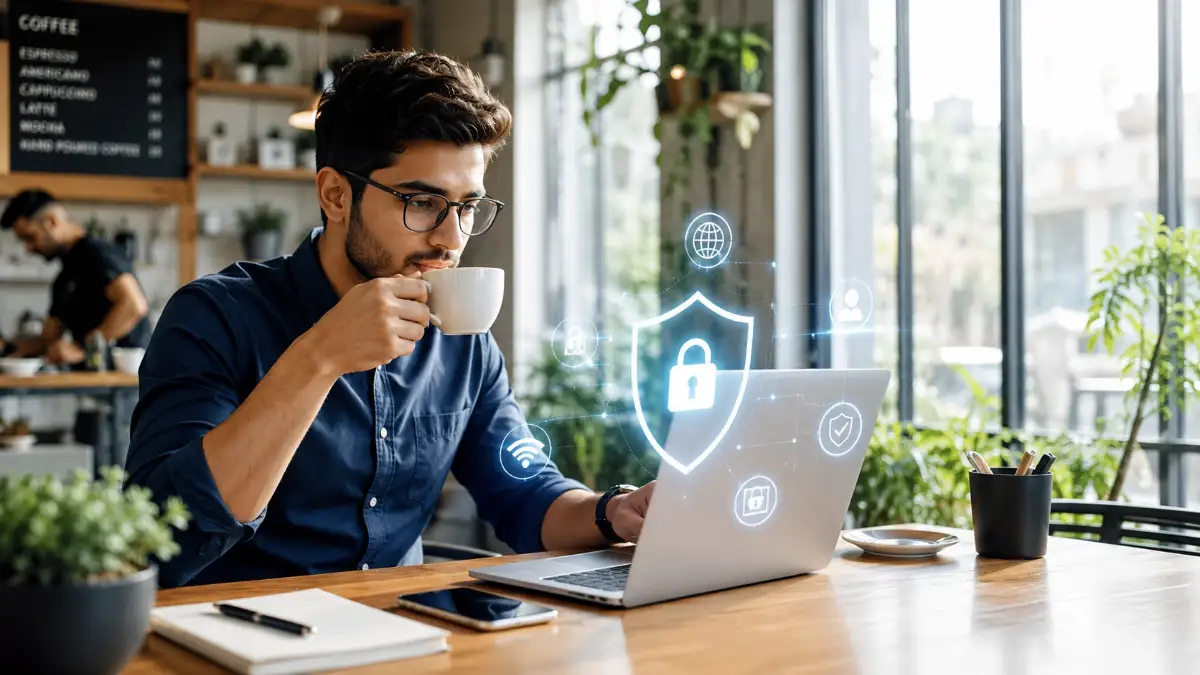
Imagine sitting in your favorite coffee shop, enjoying a warm cup of coffee. You connect to the free cafe Wi-Fi to check your bank balance or pay a quick credit card bill. It feels completely normal and harmless. But what if someone sitting just a few tables away is silently watching every single thing you type? This is the terrifying reality for thousands of people every single day.
We love the convenience of public networks at airports, hotels, and cafes. Yet, this simple habit often leads to devastating financial losses. Hackers can easily sneak into these open, unprotected networks. They quietly steal passwords, drain bank accounts, and hijack our most personal information while we remain completely unaware.
Why Do Smart People Keep Falling for These Traps?
You might wonder why so many careful people still become victims of digital theft. The truth is, the internet is flooded with confusing advice and dangerous myths.
People genuinely try to protect themselves, but wrong information leaves their wallets wide open. Here is why the struggle is so real:
- Trusting incognito mode: Many people believe private browsing hides their activity from hackers. In reality, it only hides your search history from your own device, leaving your data visible to the network.
- Relying on a cafe password: Just because a coffee shop requires a password does not mean your connection is safe. Every single person in that room is sharing the exact same network with you.
- Ignoring small browser warnings: People often click "proceed anyway" when warned about an unsafe website. This tiny mistake can hand your credit card details directly to a cyber criminal.
- Thinking antivirus is enough: Antivirus software is great for stopping viruses. However, it does not hide or protect your live internet traffic on an open connection.
The Heavy Mental Toll of Digital Insecurity
Living with this constant threat takes a massive toll on your daily peace of mind. It slowly ruins your confidence every time you log into a financial app outside your home.
You should be able to manage your money without feeling like you are walking through a minefield. Consider how these fears affect your daily life:
- Anxiety in public spaces: You feel nervous opening your banking app outdoors. You constantly wonder if someone is secretly intercepting your login details.
- Stress over sudden alerts: Every random text message from your bank sends a shiver down your spine. You immediately worry if your identity has been stolen.
- Loss of digital freedom: You stop enjoying the convenience of mobile banking. You feel forced to wait until you are safely home just to transfer a few dollars.
- Technology feels like a burden: The constant fear of being hacked makes modern apps feel overwhelming. Instead of helping you, technology becomes a source of deep anxiety.
When you work hard for your money, the thought of losing it to a silent internet thief is deeply painful. It feels incredibly unfair that checking a simple bank statement can lead to identity theft.
We deserve to use the internet without looking over our shoulders. You deserve to check your credit card balance at the airport without fear.
The good news is that you do not have to be a computer genius to stop these thieves. You just need the right tool to shield your financial life.
How to Defend Your Digital Wallet: A Step-by-Step Security Guide
If you want to stop feeling anxious about your online privacy, you need to understand how to protect your data. The absolute best way to defend your personal finance information on public Wi-Fi is by using a Virtual Private Network.
Most people just call it a VPN. Let us look at the top three practical, scientific steps a VPN takes to keep your hard-earned money safe.
Build a Secure Tunnel for Your Private Data
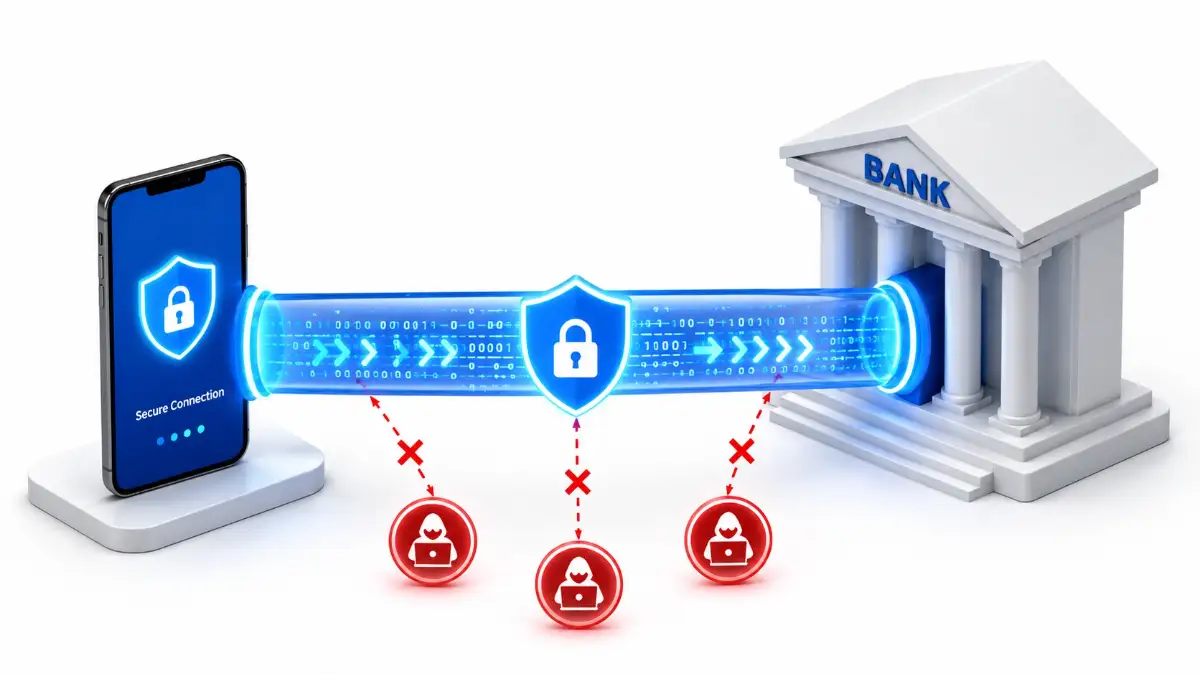
The very first thing a VPN does is create a private, encrypted connection between your phone and the internet. Think of this as a highly secure, private tunnel just for your data.
To understand this, imagine you need to move one million dollars in cash across a dangerous city. If you put that cash in a clear glass car, everyone can see it. Anyone could easily smash the glass and take your money.
Using public Wi-Fi without protection is exactly like driving that clear glass car. Hackers can see your passwords, your bank account numbers, and your personal emails floating through the air.
The Science of Encryption Simplified
When you turn on a VPN, it uses something called cryptography. This is a scientific method of scrambling readable text into a secret code.
Suddenly, your clear glass car transforms into a heavily armored, windowless bank truck. Even if a hacker intercepts your connection, they cannot see what is inside.
They will only see a mess of random, unbreakable codes. This means you can comfortably pay your bills at a local cafe. Your financial data remains locked tightly inside that armored truck, completely invisible to the outside world.
Mask Your Digital Footprint to Stay Invisible
The second way a VPN protects you is by hiding your true location and identity. Every time you connect to the internet, your device is assigned a unique string of numbers.
This string of numbers is called an IP address. It acts just like a digital home address for your phone or computer.
When you use a public network, your IP address is exposed to everyone else on that network. Cyber criminals can use this address to track your activity and target your specific device.
Wearing a Digital Disguise
A VPN acts as the perfect digital disguise. When you connect to a VPN server, it completely hides your real IP address.
It replaces your actual address with the address of the VPN server. Imagine you are driving a car and you suddenly swap your real license plate for a temporary, anonymous one.
Anyone trying to follow you will be tracking the wrong car. This scientific process of network routing makes you virtually invisible online.
If a hacker tries to trace your financial transactions, they will hit a dead end. They will see the VPN server instead of your personal phone. This simple layer of anonymity is essential for keeping your personal finance routines safe from prying eyes.
Establish a Secure Connection Before Opening Financial Apps
Now that you know how it works, you need to apply this science to your daily life. The most practical step you can take today is building a new safety habit.
You must establish a secure connection before you ever tap on a banking or finance app. Let us look at a highly practical, everyday scenario.
Imagine you are sitting at the airport waiting for a flight. You suddenly remember that your credit card bill is due today.
Your first instinct might be to connect to the airport's "Free Public Wi-Fi" and immediately open your banking app. This is the exact moment when you are most vulnerable to theft.
The Golden Rule of Mobile Banking
Instead of rushing, you need to follow the golden rule of secure mobile banking. First, connect to the public Wi-Fi network.
Second, immediately open your VPN app and tap the connect button. Wait a few seconds until the app confirms you are fully protected.
Only after the secure tunnel is active should you open your banking app. By following this exact sequence, your financial data never touches the open network.
This small, proactive habit takes less than ten seconds to complete. However, those ten seconds can save you from months of financial ruin and identity recovery.
You take back control of your digital life. You can finally enjoy the true convenience of mobile finance without the heavy burden of anxiety.
Going Beyond the Basics: Expert Tactics for Ultimate Financial Privacy
You already know the basic mechanics of hiding your digital address on open networks. Now, let us look at some expert-level tools that add an iron-clad layer of security to your banking apps.
These advanced settings are incredibly easy to use once you understand how they work. I promise you do not need an advanced computer degree to set them up. Mastering these tools will turn you into a difficult target for any digital thief.
Protect Your Connection Drops with an Automatic Kill Switch
Imagine you are riding a train and connected to the onboard public Wi-Fi. You have your secure tunnel turned on, and you are reviewing your stock portfolio. Suddenly, the train goes through a dark physical tunnel, and the internet network briefly drops.
When your phone reconnects a few seconds later, the secure connection might not turn on immediately. In that brief window, your device sends unencrypted, readable data out into the open air. This tiny gap is exactly what a waiting hacker needs to steal your login credentials.
To fix this dangerous problem, you must turn on a feature called the Network Kill Switch. Think of this like the emergency brake on a treadmill. If the encrypted connection fails for even a millisecond, this switch instantly blocks all internet traffic on your phone.
Your banking app simply will not load until the secure tunnel is fully re-established. This guarantees that your sensitive financial data never accidentally leaks onto a public network. Most premium security apps offer this feature, but you usually need to turn it on manually in the settings menu.
Use Split Tunneling for Smart Everyday Browsing
Sometimes, routing all your internet traffic through an encrypted server slows down your daily connection. You might want to watch a local video stream while simultaneously checking your overseas bank account. This is where a smart feature called Split Tunneling becomes incredibly useful for your daily life.
Split tunneling allows you to divide your internet traffic into two completely separate paths. One path goes through the highly secure, encrypted tunnel to protect your money. The other path uses the regular, open local network for casual browsing.
Think of it like sorting your daily mail. You send your highly personal letters through a secure, private courier service. At the same time, you let the local postman deliver your regular junk mail and cheap magazines.
You can set your banking, crypto, and credit card apps to always use the private tunnel. Meanwhile, your weather app or local news site can run safely on the normal network. This keeps your highest-risk data totally safe without slowing down your everyday entertainment.
Consider Setting Up Dedicated Hardware for Money Management
Many extremely successful business people use a completely separate device just for their money management. This sounds extreme at first, but it is an incredibly smart way to isolate your digital risk. You physically separate your financial life from your social life.
Imagine having a cheap, secondary smartphone that you only use for banking, crypto, and stock trading. You never install social media apps on this phone, and you never use it for casual internet browsing. You only connect it to highly trusted networks or an encrypted hotspot.
This strategy creates a massive physical wall around your most sensitive data. If you accidentally click a bad link on your main personal phone, your financial accounts remain completely safe on the secondary device. When combined with an encrypted network connection, this physical separation makes you virtually untouchable.
Maintain Consistent Long-Term Security Habits
Knowing these technical tricks is only half the battle. The real secret to lifelong digital safety is building unbreakable daily habits. You have to actively train your brain to prioritize your security before your convenience.
First, I highly recommend setting your security app to "Auto-Connect on Untrusted Networks." This means anytime your phone detects a brand new public Wi-Fi signal, it instantly builds a protective shield. You do not even have to remember to open the app yourself.
Second, make it a strict rule to completely close your financial apps when you finish using them. Leaving a banking session running in the background while sipping coffee is incredibly risky. Always hit the "log out" button, even if you are just stepping away to chat with a friend.
Finally, treat your personal finance data exactly like physical cash. You would never leave a large stack of hundred-dollar bills sitting openly on a cafe table. You should apply that exact same level of extreme care to your digital money on public networks.
Dangerous Security Traps: Avoid These Five Common Mistakes
Even the smartest people make honest mistakes when trying to protect their online money. Unfortunately, a single misstep can easily compromise your entire financial identity in a matter of seconds.
I want to share the five biggest errors I see regular people make on public networks. By avoiding these traps, you save yourself from massive stress and potential monetary ruin.
1. Trusting Free Security Apps with Sensitive Data
We all love finding free software on the app store, but a free security tool is often a massive privacy trap. Running massive global servers costs these companies a tremendous amount of money. If a company is not charging you a monthly subscription fee, they are making money off you in other ways.
Often, these free apps secretly track your private browsing history and sell it to third-party advertisers. Instead of protecting your financial data, they are actively profiting from your private habits. Always invest in a reputable, paid service when your hard-earned life savings are on the line.
2. Leaving Device Visibility Settings On in Public
Your modern phone or laptop likely has a built-in feature that lets it easily connect to other nearby devices. This includes things like AirDrop, Bluetooth file sharing, or network discovery tools. While these features are incredibly convenient at home, they act like an unlocked front door in public places.
If you leave these sharing settings on at a busy airport terminal, hackers can send malicious files directly to your device. They can also scan your phone for open software vulnerabilities. Always remember to turn off file sharing and Bluetooth visibility before joining an open network.
3. Turning Off Protection for "Just One Quick Check"
This is perhaps the most common and dangerous mistake busy people make. You are in a rush to pay a late credit card bill, and your secure tunnel is taking a few extra seconds to connect. You turn it off thinking, "I will only be on my bank account for thirty seconds, so I am safe."
Cyber attacks do not take minutes to happen; they happen in tiny fractions of a second. Automated hacking programs instantly scan open networks for any vulnerable connections. That quick thirty-second check is more than enough time for a program to steal your primary account password.
4. Ignoring App and Operating System Updates
Software updates often feel highly annoying because they interrupt our daily workflow. However, those constant updates almost always include essential patches for newly discovered security holes. Hackers love targeting people who refuse to update their older operating systems.
If your phone software is vastly out of date, even the strongest encryption tools might fail to protect you. Make it a daily habit to update your devices while you are sleeping securely on your home network. A fully updated phone is your strongest and most effective first line of defense against online theft.
5. Assuming "HTTPS" Websites Make You Fully Invisible
When you see a small green padlock icon next to a website address, it means the site uses an HTTPS connection. This is generally good because it encrypts the specific data moving between you and that single website. However, many people wrongly believe this makes them completely invisible on public Wi-Fi.
While hackers might not easily see your exact text password, they can still see exactly which bank website you are visiting. They can track how long you stay there and monitor your device's background traffic. To achieve true anonymity, you need to encrypt your entire network connection, not just a single web browser tab.
Take Charge of Your Digital Identity Today
Protecting your personal finances online does not have to be a scary, overwhelming, or complicated process. By understanding exactly how public networks operate, you instantly gain a massive advantage over cyber criminals. You are no longer an easy target sitting blindly at the local airport lounge.
Remember that building good digital security habits takes a little bit of time and practice. The first few times you use an encrypted connection, it might feel like an annoying extra chore. However, it quickly becomes an automatic and highly reassuring part of your daily routine.
We put so much effort, sweat, and stress into earning our money and planning for a safe future. Taking ten extra seconds to secure your internet connection ensures that hard work is never stolen by a silent thief. You deserve to manage your growing wealth with total confidence, no matter where you travel.
Start putting these expert strategies into daily practice right now. Turn on that automatic network kill switch, invest in a premium service, and treat public Wi-Fi with extreme caution. Take full control of your digital footprint, and enjoy the absolute peace of mind you truly deserve.


