The Hidden Nightmare Inside Your Online Folders
I remember the cold panic that hit me last year when I got an email saying my favorite cloud drive had a "security incident." My stomach dropped instantly. All my scanned IDs, tax forms, and embarrassing childhood photos were sitting right there in those folders. For a whole week, I was terrified someone was going to steal my identity and ruin my credit score. It made me realize I was blindly trusting tech companies with my most private secrets, and that wake-up call sent me down a rabbit hole to find a real solution.
You upload your family photos, tax returns, and business documents to the internet. You assume your data is perfectly safe. But deep down, a nagging worry keeps you awake at night. What if a clever hacker breaks into your account?
What if a rogue employee at the tech company decides to snoop through your private life? We rely on these online drives for absolutely everything today. Yet, most of us have zero control over who actually sees our data. It feels like leaving your house key under the doormat and hoping for the best.
The internet is full of horror stories about leaked files and stolen identities. This constant fear of a data breach is emotionally exhausting.
Why is it so incredibly hard to keep our online files truly private?
- Big tech marketing lies: They promise "military-grade security," but they actually hold the master keys to unlock your files at any time.
- Confusing tech jargon: Words like "transit security" make you think you are fully safe. The reality is much darker.
- False sense of password safety: A strong password means nothing if the server itself gets hacked and your data is sitting there in plain sight.
- Hidden privacy policies: Most people agree to long rules they never read. These rules often give companies the legal right to scan your private images and texts.
This deeply broken system completely shatters our confidence and mental peace.
- Constant paranoia: You always second-guess before hitting the "upload" button for a sensitive medical record.
- Fear of professional ruin: Freelancers and business owners worry daily that client data might leak, destroying their hard-earned reputation forever.
- Identity theft nightmares: Knowing that your passport copies are floating around in a vulnerable server creates intense, silent stress.
- Loss of personal control: It is incredibly frustrating to realize absolute strangers might have full access to your most intimate memories.
Think about a heavy physical safe in your bedroom. You lock it, and you keep the only key in your pocket. Now, imagine if the company that built the safe also kept a master key for themselves. Would you still trust them to protect your gold? That is exactly how standard online drives operate today. They secure your files against outside hackers, but they leave a massive backdoor open for themselves.
I have seen countless people lose sleep over this exact issue. They frantically search for answers on confusing tech forums. They try adding weak passwords to individual PDFs or zip files. But this is a tiring and easily broken process that wastes hours of time.
You deserve a digital home where your privacy is respected by default. You need a system where no one—not even the CEO of the hosting company—can view your data.
Without this level of true privacy, you are always just one data breach away from a financial disaster. It is time to stop trusting marketing promises.
We need to start looking at the actual math behind data security. When your personal information is at stake, "good enough" is never actually good enough.
We need a foolproof way to lock the door and throw away the key.

How to Take Back Your Privacy: The Ultimate Defense Strategy
The only real way to sleep peacefully at night is by taking away the master key from the big tech companies. This is where true security comes into play.
We are talking about a mathematical lock that only you can open. Let us look at exactly how you can build this unbreakable wall around your personal life.
Secure Your Files Before They Leave Your Device
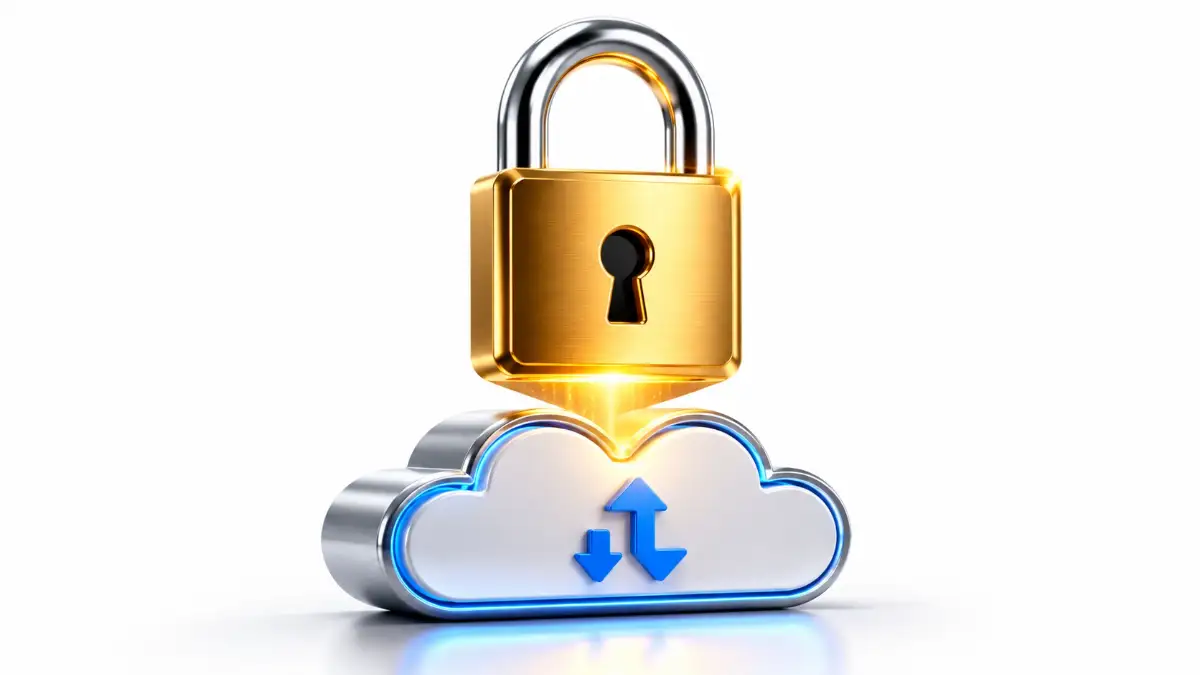
Most people assume their data gets locked up after it reaches the online server. This is a massive mistake. If you want true privacy, the lock must click shut while the file is still on your phone or laptop. This concept is called client-side encryption.
The Mailbox Analogy
Imagine you want to send a secret diary to your best friend through the mail. If you put it in a normal paper envelope, the postman could easily open it, read it, and seal it back up.
Instead, you put the diary inside a heavy steel box. You lock it with a unique padlock. You keep the only key, and you send the locked box through the mail system. Even if a thief steals the box, he cannot read your diary.
He just sees a useless, heavy piece of metal. This is exactly how proper encryption works for your digital files.
Scrambling Your Secrets
Before your photos or tax returns even connect to the internet, your device scrambles them. They turn into an unreadable mess of random characters and numbers.
The online server receives this scrambled mess and stores it safely. Because the server never gets your password, no hacker can ever read your files. Even a strict court order cannot force the company to reveal your data. They simply cannot read it, no matter how hard they try.
You must look for software that guarantees client-side security. If they encrypt your files after uploading, you are already exposed.
Stop Mixing Public and Highly Sensitive Documents
Right now, you probably have a single folder containing both funny dog memes and your personal bank statements. This chaotic habit makes it incredibly hard to protect what actually matters.
You need to start treating your digital life like a physical corporate office. You would not leave your social security card sitting on the public reception desk, right?
Category A vs. Category B
Start by completely separating your data into two distinct categories. Category A is for everyday, low-risk items.
These are things you would not mind sharing publicly with strangers. Category B is for your absolute secrets. This includes financial records, business passwords, medical history, and private family videos. Once you identify Category B, you know exactly what needs the highest level of protection.
The Deep Clean Strategy
Do a deep clean of your current drives today. Take just 15 minutes to find all the highly sensitive PDFs you uploaded years ago and forgot about.
When I finally did my own deep clean, I was shocked to find an unprotected folder with my old bank statements from five years ago just sitting there. My biggest pro tip for you is to set a quick calendar reminder on your phone for a yearly "file sweep," so you never accidentally leave your secrets floating around in the open.
Download them back to your local computer right now. Then, delete them permanently from the unprotected online server. Many people suffer from identity theft simply because they left an old tax return sitting in a forgotten folder. By organizing your files, you drastically reduce your risk of a catastrophic leak.
It is a simple psychological trick that gives you immediate control over your digital footprint.
Embrace the "Zero-Knowledge" Philosophy
Now that your sensitive files are organized, where do you safely put them? You need to find a storage provider that operates on a true zero-knowledge basis.
What does this mean in plain English? It means the hosting company knows absolutely nothing about your files. They do not know what your private file is named. They do not know if it is a family photo or a business video. All they know is the exact file size and the date you uploaded it.
The Power of Your Master Key
When you set up an account with a zero-knowledge provider, you will create a master password. This master password never leaves your brain.
It is never sent to the company's online servers. Your local software uses this password to create the encryption keys on your own device. This is brilliant, but it also comes with a massive personal responsibility.
The Ultimate Warning Label
If you forget your master password, your files are gone forever.
The company cannot send you a helpful "password reset" link to your email. Why? Because they never knew your password in the first place.
There is no friendly customer support agent who can unlock your account for you over the phone. This might sound a little scary at first.
However, it is actually the ultimate proof that the privacy system works perfectly. If a support agent could reset your password, it means they always had a secret backdoor into your account.
Managing Your New Security
To manage this safely, use a highly reliable password manager to store that master key. You can also write the password down on a piece of paper.
Take that paper and lock it inside a physical safe at your home. When you embrace zero-knowledge systems, you completely remove the element of human trust.
You no longer have to blindly trust a tech billionaire to do the right thing with your data. Instead, you are putting your absolute trust in cold, hard mathematics.
Mathematics does not lie, it does not get hacked, and it never sells your data to advertisers.
Start small this weekend. Move just ten highly important documents to a zero-knowledge platform today. You will instantly feel a massive weight lift off your shoulders. Knowing that your private life is mathematically sealed shut brings a level of peace you have likely never felt before.
As we continue to live our entire lives online, this kind of defensive strategy is no longer just an option. It is an absolute daily necessity for anyone who truly values their personal freedom, safety, and mental peace of mind.
Next-Level Privacy: Pro Habits for Bulletproof Security
You have already learned the basics of locking down your private files. Now, we need to talk about building an absolute fortress around your data.
Setting up client-side encryption is an amazing first step. However, keeping that data secure over a long period requires a few smart, daily habits.
If you want to completely eliminate the fear of hackers, you must adopt the mindset of a digital security expert. I am going to share three advanced secrets that will make your online storage practically untouchable.
These are the exact same strategies used by privacy professionals and top-tier journalists. They are surprisingly easy to set up, but they offer massive peace of mind.
Advanced Strategy 1: The "Physical Key" Method for Ultimate Logins
You probably already know about two-factor authentication (2FA). Most websites send a simple text message code to your phone when you try to log in.
Text message codes are incredibly dangerous for your most sensitive accounts. Cybercriminals easily use a trick called "SIM swapping" to hijack your phone number.
Once they control your phone number, they receive your security codes and easily break into your files. To stop this completely, you need to use a hardware security key.
How the Hardware Key Protects You
A hardware key is a tiny physical device that looks like a USB thumb drive. You attach it directly to your everyday keychain.
When you log into your private online drive, the software asks for your password. Then, it asks you to physically plug this tiny key into your laptop and tap a small button.
Without that physical tap, the account simply will not open. A hacker sitting in another country might guess your password perfectly.
But because they do not have your physical keychain in their hands, they are completely locked out. This blends the physical world with digital security perfectly.
If you are a bit confused about how these tiny hardware keys actually work in real life, watch this quick video below to see it in action before reading my next big backup strategy.
Advanced Strategy 2: The 3-2-1 Vault Blueprint
Many people mistakenly believe that encryption protects their files from being deleted. Encryption only stops people from reading your files; it does not stop data loss.
What happens if the company hosting your encrypted files suddenly goes out of business? What if their massive server farm catches fire?
You need to apply the famous 3-2-1 backup rule specifically to your locked vaults. This ensures you never lose a precious family memory or an expensive business contract.
Setting Up Your Safety Net
You should always have three total copies of your highly sensitive data. Keep the original files securely on your everyday laptop.
Keep the second copy inside your zero-knowledge cloud drive. Keep the third copy on a physical external hard drive hidden safely inside your home.
This means if the internet goes down entirely, you still have immediate access to your tax returns and medical histories. You are not just protecting your privacy; you are protecting your future access.
This simple backup method removes all the anxiety of relying purely on a web connection.
Advanced Strategy 3: Safe Sharing with Unprotected Friends
Eventually, you will need to share a highly private document with someone who does not use secure software. Maybe you need to send financial records to your accountant.
Maybe you need to send a copy of your passport to a travel agent. If you attach these files to a normal email, you instantly ruin all your hard work.
Standard emails bounce around multiple public servers before reaching their destination. Anyone along the way can easily intercept and read them.
The "Self-Destructing" Link Trick
Instead of sending the file itself, your secure software will let you create a special, password-protected web link. You send this web link to your accountant.
You then call your accountant on the phone and tell them the password verbally. They click the link, enter the password, and securely download the file directly from your encrypted vault.
Always set an expiration date on these sharing links. Tell the software to automatically destroy the link after 24 hours.
If a hacker searches your accountant's email a month later, they will just find a dead, useless web link. This gives you total control over who sees your data and for exactly how long.
Your Monthly Digital Maintenance Routine
To keep these good results forever, you need a very simple maintenance plan. Once a month, grab a cup of coffee and spend just 15 minutes reviewing your account.
Check your software dashboard to see which files you have recently shared with other people. If a freelance project is finished, immediately revoke the designer's access to your private folders.
Clean out old, temporary files that you no longer need to store online. Just like a physical home, your digital space needs regular sweeping to stay secure and organized.
This tiny time investment prevents massive headaches down the road.

Dangerous Traps: 5 Everyday Mistakes That Will Ruin Your Privacy
Even with the best tools in the world, human error is always the biggest risk. Many well-meaning people try to protect their data but accidentally leave the front door wide open.
I want to show you exactly where people stumble so you can easily avoid these painful traps. If you ignore these common mistakes, you might as well not use security software at all.
Here are the five absolute worst things you can do with your private files.
1. Storing Your Master Key in a Plain Text Document
This is the most heartbreaking mistake I see constantly. A user creates an incredibly strong master password for their new secure drive. Because it is hard to remember, they type it into a sticky note app on their computer. Or worse, they email the password to themselves.
If a hacker gains access to your email, they instantly find the keys to your entire digital life. Never store your master password in plain text anywhere on your computer.
Always use a dedicated, highly secure password manager, or write it down on physical paper and lock it away.
2. Assuming "Password Protected" Zip Files are Safe
Many people think putting a password on a Zip folder or a PDF is enough security. They upload these password-protected files to a regular, unencrypted online drive.
This is a massive illusion of safety. Standard file passwords use very weak, outdated technology.
Cybercriminals use automated guessing software that can crack a standard PDF password in just a few minutes. You must rely on mathematically proven, zero-knowledge platforms instead of weak file passwords.
3. Ignoring Your Account Recovery Codes
When you sign up for a truly private storage service, they will give you a special "recovery key" or backup code. They will explicitly tell you to print it out immediately.
Most people just skip this step because they are in a hurry. Skipping this step is a recipe for an absolute disaster.
If you drop your phone in a lake and forget your main password, that recovery code is your only hope. If you did not save it, the company cannot help you, and every single file is lost forever.
4. Leaving Shareable Links Open Forever
We discussed this briefly, but it deserves its own massive warning. Imagine you share a link containing your house deed with a lawyer.
You forget to set an expiration date on that specific link. Three years later, that lawyer's email account is compromised by a malicious group.
They search his history, find your active link, and quietly download your house deed. Always, without exception, force your shared links to automatically expire after a few days.
5. Using Web Browsers Instead of Dedicated Apps
Logging into your secure drive through a normal web browser like Chrome or Safari can be risky. Web browsers use hundreds of background extensions and plugins.
A malicious browser extension might secretly record your screen while you are typing your master password. It can steal your data before the mathematical locks even engage.
Whenever possible, download the official, dedicated desktop application for your storage provider. Native applications operate in a much safer environment than a cluttered web browser.
Your New Digital Fortress: Taking Control Today
We have covered a massive amount of highly practical ground today. You now completely understand why the old way of storing files is dangerously broken.
More importantly, you know exactly how to fix it using brilliant, zero-knowledge technology. You no longer have to blindly trust big tech companies with your most intimate family memories or critical business documents.
You hold the absolute master key, and you are officially in the driver's seat. It is perfectly normal to feel a little overwhelmed by all these new security concepts.
The trick is to not let that feeling stop you from taking immediate action. You do not have to become a cybersecurity expert overnight.
Start incredibly small today to build your confidence. Pick just five highly sensitive items, like your passport scan and your latest tax return.
Create a free account with a reputable, secure provider and upload those five files. See how easy the software is to use and feel that instant wave of relief wash over you.
Every single file you move behind a mathematical wall is a massive victory for your personal freedom. Your privacy is a fundamental human right, not a premium feature you should have to beg for.
By applying these simple steps, you are protecting your digital identity, your financial future, and your mental peace. Take that first step today, lock your digital doors, and finally enjoy the completely worry-free internet experience you deserve.
Disclaimer: I am an everyday internet user sharing my personal experiences, not a certified cybersecurity professional or legal advisor. The strategies discussed in "The Hidden Dangers of Cloud Storage (And How End-to-End Encryption Saves You)" are based on my own research and what works for my daily life. Always do your own research and choose security software that fits your personal needs.