What Really Happens When Your Email Account Gets Compromised
You open your inbox, and your password doesn't work. You try it again, typing slowly. Still nothing.
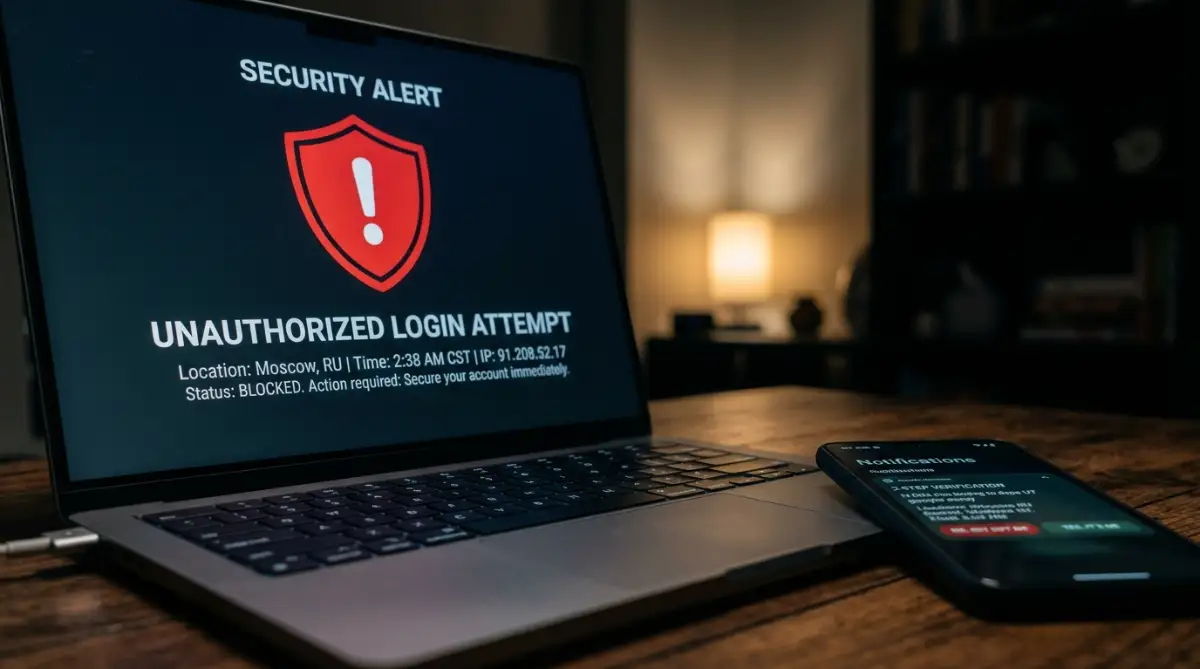
Then your phone buzzes with a notification about a password reset you didn't request.
Your heart sinks.
A compromised email account isn't just an annoying technical glitch. It's the central hub of your entire digital identity.
Think about what sits inside your inbox right now. You've got bank statements, password reset links for social apps, shopping accounts, and private conversations. When an unauthorized party slips through your defenses, they don't just read your messages. They look for ways to take over everything attached to that address.
Most people make a massive mistake the second they realize someone broke in. They panic. They create three brand-new support tickets, spam the password reset button ten times, and start clicking random account links on unfamiliar forums.
Don't do that. It makes things worse.
Automated security systems often flag rapid, repeated reset attempts as suspicious activity. That can trigger a hard lock on your profile, making it even tougher to get back in.
Take a breath. You can fix this. You just need a calm, methodical plan to regain control before the intruder locks you out permanently.
The 60-Second Recovery Summary
In a panic? If you suspect your email is compromised right now, follow this exact order of operations to stop the bleeding:
- Step 1: Run an antivirus scan on your device first. (Don't type new passwords on an infected machine).
- Step 2: Log in and change your password immediately. If locked out, use your provider's official recovery link.
- Step 3: Force sign-out all active sessions in your security dashboard.
- Step 4: Check your settings for hidden email forwarding rules and delete them.
- Step 5: Revoke access for any unknown third-party apps connected to your account.
- Step 6: Turn on multi-factor authentication (MFA) using an authenticator app or hardware key.
The Emergency Containment Phase: Your First Immediate Moves
Speed matters, but precision matters more. If you act without a plan, you might kick yourself out while leaving the door wide open for the intruder.
Here are the exact moves you need to make right away.
1. Identify the Type of Breach You're Dealing With
Not every breach looks the same. Sometimes you're fully locked out because the intruder changed your password and recovery phone number. Other times, the intruder is quietly lurking in the background, reading your mail while your regular login still works.
Knowing which situation you're facing determines your next move.
Look at the symptoms carefully.
If you still have access, don't wait another second. Jump directly to your security settings and change your credentials. If you're locked out, move to the recovery portal immediately.
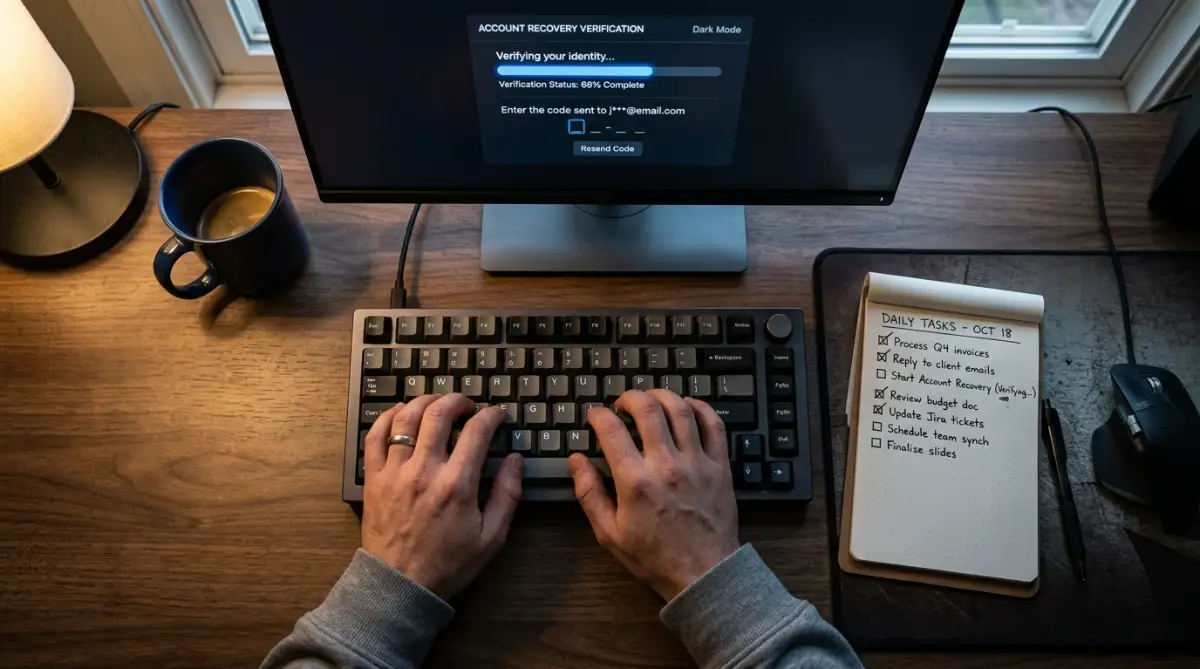
2. Run the Official Account Recovery Flow from a Trusted Device
Every major email provider has an automated recovery portal. The trick is using the right hardware and connection to access it.
Always run the recovery workflow from a device and Wi-Fi network you've used before. Your home desktop, personal laptop, or everyday smartphone carries historical trust signals like familiar IP ranges, browser cookies, and hardware identifiers.
Providers use these signals to verify that you're the real owner. If you attempt recovery from a public computer or a strange network, their security algorithms become far more strict.
Pro Tip: When the recovery form asks for old passwords, enter the most recent password you remember using before the breach. If you don't remember the exact string, provide the closest variation. The system often scores your match accuracy against historical password records stored in its database.
Watch this breakdown to see how account recovery workflows verify your identity behind the scenes:
3. Terminate All Active Sessions and Connected Devices
Getting back inside your account is only half the battle. If the intruder still holds an active session token on their computer, they can continue reading your emails even after you update your password.
You need to sever their connection completely.
Head straight into your account's security tab. Look for an option labeled "Manage Devices," "Active Sessions," or "Where You're Signed In."
Click the button that signs out of all web sessions, mobile devices, and apps.
This single action revokes all existing authentication tokens across every browser worldwide. It forces everyone—including you—to enter the new credentials. Once you do that, you're the only person holding the keys.
4. Search for Hidden Forwarding Rules and Malicious Filters
Intruders know you'll eventually change your password. Because of that, they often build hidden trapdoors before they lose access.
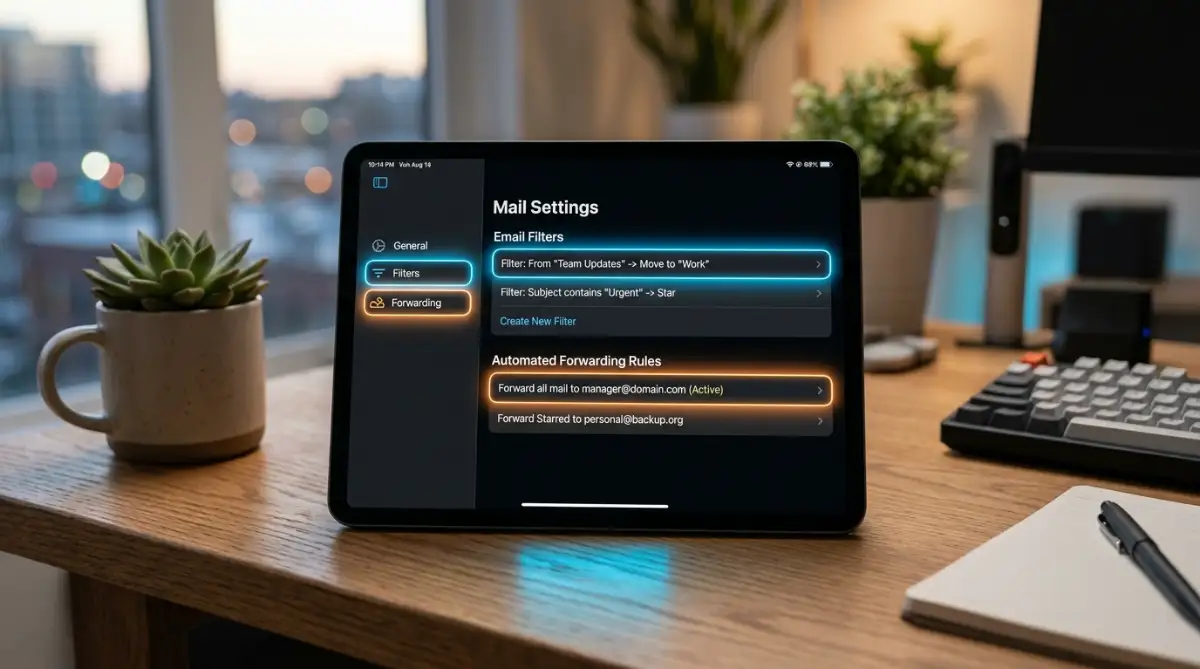
The most common trapdoor is an automatic email forwarding rule.
The intruder sets up a silent filter that forwards any incoming email containing words like "bank," "statement," "invoice," or "reset" directly to an external inbox. They might also create a rule that instantly moves incoming security alerts straight to your Trash or Archive folder so you won't notice them.
Open your email settings. Check your Filters, Blocked Addresses, and Forwarding tabs.
If you see any email address you don't recognize, delete it immediately. Disable all auto-forwarding toggles. Clear out any custom rules that automatically mark incoming messages as read or push them out of your inbox.
If you skip this step, the attacker will keep receiving your sensitive data long after you think you fixed the problem.
Stay alert and check these settings thoroughly.
Fortifying Your Inbox: Advanced Lockdown and Token Auditing
Getting back into your inbox is only the first step. If you stop there, you're leaving the door unlocked for a second wave.
Attackers don't rely solely on passwords anymore. They use persistent access tokens and third-party app authorizations that stay active even after you reset your login details.
Here's how you shut down every remaining point of entry.
Revoke Connected Apps and OAuth Tokens
You've probably used the convenient "Sign in with Google" or "Sign in with Microsoft" button on dozens of websites over the years. Each time you did that, you granted a third-party app a specific digital key called an OAuth token.
If an attacker slipped in, they might have authorized malicious third-party apps to maintain silent access to your contact lists and messages.
Head into your account's security dashboard right away. Look for the section named "Third-Party Apps with Account Access" or "Connected Applications."
Review every single app on that list. If you spot anything you don't recognize, click "Remove Access" immediately. When in doubt, revoke permissions for everything you haven't used in the last month.
It's safer to re-authenticate a legitimate app later than to let an unknown script sit connected to your mailbox.
Upgrade from SMS Codes to Hardware Keys and Passkeys
Text message codes sent via SMS are better than nothing, but they're vulnerable to SIM swapping and automated phishing intercepts.
Upgrade your defense by switching to hardware security keys or cryptographic passkeys.
The security standards published by the National Institute of Standards and Technology (NIST) highlight that phishing-resistant multi-factor authentication offers the strongest defense against account takeover attacks.
Hardware keys require physical contact with your device before anyone can complete a login.
An intruder halfway across the world can't touch a physical USB key plugged into your machine. It stops remote attacks instantly.
Rebuild Your Secondary Recovery Anchors
Take a hard look at your recovery phone number and backup email address.
Did the intruder slip in their own backup address while they had access? If they did, they can easily trigger a password reset tomorrow and kick you out all over again.
Update your backup phone number. Replace any secondary email address with one you've confirmed is 100% clean and secured.
Generate a fresh set of one-time backup recovery codes, print them out on physical paper, and store them in a secure drawer. Don't save them as a screenshot on your desktop.
Costly Pitfalls That Keep Intruders Inside Your Network
People make predictable mistakes during a security scare. Attackers know these habits and count on them.
Avoid these major traps so you don't compromise your recovery efforts.
Falling for Social Media "Recovery Experts"
The moment you post on social media that your email is compromised, you'll see replies claiming someone on an external messaging app can fix it for a small fee.
These are 100% scams.
Nobody outside your email provider's official support infrastructure has backend access to unlock your account. Handing money or personal information to these fake recovery accounts only leads to financial loss and deeper identity theft.
The Federal Trade Commission (FTC) explicitly warns consumers against paying third-party account recovery services.
Stick exclusively to the official recovery workflows provided by your email platform.
The "Plus-One" Password Trap
When forced to reset a password in a hurry, many people pick their old password and simply add an exclamation mark or the next number to the end.
Don't do this.
Automated password-cracking scripts test basic permutations of your past leaked credentials within seconds.
Use a dedicated password manager to generate a completely random, 16-character alphanumeric string. Make it unique. Never reuse it on any other account.
Ignoring Compromised Connected Devices
If your email was compromised through malware or an info-stealing trojan on your computer, changing your password on that same infected machine won't help.
The malware will simply grab the new password the second you type it.
Scan your primary computer with a reputable anti-malware tool before entering your new credentials. If you're managing device security, it also pays to inspect your mobile hardware.
If you've noticed unusual battery spikes alongside unexpected app behaviors, you can review the hidden settings draining your battery to check background processes.
Similarly, if you suspect an attacker has accessed linked hardware, knowing how to locate your lost phone using built-in features helps you verify and revoke access across your devices.
If severe malware forces you to wipe your operating system, check our guide on how to recover data safely from your laptop to protect your files before a clean reinstall.
Forgetting to Notify Financial Contacts and Credit Bureaus
An attacker with access to your email can read past purchase receipts, find out where you bank, and request password resets on financial portals.
Check your bank accounts, credit cards, and payment platforms for unauthorized charges.
Set up transaction alerts on all payment cards. If sensitive identity documents like tax forms or government IDs were stored in your inbox, consider placing a temporary freeze on your credit reports via the Consumer Financial Protection Bureau (CFPB) guidance.
A credit freeze stops anyone from opening new lines of credit in your name, even if they hold your personal data.
Your Immediate 10-Minute Action Plan
Take back control of your digital identity starting right now.
First, update your password from a clean, verified device and force-close every active session across all platforms.
Next, inspect your forwarding rules and revoke all third-party app permissions in your account settings.
Finally, turn on phishing-resistant multi-factor authentication and alert your primary financial institutions to keep your accounts locked down.
Frequently Asked Questions
Can an intruder still read my emails after I change my password?
Yes, if you forget to terminate active sessions or remove hidden forwarding rules. Attackers often keep access through active browser tokens or auto-forwarding filters until you manually revoke them in your account settings.
What should I do if the recovery code goes to the intruder's phone number?
Select the "Try another way" option on the login screen to answer your original security questions or use your secondary backup email. If those aren't available, submit an account recovery escalation form from a trusted device and home network.
Should I delete my email account after it gets compromised?
No, deleting your account immediately can lock you out of other connected services permanently. It's much better to regain control, clean out malicious settings, update your security keys, and keep the address under strict protection.
How do I know if malware on my computer caused the breach?
If your account gets compromised again right after a clean password reset, you likely have an active keylogger or info-stealing malware on your system. Run a full offline malware scan or perform a fresh operating system reinstall to clear it out.
Disclaimer: This guide is provided for educational and informational purposes only. Cybersecurity threats and account recovery procedures vary by service provider. Always follow the official recovery guidelines and security documentation provided by your specific email platform.