Before we get into the details, here is what you need to know:
- Look past the branding: Scammers easily clone official logos, styling, and sender labels to make fake notifications look authentic.
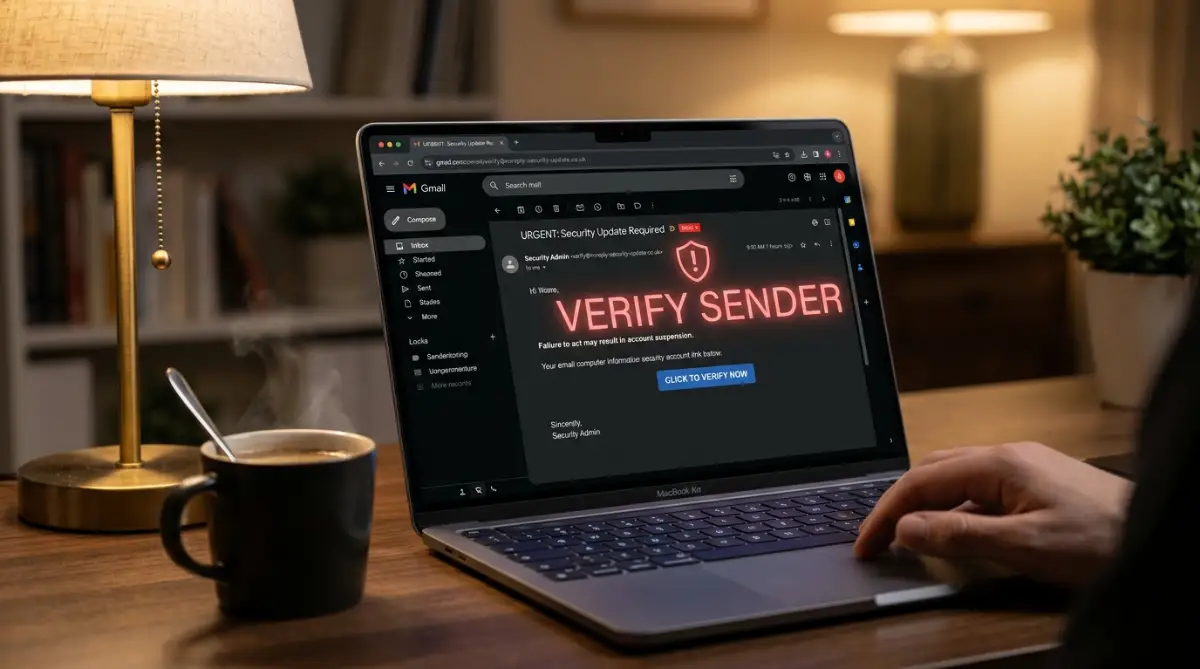
- Check the full domain address: Always expand the sender header on your phone or computer to verify the exact characters after the @ symbol.
- Be skeptical of unusual formats: Modern scams increasingly use QR codes, embedded PDF forms, and reverse-proxy login links that slip past standard spam filters.
- Navigate to accounts independently: If an unexpected message claims your account is locked or billed, open a fresh browser tab and log in directly through your saved bookmark.
The Deceptive Simplicity of Modern Email Attacks
You probably think you can spot a fake email from a mile away. Most of us expect broken English, strange formatting, or wild claims about lottery prizes. But modern phishing attacks do not look clumsy anymore. They look identical to the receipt you received this morning or the password reset prompt you requested yesterday. In this guide, I will show you the exact technical traps scammers use to fool sharp eyes and how you can protect your accounts today.
Modern account takeover attempts look clean, polished, and legitimate. They mirror the exact templates used by your bank, your cloud backup provider, or your workplace payroll department. When an email looks flawless, your brain drops its natural guard.
You see a standard notification stating that a payment failed or a password requires an immediate reset. You click without second thought because the message feels familiar and routine.
What makes these attacks work is not complex computer code, but simple human habit. We check our messages on phones while walking between meetings or making dinner. When attention is divided, subtle discrepancies slide past unnoticed.
Quick Question: When was the last time you manually expanded an email sender box to inspect the full domain address before clicking a button inside?
If your answer is "rarely," you share the exact same habit as millions of daily internet users.
Understanding how modern attackers disguise their messages allows you to spot these traps before entering sensitive login details into a dangerous form.
3 Hidden Phishing Signs You Must Watch For
Here is the first set of subtle warning signs that indicate an incoming message is not what it claims to be.
Sign 1: Character Swaps in Lookalike Domains (Homograph Attacks)
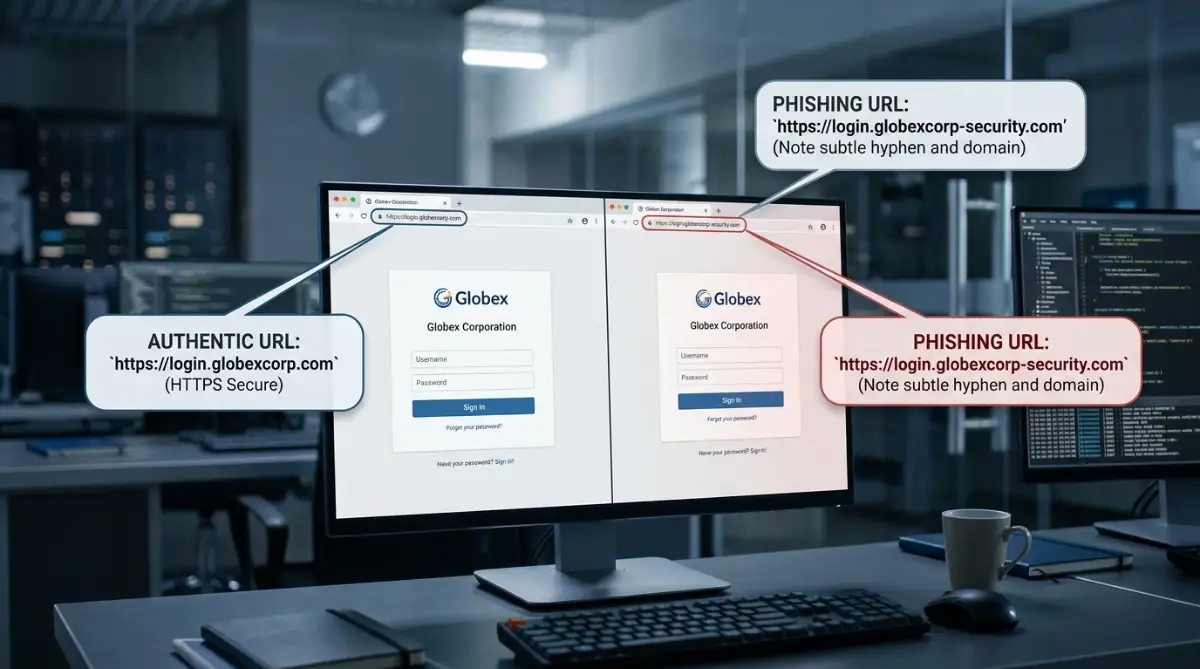
Attackers frequently register domains that look nearly identical to legitimate brands. This technique relies on visual deception where single letters are swapped, added, or replaced with international symbols that look identical in your browser address bar.
A common example involves swapping a lowercase letter "l" with the number "1", or placing two "v" letters together to mimic a "w". In more advanced scenarios, scammers use characters from foreign alphabets that look indistinguishable from standard Latin letters on typical screens.
Visual Comparison Example:
• Authentic Domain: support@service-update.com
• Deceptive Spoof: support@serv1ce-update.com
When you glance at the link on a mobile device, your screen font often smooths out these tiny variations. The page loads with identical corporate colors, official logos, and working footer links that lead to the actual company website. However, the form field on that page sends your entered password directly to an unauthorized server.
Always check the full web address character by character whenever a link asks for your password, especially if the request arrived through an unsolicited notification.
Here is a quick look at common assumptions people make about web addresses versus the actual technical reality:

Sign 2: The Mismatch Between Display Names and Header Domains
Your email app is designed for convenience, which means it shows a friendly display label instead of the full sending email address. Attackers take advantage of this design choice constantly.
An email might show a friendly label like "Account Security Team," while the actual sending address hidden behind that label is a random webmail account from an unrelated service provider.
Header Inspection Example:
• Visible Friendly Name: Streaming Service Billing Support
• Underlying Email Address: billing-update-98234@free-mail-host.net
To expose this trick, you must tap or click on the sender name to view the full string after the "@" symbol. If an official company notification comes from a generic free webmail provider or an unrelated third-party domain, the message is fraudulent regardless of how authentic the logo looks.
Watch this short walkthrough on inspecting hidden sender details to verify email authenticity:
Sign 3: Urgency Paired With Alternative Routing Links
Scammers want you to act before you have time to think. They structure their messages around artificial emergencies, such as impending account cancellation, unauthorized card charges, or missed package deliveries.
When you hover your mouse cursor over the action button inside these urgent messages, look at the destination URL preview in the bottom corner of your browser. Legitimate companies route account management links directly through their primary domain. Phishing messages often route your click through open URL redirect services, URL shorteners, or compromised third-party websites to hide their final destination.
If a bank notification tells you that your account is locked, but the button links to an unfamiliar web address or an IP address string, do not click. Open a fresh browser tab and navigate to the official website manually.
How Basic Spam Differs From Advanced Phishing
Understanding the difference between mass junk mail and targeted phishing helps you allocate your attention where the risk is highest.
Pro Tip: Look for the raw authentication status inside your email provider. Advanced users can open the full email headers and search for the Authentication-Results line. If the dmarc or spf status shows fail or softfail, the sending server had no legitimate authorization to send mail on behalf of that brand domain, regardless of what appears in your inbox view.
Sign 4: The Hidden Script Inside Innocent Attachments
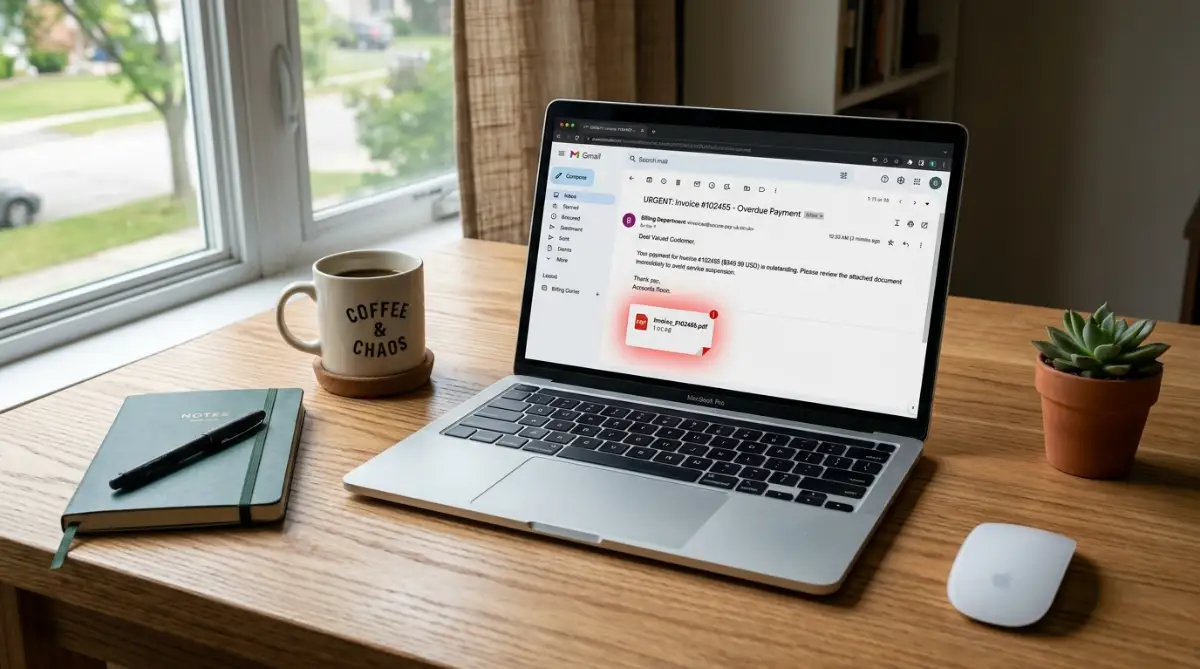
Many users assume that plain PDF receipts, invoices, or calendar invites are completely harmless. Attackers take advantage of this trust by hiding dynamic content inside files that look harmless at first glance.
Instead of inserting direct phishing links into the message body where filters can easily scan them, scammers place the links inside an attached document. When you open a PDF, you might see a fake prompt asking you to sign in with your corporate or personal credentials to view a protected statement.
Another growing method involves vector graphic files, such as SVG images. Unlike standard JPG or PNG images, SVG files are written in XML code and can run malicious browser scripts the moment you preview them.
Always treat unsolicited attachments with extreme caution, even when they come packaged as standard billing receipts or shipping updates.
Sign 5: QR Codes That Move Scams Away From Protected Computers
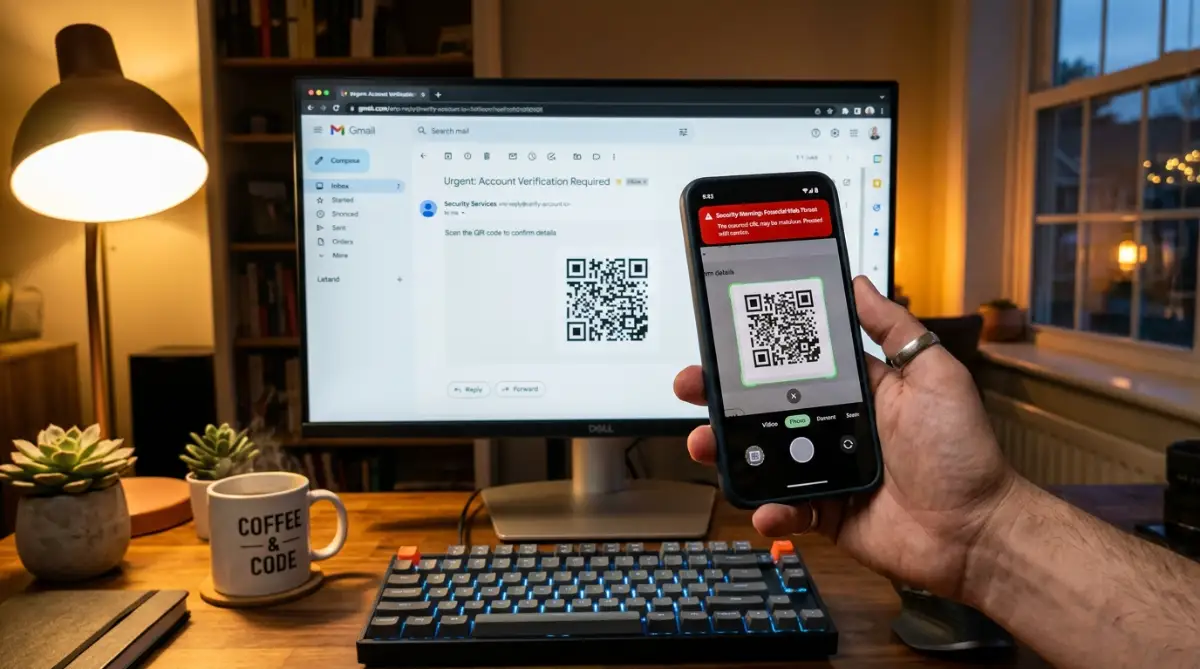
Scanners and security software on your computer are very good at analyzing suspicious text links. To get around these protections, attackers now place QR codes inside their emails. This method is often called quishing.
The email message usually claims that you need to scan a QR code with your mobile phone to complete two-step authentication, update your payroll info, or verify your identity.
When you scan the code with your smartphone camera, you move away from your computer’s protected network and firewalls. Your mobile browser opens the deceptive page directly, often on a small screen where reading the full web address is difficult.
If an email asks you to scan a code to perform basic account maintenance, ignore the graphic and log in to the service manually through your trusted browser bookmark.
Sign 6: Fake Login Screens That Steal Live Session Cookies
Basic phishing forms simply steal your username and password. Advanced attacks use reverse-proxy setups, often called Adversary-in-the-Middle tools, to sit between you and the real service provider.
When you enter your login credentials on these lookalike pages, the fake server forwards your data to the actual website in real time. The real site sends back a legitimate two-factor authentication prompt to your phone.
Once you approve that prompt, the attacker's server intercepts the active session cookie and logs in as you, completely bypassing standard one-time text codes.
To see how dangerous this process is in daily life, consider this exact sequence:
How Session Hijacking Works in Practice:
You open an alert that asks you to confirm your cloud storage account. You enter your username, password, and the six-digit code from your authenticator app on what looks like an authentic screen. The scammer’s intermediate server immediately captures the authorized session token your service issues. Even if you change your password a few minutes later, that stolen active session may keep the attacker logged in until you manually sign out of all active web sessions.
To protect against this method, you can verify your domain security directly or adopt hardware security keys based on standards set by the FIDO Alliance, which bind authentication directly to the legitimate website address and cannot be intercepted by intermediate proxy servers.
Actionable Defense Safeguards for Account Protection
Building strong personal security does not require complicated technical skills. It requires consistent daily habits and clear boundaries for how you interact with incoming messages.
When attackers try to steal credentials, their primary goal is quick access to personal data, payment channels, or linked banking profiles. If an unauthorized login ever compromises your financial records, learning how to fix a damaged credit score without falling for scams will help you recover without losing money to fake repair agencies.
Here is a practical breakdown of actions you should take versus behaviors you must avoid:
Practical Steps to Build a Secure Inbox Environment
- Enable Strict DMARC and SPF Policies: If you manage a custom domain or small business email, ensure your DNS records reject unauthorized senders. Official guidelines from the Cybersecurity and Infrastructure Security Agency provide detailed instructions on stopping domain spoofing at the root level.
- Use Dedicated Aliases for Sensitive Accounts: Never use your primary public email address for your bank, tax filings, or cloud storage accounts. Using separate aliases makes targeted attacks much harder for scammers to launch.
- Audit Connected Apps Regularly: Review third-party app permissions connected to your Google, Microsoft, or Apple accounts every few months, removing any service you no longer use.
The Hidden Mental Traps That Cause Costly Mistakes
Phishing succeeds because it targets human emotions rather than software flaws. Scammers understand how our minds react under pressure and design their messages to exploit specific behavioral weaknesses.
The Attack Psychology Flow:
Fear of Immediate Loss → Hurried Reaction → Bypassed Logic → Compromised Account
1. The Urgency Reflex and Cognitive Overload
When a notification claims your credit card has been charged thousands of dollars, your brain shifts into panic mode. You want to stop the charge immediately.
In that moment of stress, you stop checking domain names or looking for grammar errors. Attackers rely on this exact surge of adrenaline to make you click without thinking.
2. Blind Trust in Authority and Brand Familiarity
We are trained to respond promptly to managers, tax authorities, and service providers.
When an email arrives with an official government header or a clean corporate logo, our instinct is compliance. Attackers clone these visual assets precisely to take advantage of your respect for recognized organizations.
The Federal Trade Commission notes that impersonation of well-known institutions remains the most common technique used to steal personal identity data and trigger fraudulent transfers.
Your Direct Action for Today
Pick your top three most valuable online accounts right now—such as your primary email, your primary bank, and your main cloud backup.
Log in to each one directly through your browser, check your active login sessions, and enable an authenticator app or hardware key to replace simple SMS verification immediately.
Frequently Asked Questions About Email Safety
What should I do if I already clicked a suspicious link?
Disconnect your device from the internet immediately to prevent background data transfer. Open a separate, clean device to change your account password and log out of all active sessions across your services.
Can opening a phishing email infect my computer without clicking anything?
Simply opening and reading a plain text email rarely causes an infection on modern, updated systems. The true danger occurs when you click embedded links, download attachments, or allow the email client to run hidden scripts.
Why do phishing emails still reach my inbox despite spam filters?
Attackers constantly register fresh domains, route messages through compromised legitimate email servers, and use image-based text to bypass automated security scanners before spam engines detect them.
Disclaimer: The security information provided in this guide is for educational purposes only. While following these steps significantly reduces digital risk, no method provides absolute protection against evolving online fraud. For critical security incidents or financial compromises, consult your certified IT security personnel and appropriate banking institutions.