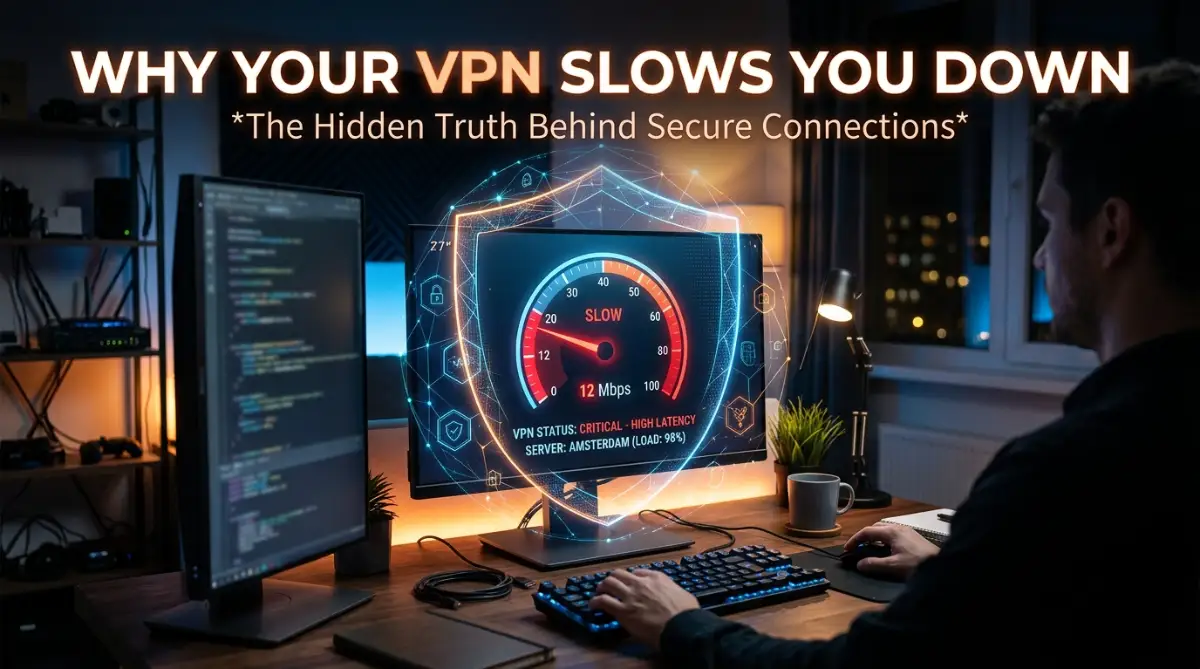
Why Your Blazing Fast Internet Suddenly Crawls to a Halt
I still remember the exact moment I wanted to throw my laptop out the window. I had just paid for a premium, high-speed internet package and a top-rated security app to keep my online work completely private. I sat down at my desk with a hot cup of coffee, ready to present a major project on a massive video call. I clicked the button to turn on my secure connection, feeling confident and protected. But the second I joined the call, everything froze.
My voice sounded like a broken robot to my clients, and their faces turned into blurry, pixelated squares. I was completely embarrassed. I immediately ran an internet speed test on my browser. My jaw dropped when I saw the results. My expensive internet connection was performing worse than a dial-up modem from the past. I felt cheated and frustrated.
This is a painful reality for so many of us trying to protect our privacy online today. You want to keep your personal data safe from hackers and snooping internet providers. But the moment you activate that digital shield, your online life turns into a slow-motion nightmare.
You cannot watch a simple movie without the annoying buffering wheel spinning on your screen. Downloading a small file takes hours instead of seconds. Even simple Google searches take too long to load, completely ruining your focus and mental peace. You are paying good money for speed, yet you are getting completely robbed of your time.
It feels completely unfair. You might even start wondering if your internet provider is secretly punishing you for trying to hide your traffic. The stress of dealing with slow load times when you are on a strict deadline is enough to make anyone lose their mind.
But why does this happen? Is the security software broken, or is there a hidden mechanical reason behind this annoying delay? Let me show you exactly what happens behind the scenes.

The Hidden Mechanics: Breaking Down Your Secure Connection
When you experience a massive drop in speed, your first instinct might be to blame your internet service provider. However, to truly fix this problem, we need to look at how data actually travels across the globe.
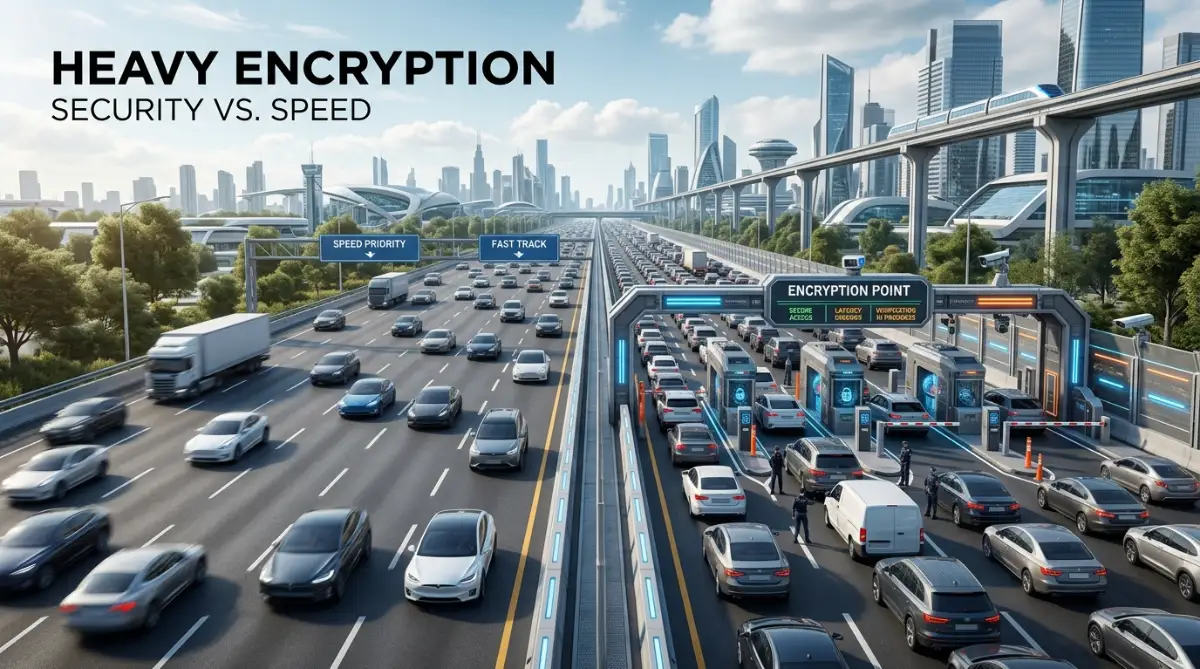
Think of your normal internet connection as a straight, open highway. When you request a webpage, your car drives straight to the destination and comes back. It is simple, direct, and incredibly fast. But when you add a privacy layer, the entire route completely changes.
Instead of taking the direct highway, you are now forcing your car to drive through an underground, heavily guarded tunnel. This new route requires multiple security checkpoints. Naturally, this process takes more time and resources.
Let us look at the most common reasons your connection suffers and how you can actually understand the mechanics behind it.
The Massive Distance Penalty (Server Location)
This is easily the biggest reason people suffer from extreme buffering. When you activate your privacy software, your data does not just go straight to the website you want to visit.
It must first travel to a remote server that acts as a middleman. If you live in New York and connect to a server in Australia, your data has to physically travel across oceans before it even reaches the website. Then, the website's response has to travel all the way back across that same massive distance.
Physics is a real thing, even on the internet. Data travels through physical fiber-optic cables laid at the bottom of the ocean. It cannot travel faster than the speed of light. The further away your chosen server is, the longer it takes for your data to make the round trip.
This delay is known as "Ping" or "Latency." If your ping is high, every click you make will feel extremely delayed and sluggish.
The Heavy Weight of Digital Armor (Encryption Overhead)
Privacy is great, but it comes with a physical cost to your device. When you use a secure connection, your data does not just travel openly. It gets scrambled into a complex, unreadable code.
Imagine you are sending a letter to a friend. Normally, you just put it in an envelope and send it. That is your regular internet. Now, imagine putting that letter inside a steel safe, locking it with a heavy padlock, and putting that safe inside a delivery truck.
That is what encryption does. Your computer has to work hard to scramble the data before it leaves your device. Then, the remote server has to work equally hard to unlock and read that data.
This constant locking and unlocking process is called encryption overhead. Depending on how strong the security lock is, you can lose a huge chunk of your original internet speed simply because the computers are taking time to process the math.
I used to always pick the most extreme, military-grade security settings available, thinking I was outsmarting everyone on the web. It wasn't until I dug into my router settings that I realized my five-year-old laptop simply didn't have the processing power to encrypt data that fast. Once I lowered the encryption level for basic browsing, my speed instantly doubled.
The Rush Hour Traffic Problem (Server Load)
Sometimes, the problem has absolutely nothing to do with distance or encryption. Sometimes, you are just stuck in a massive digital traffic jam.
Every remote server has a maximum capacity for how much data it can handle at one time. If thousands of other people are connecting to the exact same server as you, the server gets overwhelmed.
Imagine a massive grocery store with only one cashier working. It does not matter how fast you ran through the aisles to get your items. You still have to stand in a long, painful line to check out.
When a server is overloaded, it places your data packets in a queue. You have to wait your turn. This causes your download speeds to plummet and your video streams to freeze entirely.
If you are more of a visual learner, watch this brilliant breakdown showing exactly how your data travels through these secure tunnels.
The Language of the Web (Security Protocols)
Not all secure connections speak the same language. The way your device talks to the remote server is defined by something called a "Protocol."
Think of protocols as different types of vehicles. Some vehicles are heavy, armored tanks. They are incredibly safe but move very slowly. Other vehicles are lightweight motorcycles. They move extremely fast but might drop a package or two along the way.
Many older security apps default to a protocol called TCP. TCP is like an overly cautious delivery driver. It stops to check the receipt for every single piece of data sent. If one tiny piece goes missing, it stops the whole truck and waits for it to be sent again.
This is terrible for streaming movies or making voice calls. Newer protocols act more like the fast motorcycle. They prioritize speed and keep moving even if a tiny, unnoticeable piece of data gets lost in transit. Choosing the wrong protocol will instantly kill your performance.
Myth vs Reality: Exposing Internet Speed Lies
There are so many rumors floating around the internet about why connections slow down. Let us clear up the confusion so you can understand what is actually happening.
Myth: A secure connection can speed up your overall home internet.
Reality: A privacy app cannot magically give you more speed than you pay for. If you pay your provider for 100 Mbps, your secure connection will never exceed 100 Mbps. It will always be slightly slower due to the encryption overhead we discussed earlier.
Myth: All servers in the same country perform the exact same way.
Reality: Just because two servers are located in London does not mean they are equal. One might be a premium, high-capacity server maintained by top engineers. The other might be a cheap, overloaded server running on outdated hardware.
Myth: Your internet provider always slows you down when you hide your traffic.
Reality: While some providers do restrict heavy bandwidth users, most do not care if you use a privacy app. In fact, if your provider is known for slowing down YouTube or Netflix, hiding your traffic might actually bypass those specific restrictions.
Actionable Fixes You Can Apply Today
Now that we understand the deep mechanics behind the problem, how do we actually deal with it? You do not have to settle for a frustrating, slow connection.
Here are the most practical ways to regain your lost speed without sacrificing your online safety.
1. Change Your Virtual Location
This is the easiest and most effective fix. If you do not have a specific reason to connect to another country, always choose a server closest to your physical location.
If you live in Texas, connect to a server in Texas or a neighboring state. The shorter the physical distance your data travels, the faster your pages will load. Most modern apps have a "Quick Connect" or "Smart Location" button that automatically finds the nearest, fastest option for you.
2. Switch Your Transportation Vehicle (Protocol)
If your app gives you the option to change the protocol, you should definitely experiment with it. Look inside your settings menu for words like "WireGuard" or "Lightway."
These are modern, lightweight protocols designed specifically for high speed. They use highly advanced math to secure your data without eating up all your device's processing power.
- Avoid: TCP-based protocols if you are streaming or gaming.
- Choose: UDP, WireGuard, or custom lightweight options for the best daily performance.
3. Check Your Own Hardware Limitations
We often blame the internet, but sometimes the enemy is sitting right on our desk. The process of scrambling and unscrambling data requires real processing power from your computer's CPU.
If you are using a very old laptop, a cheap smartphone, or an outdated home router, it simply might not have the brainpower to keep up with high-speed encryption.
If you get 500 Mbps on your phone, but only 50 Mbps on your old laptop while using the exact same server, your laptop is the bottleneck. Close heavy background applications, update your operating system, and make sure your device is not overheating.
4. Restart Your Home Network
It sounds basic, but it works completely like magic. Your home router is basically a tiny computer that runs 24 hours a day, 7 days a week. Over time, its temporary memory gets completely clogged with errors and bad routing paths.
When you add heavy encrypted traffic into a clogged router, everything crashes. Unplug your router from the wall, wait a full 60 seconds, and plug it back in. This clears the digital cobwebs and gives your connection a fresh, clean start.
A Quick Look at Server Comparisons
To help you understand how much impact these choices make, here is a simple breakdown of what to expect based on your server choice.
As you can clearly see, distance plays a massive role in your daily digital life. If you are trying to play a fast-paced video game on an international server, you are guaranteed to have a terrible time.
The Balance Between Privacy and Performance
At the end of the day, using a secure tunnel is a trade-off. You are trading a small percentage of your raw speed for peace of mind.
You no longer have to worry about hackers intercepting your passwords on public Wi-Fi. You no longer have to worry about your internet provider selling your browsing history to advertising companies.
The slight delay caused by encryption is usually worth the incredible security benefits you receive. By understanding how the technology works, you can easily tweak your settings to get the absolute best of both worlds.
You do not have to choose between being safe and being fast. You just need to be smart about how you route your digital traffic. Test different servers, update your protocols, and always keep an eye on your hardware capabilities.
Your internet experience should be smooth, private, and entirely under your control. By making a few simple adjustments today, you can say goodbye to the buffering wheel forever and get back to enjoying your digital life in peace.
Next-Level Strategies for a Lightning-Fast Secure Connection
You already know the basic fixes like changing your server location or restarting your router. But sometimes, those simple steps are just not enough. If you are a heavy internet user, you need more control over how your data travels.
This is where we look at the secret tools hidden deep inside your software settings. Most people never click on the "Advanced Settings" tab because it looks intimidating. I used to be terrified of breaking my connection, so I completely ignored these options for months.
But once I finally tested them, my daily browsing experience changed completely. You do not need a computer science degree to understand these tweaks. You just need to know what they do and when to turn them on.
Let me show you exactly how to take complete control of your digital traffic.
The Magic of the Digital Traffic Cop (Split Tunneling)
Imagine you are driving on a highway, and there is a special VIP lane meant only for highly sensitive delivery trucks. If you force every single car on the road into that one tiny VIP lane, traffic will instantly stop. This is exactly what happens when you force all your device's traffic through an encrypted tunnel.
Not every single app on your computer needs military-grade privacy. For example, does your local weather app really need to be hidden behind massive security walls? Probably not.
This is where a brilliant feature called Split Tunneling comes in. It acts like a digital traffic cop for your device. It allows you to decide exactly which apps get secure protection and which ones use your regular, fast internet.
I love playing competitive online video games. But if I try to play while my security app is running, my game lags completely. By using split tunneling, I can force my web browser into the secure tunnel while letting my video game use my normal, unencrypted Wi-Fi.
This simple trick instantly solved my speed issues. My private searches stayed hidden, and my game ran perfectly smoothly without any annoying delays. Understanding what a VPN is and how it protects your online privacy on public networks helps you realize that you do not always need to protect every single background app.
Upgrading Your Digital Phone Book (Custom DNS)
Every time you type a website name like Google or YouTube into your browser, your computer needs to find its exact numerical IP address. It uses a system called DNS, which is essentially a massive digital phone book.
Normally, your internet provider gives you their default phone book. But when you use a secure connection, the privacy app forces you to use their own private phone book.
Sometimes, this private phone book is incredibly slow to turn the pages. If the server takes three seconds just to look up a website's address, your browser sits there doing absolutely nothing.
You can easily fix this by changing your DNS settings inside your app. You can switch to incredibly fast public directories like Cloudflare or Google DNS. If you are curious about the technical side, you can easily read about how DNS routing affects network latency from trusted networking experts.
Changing this one single setting can make your web pages snap open instantly instead of slowly loading image by image.
Giving Your Computer Room to Breathe
We often forget that securing data requires a massive amount of physical brainpower from your device. Your computer's processor (CPU) has to solve highly complex math problems to scramble your data before it leaves your house.
If your laptop is old, dusty, or running a hundred different background apps, it cannot process that math quickly. When the processor gets tired, it gets hot. When it gets hot, it completely slows down your internet speed.
I actually ruined an important video presentation once because my laptop was burning hot. My secure connection dropped completely simply because my hardware could not handle the stress. I highly recommend taking the time to diagnose and fix overheating issues in high-performance laptops if you want your digital privacy tools to work properly.
Keep your device cool, close heavy programs you are not using, and watch your connection speed instantly stabilize.
The Hidden Rule of Box Sizes (MTU Adjustments)
This is a trick most tech support agents will never tell you about. Your internet data travels in tiny digital boxes called packets. The maximum size of these boxes is called the MTU limit.
Imagine you are loading boxes into a delivery truck. If you make the boxes too big, they will not fit through the customer's front door. The delivery driver will have to stop, open the big box, and repack everything into two smaller boxes.
This repacking process takes a huge amount of time. When you use an encrypted connection, it naturally adds extra wrapping paper around your digital boxes, making them bigger.
If your boxes become too large for your internet provider's network, they constantly get broken down and repacked along the way. You can manually lower the MTU size in your advanced settings. By making the digital boxes just a little bit smaller, they will fly right through the network without any delays.
Dangerous Connection Habits That Ruin Your Experience
Even with all the best settings in the world, you can still completely destroy your own internet speed. People make some very common, yet devastating mistakes when trying to hide their online footprint.
Let us talk about the traps you need to avoid if you want a frustration-free digital life.
The Costly Trap of "Free" Protection
We all love saving money, but downloading a completely free security app is the biggest mistake you can make. Running secure servers across the world costs millions of dollars. If a company is not charging you a subscription fee, they are making their money somewhere else.
Usually, they make money by secretly logging your data and selling it to advertising companies. This completely defeats the whole purpose of using a privacy tool.
Worse yet, free apps restrict your bandwidth heavily. They cram thousands of free users onto one single, cheap server. You will be lucky if you can load a simple text email, let alone watch a video. Real security researchers often publish deep research on free privacy application vulnerabilities that expose just how dangerous these free tools actually are.
The Double-Routing Nightmare
Many premium apps offer a highly advertised feature called "Multi-Hop" or "Double VPN." This feature takes your data and bounces it through two completely different countries before reaching its destination.
People turn this on thinking it makes them twice as secure. While it does add a huge layer of privacy, it completely massacres your internet speed.
Remember our rule about physical distance? Bouncing your data from New York, to London, and then to Japan is a mathematical nightmare. Unless you are an undercover journalist trying to hide from a dangerous government, you absolutely do not need this feature.
For daily browsing, paying bills, or watching movies, a single connection is more than enough to keep you completely safe.
The Wi-Fi Interference Trap
Your secure tunnel is highly sensitive to connection drops. When you use normal internet on a bad Wi-Fi signal, your device simply resends lost data without you noticing.
But when you use strong encryption, losing just a tiny fraction of data causes the entire security lock to break. The app then has to pause your internet, rebuild the secure lock, and start over entirely.
This leads to endless buffering and dropped connections. If you are doing heavy downloading or long gaming sessions, you need to plug a physical Ethernet cable straight into your computer.
Speaking of gaming, a bad wireless connection mixed with heavy encryption is exactly what causes massive lag spikes. If you play virtual reality games, this lag can actually make you feel physically sick. You can learn exactly how to stop VR motion sickness and enjoy gaming longer by simply fixing these unstable network spikes.
Ignoring Your Device's True Health
People love blaming the internet for everything. But a dying battery or a failing hard drive will make even the fastest fiber-optic connection feel completely useless.
When your laptop battery is severely degraded, your computer goes into a panic mode. It intentionally slows down your entire system to save whatever power is left.
Because secure connections require heavy processing power, your struggling battery simply cannot provide the juice needed to run the encryption math. Taking a few moments to stop ruining your laptop battery will directly improve your daily internet speed and overall device performance.
Always keep your hardware healthy, update your apps regularly, and your digital life will run incredibly smooth. To find more amazing tech advice and regular software updates, you can always explore our main platform at Naxus Journal.
Your Action Plan for a Flawless Online Experience
You have just learned more about secure internet traffic than most average users will ever know. You now understand exactly why distance matters, how encryption slows down your computer, and why free apps are a terrible idea.
The internet does not have to be a frustrating place. You possess the complete power to customize your digital experience exactly how you want it.
Your Immediate Checklist
Here is what you should do right now to permanently fix your speed drops.
First, open your security app and check your current server location. Change it to the absolute closest city to your actual home.
Second, go into the advanced settings menu. Change your connection protocol to a modern option like WireGuard.
Third, look for the split tunneling feature. Turn it on and allow your heavy gaming apps or local streaming services to bypass the secure tunnel completely.
Finally, restart your home internet router to clear out any old, broken data paths.
If you follow this simple checklist, I promise you will see an immediate, massive boost in your daily download speeds.
I know how annoying it feels to sit helplessly in front of a buffering screen when you have a mountain of work to do. My biggest breakthrough happened when I stopped blindly clicking the "connect" button and actually took five minutes to adjust my protocol settings. Take control of your software today, experiment with your closest servers, and finally enjoy the blazing fast, private internet you actually pay for.
Your Biggest Connection Speed Questions Answered
Will buying a faster internet package stop the lag completely?
Not always. If you are connected to a heavily overloaded server on the other side of the planet, even a gigabit fiber connection will struggle. Your raw internet speed only matters if the remote server can actually handle that amount of data.
Why is my upload speed completely dead while my download speed is fine?
Upload speeds are naturally much slower on most home internet plans. When you add heavy encryption to a file you are sending out, it puts massive stress on your local device. Try switching to a lighter protocol like UDP to instantly improve those upload numbers.
Should I just leave my privacy software running all day and night?
While it keeps you secure, leaving it on for days without a break can cause temporary memory leaks on your device. It is completely healthy to disconnect, restart the application, and reconnect once a day to give your system a fresh start.
Can my internet provider secretly block me from using a secure tunnel?
Yes, some strict internet providers and public networks actively try to block encrypted traffic. If you suddenly cannot connect at all, look inside your app settings for a feature called "Obfuscation" or "Stealth Mode," which disguises your secure traffic as normal web browsing.
Does it matter what kind of router I have in my house?
Absolutely. Cheap, outdated routers simply do not have the processing power to handle multiple devices running heavy encryption all at once. Upgrading to a modern, dual-band router will clear up network congestion and speed up your encrypted traffic significantly.
Disclaimer: This article is for informational and educational purposes only. The tips and strategies provided are based on general networking principles and personal experience. We do not endorse any specific illegal activities or bypassing strict local network regulations. Always review the terms of service of your internet service provider and ensure your digital security software complies with local internet laws. The external websites linked are for further reading and do not constitute an official endorsement.