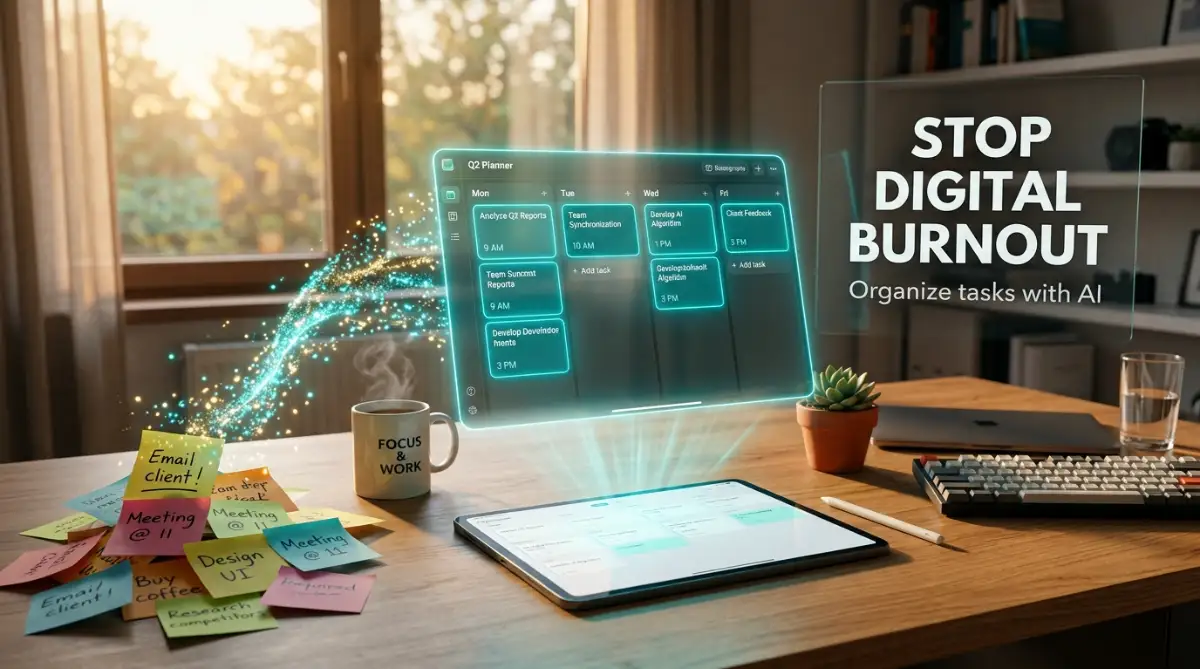
The Crushing Weight of an Endless To-Do List
I still remember sitting at my home office desk at three in the morning, staring blindly at a screen full of unchecked boxes. My chest felt incredibly tight, and a strange wave of panic washed over me as I realized I had missed a major deadline. I had downloaded four different productivity apps, written lists on three separate notepads, and yet, my entire schedule was falling apart.
Instead of getting work done, I was spending hours just trying to figure out what I was supposed to do first. My mind was completely exhausted from making tiny decisions all day long. Every time a new email popped up, I felt a sharp spike of anxiety hit my stomach.
I was officially experiencing severe digital burnout, and it was ruining my personal life and my health. I knew something had to change immediately, or I was going to completely break down. That was the moment I stopped trying to force my brain to remember everything and finally let artificial intelligence do the heavy lifting.
Every single day, thousands of hardworking people find themselves trapped in this exact same nightmare. You wake up with good intentions, but by noon, your digital workspace feels like an absolute warzone. You have dozens of browser tabs open, chat messages constantly pinging, and a calendar that looks like a chaotic puzzle.
This constant overload completely destroys your mental peace and drains your energy. We are simply not built to process thousands of digital notifications while trying to do deep, meaningful work. When you try to juggle all of this manually, your brain naturally goes into a state of panic and freezing.
You end up feeling guilty for not working fast enough, even though you are trying your absolute best. You start sacrificing your sleep, your family time, and your hobbies just to catch up on simple administrative chores. But the hard truth is that working longer hours will never solve a disorganized system.

Escaping the Trap of Manual Planning
Before you download another basic checklist app on your phone, you need to understand why those tools usually fail. Traditional to-do lists rely entirely on your own willpower and energy to keep them organized. They are just empty digital pieces of paper waiting for you to do all the hard work.
When you are already feeling burned out, the last thing you want to do is spend thirty minutes organizing a list. You need a system that actively thinks for you and helps you make quick decisions. This is exactly where modern smart software steps in to completely change how you manage your day.
Think of an artificial intelligence assistant as a highly skilled personal secretary who never sleeps. You just hand them a massive, messy pile of thoughts, and they instantly organize it into a beautiful, logical plan. By passing this stressful chore over to software, you instantly free up your brain power for actual creative work.
The Brain Dump Strategy: Clearing Your Mental Ram
The very first step to curing digital overwhelm is getting every single thought out of your head. Your brain is a fantastic tool for generating new ideas, but it is terrible at storing long lists of chores. When you try to remember everything, you create a massive traffic jam inside your mind.
The most effective way to start fresh is by doing a complete brain dump into a smart text processor. You simply type or speak every random task, email you need to send, or project idea into one blank document. Do not worry about dates, times, or categories at this stage; just get the words out of your brain.
Once you have this massive, ugly block of text, you can feed it directly into a smart language model. You can simply ask the software to "categorize these tasks by urgency and group related items together." Within seconds, your messy thoughts are transformed into a perfectly clean, structured action plan.
This simple habit provides an instant wave of relief and immediately lowers your daily stress levels. You no longer have to worry about forgetting that one tiny chore you thought of while making breakfast. Your mind becomes a quiet, peaceful place because you know the software is safely holding all your responsibilities.
I used to make the terrible mistake of manually color-coding my tasks in five different folders every single morning. I wasted so much energy making my lists look pretty that I had zero motivation left to actually do the work! My biggest realization was that AI can organize raw text ten times faster than I can click through folders, saving me an entire hour every day.
The Science of Smart Prioritization
One of the biggest reasons we experience burnout is something scientists call "decision fatigue." Every time you have to decide what task to do next, you burn a tiny amount of glucose in your brain. By the time the afternoon rolls around, your brain is completely out of fuel, making even simple choices feel impossible.
This is why you suddenly find yourself scrolling through social media instead of finishing an easy report. Your brain is literally trying to protect itself from making another difficult choice. To fix this, you must remove the burden of deciding what comes next.
Smart productivity tools use advanced algorithms to analyze your list and highlight exactly what matters most. They look at your upcoming deadlines, the estimated time for each task, and your past working habits. The software then hands you a single, highly important task to focus on right now.
Watch this short guide to see exactly how to set up an automated daily schedule and take your time back!
Instead of looking at twenty different chores, you are only looking at one clear objective. This scientifically proven method protects your mental energy and keeps you moving forward without hesitation. When the machine decides the priority, you get to just put your head down and get the job done smoothly.
Intelligent Time Blocking for Maximum Focus
Having an organized list is great, but tasks still need a dedicated physical time to actually get done. If you just leave a task sitting on a list, it will eventually get pushed to tomorrow, and then the next day. The most successful professionals use a method called time blocking to guarantee their work is completed.
Time blocking means you assign a specific chunk of time on your calendar for a specific activity. However, doing this manually is incredibly annoying because meetings change and emergencies pop up constantly. This is where artificial intelligence completely outshines human planning.
Modern smart calendars can look at your to-do list and automatically drag your tasks into empty slots in your schedule. If a sudden urgent meeting gets added to your afternoon, the software instantly rearranges your entire week to fix the conflict. It acts like an air traffic controller, making sure none of your projects crash into each other.
By letting software manage your calendar, you completely eliminate the stress of double-booking yourself. You wake up, look at your automatically generated schedule, and just follow the gentle flow of your day. It creates a powerful sense of order and totally removes the anxiety of falling behind.
Taming the Endless Email Avalanche
For most modern workers, the email inbox is the absolute biggest source of daily anxiety. It is a never-ending stream of demands, questions, and advertisements that constantly pull your attention away. Trying to read and sort hundreds of messages manually is a guaranteed path to digital exhaustion.
The good news is that smart software is incredibly good at reading and sorting text-heavy environments. You can easily set up automated filters that read your incoming messages and label them based on their actual importance. The software can instantly hide newsletters and low-priority updates, leaving only messages from actual humans.
Furthermore, these tools can analyze a long, confusing email thread and give you a clean three-sentence summary. You no longer have to read through ten replies just to find out what a client wants. You get the facts instantly, saving your eyes and your patience for more meaningful interactions.
You can even use language models to help you draft polite, professional replies in a matter of seconds. You just type a few messy keywords like "say no, too busy, maybe next week," and the software writes a perfect corporate response. This simple trick turns an hour of stressful email management into a ten-minute breeze.
Setting Hard Boundaries for Mental Recovery
Burnout happens when the line between your working hours and your personal life completely disappears. When your phone is constantly buzzing with work notifications at dinner time, your brain never gets a chance to relax. You remain in a constant state of mild stress, which slowly ruins your physical health.
You can use smart automation tools on your phone and computer to build an invisible wall around your personal time. You can program your devices to completely shut down all work-related notifications the moment the clock hits five. This requires absolutely zero willpower from you; the machine simply locks the door to the office.
If someone sends you a message after hours, the software can automatically reply, letting them know you will respond tomorrow. This manages their expectations while fiercely protecting your right to rest and recover. It sends a strong signal to your brain that the workday is officially over.
Creating these hard digital boundaries is non-negotiable if you want to stay healthy and productive in the long run. Technology should serve you, not keep you chained to a desk twenty-four hours a day. By using these smart rules, you give yourself the permission to truly unplug, recharge, and enjoy your actual life.
Overcoming the Fear of New Technology
I talk to many people who are genuinely afraid to start using smart software to manage their lives. They worry that setting up these systems will be too complicated or that the tools will somehow delete their important files. This fear is totally normal, but it holds you back from experiencing massive relief.
The truth is, modern consumer AI tools are designed to be incredibly friendly and easy to use. You do not need to know a single line of coding or possess any advanced technical skills. If you know how to send a basic text message on your phone, you already have the skills to use these amazing assistants.
Start incredibly small and just test the waters without committing your entire life to a new app. Pick one tiny, annoying chore—like summarizing your daily reading—and let the software handle it for a week. Once you see how easy and reliable it is, your fear will naturally turn into excitement and confidence.
Next-Level Strategies for Long-Term Digital Harmony
Getting your daily schedule organized for the first time feels absolutely amazing. But the real magic happens when you build a system that maintains this organization for months and years. You want your artificial intelligence tools to learn your habits so well that they basically become an extension of your own mind.
One of the smartest ways to achieve this is by training your software with direct context. Artificial intelligence relies heavily on the specific instructions and background information you give it. If you just ask a tool to "plan my day," it will give you a very generic and boring corporate schedule.
Instead, you need to have a quick, honest conversation with your software about your actual energy levels. Tell your digital assistant exactly when you feel most creative and when you usually feel tired. When the machine knows you hate doing math in the morning, it will automatically push your accounting tasks to the afternoon.
This level of deep personalization completely changes how you interact with your work. You are no longer forcing yourself to fit into a rigid, traditional nine-to-five box. You are designing a custom workflow that respects your natural human limits and celebrates your personal strengths.
The Power of Voice-Assisted Brain Dumping
Typing out a massive list of chores can sometimes feel just as exhausting as doing the chores themselves. To fix this, I highly recommend using voice-to-text features while you are away from your desk. You can quickly record your random thoughts while walking the dog or driving home from the grocery store.
Modern voice recognition software is incredibly accurate and can easily understand your messy, half-finished sentences. You just ramble into your phone microphone, and the AI captures every single detail perfectly. Later, you can send that messy audio transcript directly into your task manager to be sorted out instantly.
According to a detailed report on managing cognitive load and workplace stress by the American Psychological Association, removing these tiny micro-decisions is the fastest way to recover your mental energy. By speaking your thoughts aloud, you empty your brain before the stress even has a chance to build up.
Do's and Don'ts for Daily AI Management
- Do schedule a weekly system review: Take ten minutes every Friday afternoon to check if your automated rules are still working for you.
- Don't accept every software suggestion blindly: If an automated calendar suggests a meeting time that feels wrong, trust your human intuition and change it.
- Do teach the machine your boundaries: Explicitly tell your smart calendar that you require a full thirty-minute lunch break, and force it to block that time out daily.
- Don't use five different tools: Keep your workflow centralized in one or two main applications to avoid losing important data between different software accounts.
Another fantastic habit is pairing your digital organization with a physical anchor in the real world. For example, tell yourself that you will only review your AI-generated task list while drinking your morning coffee. This simple physical action tells your brain that it is time to transition into a focused, working state.
If you constantly push your brain to the absolute limit without a break, you will crash hard. It is very similar to how heavy, demanding software can heavily strain your computer hardware. In fact, learning how to diagnose and fix overheating issues in high performance laptops involves the exact same logic as cooling down your own overworked mind.
The Dangerous Traps of Automated Productivity
While passing your responsibilities to a smart assistant is incredibly helpful, it is not a perfect magic trick. Many people get so excited about these new tools that they make some very painful mistakes right at the beginning. If you are not careful, you can accidentally create a system that causes even more anxiety than a messy notepad.
The most common trap is what I call the "Robot Manager" syndrome. This happens when you allow the software to schedule every single minute of your day without leaving any empty space. The machine looks at your eight-hour workday and aggressively packs it with exactly eight hours of non-stop tasks.
We are human beings, not machines, and we require breathing room between our activities. You might need five minutes to stare out the window, grab a glass of water, or just stretch your back. If your digital calendar does not include buffer times between projects, one delayed email will ruin your entire afternoon schedule.
A brilliant piece on understanding decision fatigue and time management explains why our brains simply shut down when faced with an overly rigid, unforgiving schedule. When you fall behind on an aggressively packed automated list, the guilt you feel is absolutely overwhelming. You must manually instruct your tools to leave at least twenty percent of your day completely blank for unexpected emergencies.
The Security Blind Spot
Another massive mistake is blindly trusting these public language models with highly sensitive company information. People often copy and paste entire client emails or private financial documents into an AI chat box to get a quick summary. They completely forget that these platforms often use input data to train their future software models.
You should never feed confidential business secrets, personal passwords, or private client names into a public tool. Always use generic placeholders like "Client A" or "Project X" when asking the software to organize your thoughts. Taking a few seconds to anonymize your data protects you from a potential professional disaster.
Protecting your sensitive data is just as important as organizing it. When feeding information to a digital assistant, make sure you are on a secure network connection. If you are working from a local coffee shop, you absolutely must understand what a VPN is and how it protects your online privacy on public networks before sharing your daily schedule.
The Illusion of Action
Finally, do not fall into the trap of using software configuration as an excuse to avoid real work. I have seen friends spend three entire days testing different color schemes for their automated priority tags. They felt incredibly productive because they were clicking buttons, but they actually completed zero real tasks.
Setting up your digital system should take a maximum of one hour, not an entire weekend. The goal is to spend less time managing the work and more time actually doing the work. If you find yourself constantly tweaking the settings of your task manager, you are just procrastinating in a very modern way.
Constantly checking your digital lists drains your mental battery incredibly fast. It is exactly like leaving dozens of background applications running silently on your mobile device. You need to close those mental tabs to stop ruining your laptop battery and discover proven steps for maximum life, and the exact same principle applies to your own energy reserves.
Your Master Plan for a Stress-Free Tomorrow
We have explored the deep mechanics of why we feel so overwhelmed and exactly how smart software can save us. You do not have to accept the daily panic of a messy calendar as a normal part of your professional life. You have the power to completely redesign how you interact with your responsibilities starting today.
Remember that technology is supposed to be your quiet assistant, not a loud, demanding boss. When you use these smart algorithms to sort your priorities, you instantly reclaim hours of lost time. Research published regarding the impact of artificial intelligence on daily productivity clearly shows that workers who automate their basic scheduling experience significantly lower stress levels.
Taking breaks is absolutely mandatory for long-term career success and mental stability. Even when engaging in highly enjoyable digital activities, taking a step back is incredibly necessary for your health. For example, gamers have to take frequent pauses to stop VR motion sickness and enjoy gaming longer, and modern office workers need that exact same kind of visual and mental rest.
Your 24-Hour Launch Checklist:
Tomorrow morning, do not open your email inbox the moment you wake up. Instead, open a blank digital document and dump every single thought and worry out of your head for five straight minutes. Feed that raw text into your smart assistant, ask for a prioritized top-three list, and confidently ignore everything else until the afternoon.
For more deep dives into optimizing your digital environment, you can always explore our main homepage for the latest helpful guides. Taking this small leap of faith with modern software will completely transform how you view your daily work.
I wasted years of my life feeling crushed by an endless mountain of messy sticky notes and missed alarms. The moment I finally let these smart tools organize my chaos, my anxiety vanished, and I actually started enjoying my work again. You absolutely deserve to feel that exact same freedom, so take a deep breath and let the software help you today!
Real Questions About Managing Tasks With AI
Is it safe to put my personal schedule into a smart tool?
Yes, it is generally very safe for standard daily chores, grocery lists, and basic meeting times. However, you should always avoid typing highly sensitive passwords, financial numbers, or private client details into any public software platform. Just use basic descriptions like "budget meeting" to stay completely secure.
Will relying on an automated calendar make me lazy?
Not at all; it actually makes you much more focused and energetic. By letting the machine handle the boring administrative chores, you save your brain power for creative and complex problem-solving. You are simply delegating the busywork so you can be a harder worker on the things that actually matter.
Do I need to pay for premium software to get organized?
You absolutely do not need to spend any money to start automating your life. The vast majority of top-tier smart assistants and automated calendar tools offer highly capable free versions for individual users. These free tools are more than enough to completely reorganize a messy personal schedule.
How long does it actually take to set up these tools?
If you follow a simple strategy, it should take you less than thirty minutes to establish a basic automated workflow. The key is to start small by automating just one thing, like sorting your daily emails. Once you see how the system works, you can easily add more advanced rules later.
What happens if the software makes a mistake with my schedule?
Smart tools are incredibly helpful, but they are not perfect, which is why you always retain manual control. If the software suggests a bad time for a meeting, you simply drag and drop the block to a better spot. The system actually learns from your corrections and will avoid making that same mistake in the future.
Disclaimer: The strategies and software suggestions discussed in this article are for informational and educational purposes only. Productivity methods affect everyone differently, and you should always review terms of service before sharing data with third-party applications. The author and publisher are not responsible for any data loss, missed deadlines, or professional issues resulting from the use of automated scheduling tools.