The False Sense of Plug-and-Play Security
You plug a $3,000 computer into a $15 piece of plastic and assume you're protected from the forces of nature.
It makes sense. The packaging clearly says "surge protection" in bold letters.
But you're likely sitting on a ticking time bomb. Most people don't realize that standard surge protectors have a hidden expiration date.
They aren't permanent shields. They are sacrificial devices that quietly die over time. Every time your home experiences a minor grid fluctuation, the internal components absorb that hit and permanently degrade.
You won't even notice it happening.
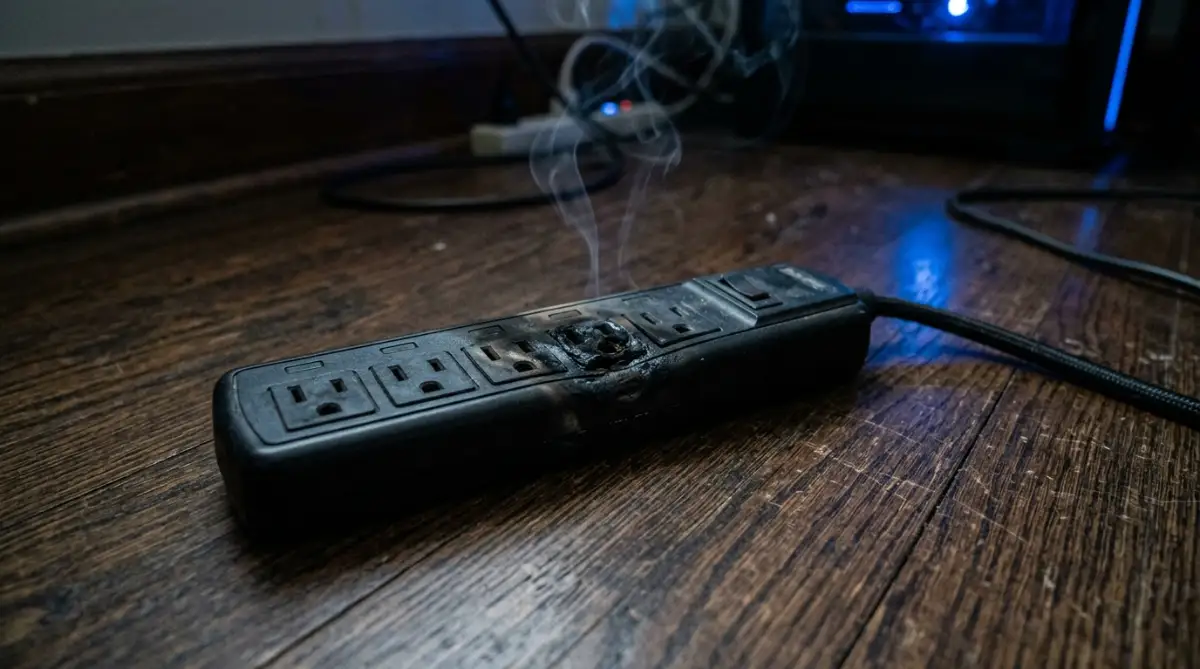
The power strip will still deliver electricity. The red switch will still glow. Your monitor will still turn on. But the actual protective barrier? It might have vanished months ago.
When a severe thunderstorm finally rolls in and hits your local grid, that false sense of security shatters. The voltage spikes right past the dead internal components and fries your motherboard instantly.
The Power Protection Quick Summary
- Silent Expiration: Standard surge protectors lose their protective capacity over time without cutting off power to your devices.
- The Joule Limit: Every power strip has a finite "joule rating" acting like an armor health bar. Once it hits zero, you're entirely unprotected.
- False Indicators: The "Protected" LED light on cheap models often lies, staying illuminated even after the internal defenses have completely failed.
- Direct Lightning: No standard consumer strip can survive a direct lightning strike; they are built for grid fluctuations, not catastrophic natural disasters.
Mechanical Breakdown: How Protective Components Die
To understand why your gear is at risk, you have to look under the plastic casing.
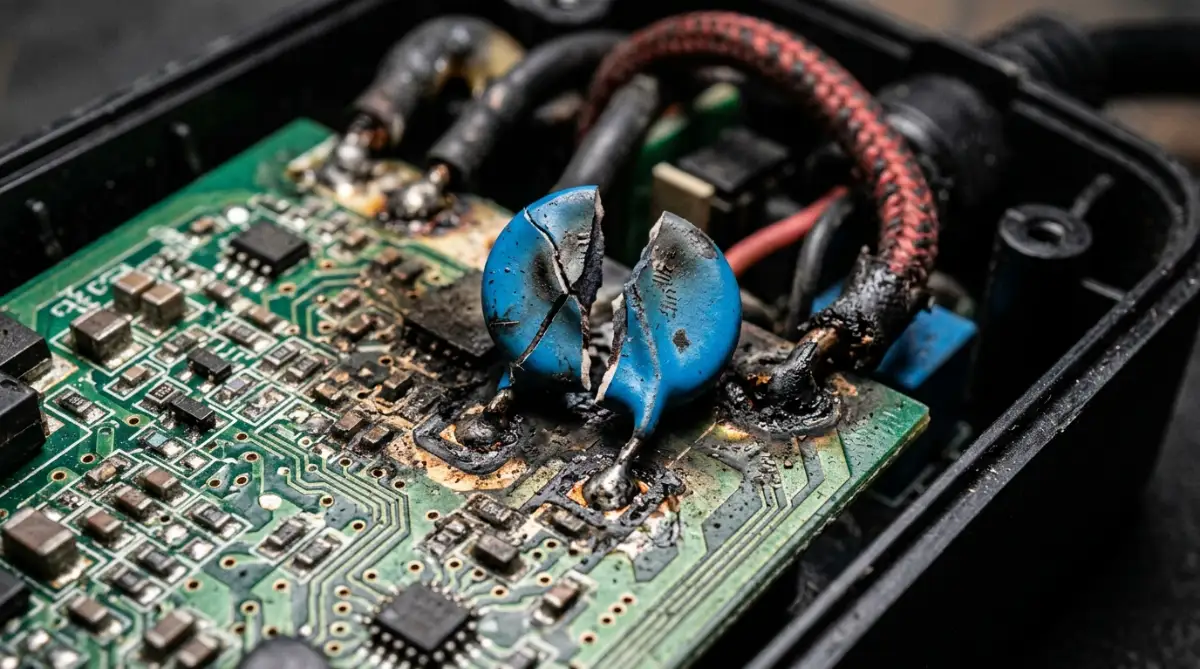
Standard surge protectors rely on a tiny, inexpensive component called a Metal Oxide Varistor (MOV).
Think of an MOV as a sponge for electricity. When voltage spikes above normal levels, the MOV quickly absorbs the excess energy and diverts it to the ground wire, keeping it away from your expensive TV.
But here is the fatal flaw.
The sponge breaks down a little bit every single time it works. It doesn't matter if it's a massive lightning strike or just a tiny voltage jump from your refrigerator kicking on.
We can categorize this breakdown into three major vulnerabilities:
1. Silent MOV Degradation
Every spike eats away at the MOV's joule capacity. If you have a 1,000-joule protector, it can absorb one 1,000-joule hit, or ten 100-joule hits. Once that capacity is spent, the MOV literally burns out.
2. Clamping Voltage Failure
This is the threshold where the protector actually wakes up and starts doing its job. Cheaper units have a clamping voltage that is simply too high. By the time the protector reacts, a deadly amount of electricity has already passed through to your connected hardware.
3. The Catastrophic Bypass
A direct lightning strike carries millions of volts. A standard MOV tries to absorb it, violently overheats, and shatters. The remaining energy arcs directly across the circuit board, completely bypassing the broken components and rushing straight into your devices.
Here is a clear look at how standard strips compare to high-end alternatives.
Pro Tip: Always check if your surge protector has a dedicated "Protection Active" indicator light. If that specific light ever goes out—even if the power strip still turns your devices on—throw the unit in the trash immediately. It is completely dead.
The Physics of Real Surge Suppression
If standard MOVs are so fragile, how do server farms and military bases protect their hardware?
They abandon sacrificial parts entirely.
High-end setups use Series Mode Surge Suppression. Instead of trying to divert a violent spike to the ground wire, these units use heavy-duty inductors and capacitors.
When a massive surge hits the power line, the inductor acts like a massive physical shock absorber. It grabs the violent energy spike, slows it down to a crawl, and then safely drips it back into the circuit at a harmless voltage.
No varistors shatter. Nothing degrades.
The incoming electricity simply hits a mathematical and physical wall that it cannot pass.
If you want to see the literal aftermath of what happens inside these standard plastic strips when a massive spike hits and the MOVs fail, watch this complete visual breakdown below.
When a power surge bypasses your failed MOVs, your motherboard fries instantly.
Your local SSD often goes down right alongside it.
If you haven't backed up your data, a single storm can wipe out years of irreplaceable work. You might try figuring out how to recover data from a dead laptop, but severe electrical damage often makes drives completely unreadable.
This makes off-site cloud backups strictly necessary.
But dumping unencrypted financial ledgers or personal files into a massive commercial server is a terrible privacy move. You need to implement client-side, zero-knowledge encryption before those files ever leave your hard drive.
According to disaster recovery frameworks from CISA, maintaining secure, encrypted off-site backups is the only way to survive catastrophic hardware failure.
Here is how you do it across your daily devices.
Windows & macOS: Use open-source vault tools like Cryptomator. It creates a virtual encrypted drive on your local machine. You drop files in, it scrambles them mathematically, and only the scrambled gibberish syncs to your cloud provider.
Android & iOS: Avoid using native cloud syncing for sensitive documents. Rely on containerized file systems that force local encryption before any data packets are transmitted over cellular networks.
Your Emergency Recovery Key Backup Protocol
If your physical hardware is destroyed by a lightning strike, your cloud recovery key is your only lifeline.
- Generate your master cryptographic key entirely offline.
- Write the 24-word seed phrase on physical paper.
- Store this paper in a fireproof, waterproof safe separate from your electronics.
Critical Traps & Mistakes That Break Your Encryption
People ruin perfectly good encryption every single day.
The most common mistake is losing the master recovery phrase. If your hardware gets destroyed in a storm and you've lost that physical piece of paper, your cloud files remain locked forever.
There is no "forgot password" button in a true zero-knowledge setup.
Another massive flaw is temporary cache file leaks. When you open an encrypted file on your desktop, the software often creates a temporary unencrypted version in your local Temp folder.
If a storm hits and your laptop won't turn on anymore, that unencrypted cache file might still be sitting on the physical drive, completely exposed to anyone who eventually extracts it.
Relying on closed-source proprietary software is equally dangerous.
You have to blindly trust that the company isn't hiding a decryption backdoor for law enforcement or rogue employees. This is exactly why privacy advocates at the Electronic Frontier Foundation (EFF) heavily push for open-source, peer-reviewed cryptographic tools.
If the code can't be publicly audited, it shouldn't be trusted with your most sensitive data.
Your Immediate Action Plan
You don't need a weekend to secure your hardware and data. You just need 15 minutes right now.
Step 1: Trash the dead plastic. Walk around your house and check the "Protection Active" LED on every single surge strip. If it's dark, unplug it and throw it in the trash. It's completely dead.
Step 2: Upgrade your power defense. Invest in a Series Mode surge suppressor or a pure sine wave Uninterruptible Power Supply (UPS) for your most expensive electronics. Stop relying on cheap sacrificial MOVs.
Step 3: Encrypt and sync off-site. Don't wait until disaster strikes to stop sudden cloud data loss. Download an open-source encryption tool, lock down your most critical folders, and push the scrambled data to your cloud drive.
What to Look For When Buying a New Surge Protector
If you decide to stick with a traditional MOV surge protector instead of a Series Mode unit, make sure it meets these strictly required specifications before buying:
- UL 1449 Certification: This is the industry safety standard. If it doesn't have this exact UL rating printed on the box, do not buy it.
- Clamping Voltage: Look for a clamping voltage of 400V or lower (330V is optimal). Anything higher will let too much electricity through before the protector reacts.
- Joule Rating: For expensive PCs and home theater systems, choose a rating of at least 2,000 to 3,000 joules to ensure a longer lifespan.
- Auto-Shutoff Feature: High-quality strips have a mechanism that permanently cuts power to the outlets once the MOVs are depleted, ensuring your devices are never left exposed.
High-Impact FAQ
How long do standard surge protectors actually last?
Standard MOV-based surge protectors generally last between three to five years. However, if your home experiences frequent power grid fluctuations or a single massive power spike, they can degrade and fail in just a few months.
Will a surge protector save my PC from a direct lightning strike?
No. A standard consumer power strip cannot stop the millions of volts generated by a direct lightning strike. The only true protection against direct lightning is physically unplugging your electronics from the wall during a severe storm.
What is the difference between a UPS and a surge protector?
A surge protector only attempts to block incoming voltage spikes. A UPS (Uninterruptible Power Supply) contains an internal battery that provides continuous backup power when the grid goes down, giving you time to safely save your work and shut down your computer.
Disclaimer: This guide is provided for educational and informational purposes only and does not constitute formal financial, legal, or cybersecurity consulting. Always test encryption software on non-critical files before integrating them into active financial workflows, and maintain verified offline backups of all critical financial ledgers.