
Your Money Isn't Really Inside Your Crypto Wallet
Most people start their investing journey with a massive misconception.
They assume a digital wallet holds digital coins exactly like a leather wallet holds physical cash. It makes total sense why you'd think that.
But it's completely wrong.
If you lose your leather wallet on the subway, your cash is gone forever. If you lose your phone or drop your hardware device in a river, your digital assets are still perfectly safe.
Why? Because your coins aren't in your pocket.
Your assets live on the blockchain, which is just a giant, public digital ledger distributed across thousands of computers worldwide.
Your wallet is simply a fancy digital keychain.
It holds the mathematical "keys" that prove you own a specific chunk of data on that public ledger. If you control the keys, you control the money. If someone else gets your keys, they drain your funds instantly.
It's that simple.
There's no customer support desk to call when things go wrong. You're entirely responsible for your own financial safety.
For beginners, that sounds terrifying. But once you understand the basic mechanics of how these keys work, securing your investments actually becomes incredibly straightforward.
The Cryptocurrency Wallet Security Quick Summary
- Coins live on the blockchain, not in your app. Your wallet just holds the passwords (keys) to access them.
- Public keys are for receiving. You can share these safely with anyone to accept funds.
- Private keys are your master password. Never type them into strange websites, take photos of them, or share them.
- Hot wallets are connected to the internet. They're convenient for quick trading but highly vulnerable to hackers.
- Cold storage keeps your keys offline. Hardware devices are mandatory for securing large, long-term investments.
- Not your keys, not your coins. Leaving funds on centralized exchanges means the exchange owns your money, not you.

The Keys to the Kingdom: Public vs. Private Explained
To protect your investments, you have to understand exactly what you're trying to protect.
Every digital wallet generates two distinct pieces of cryptographic information. We call them the public key and the private key.
Let's break this down using a concept you already understand perfectly.
Think of your public key like your home address or your email address.
If a friend wants to send you a birthday card, you have to give them your home address. Sharing this information is completely safe. Nobody can steal your furniture just because they know your street number.
In the digital asset world, your public key (or your receiving address) works exactly the same way.
You copy it, paste it, and send it to people or platforms when you want to receive funds. It's safe to share publicly.
Now, let's talk about the private key.
If your public key is your home address, your private key is the physical metal key that unlocks your front door.
You wouldn't hand copies of your house key to random strangers on the street.
If someone gets their hands on your private key, they don't need your permission, your phone, or your password. They can just walk right into your account on the blockchain and send all your money to themselves.
Since humans aren't very good at remembering complex strings of randomized letters and numbers, modern wallets convert your private key into a "Seed Phrase".
This is usually a list of 12 to 24 random English words.
Words like apple, ocean, giant, window, bridge.
This specific string of words is the master backup to your entire financial existence on the blockchain.
If your phone breaks, you just buy a new phone, download a wallet app, and type in those exact words. Boom. Your money reappears.
But if a hacker tricks you into typing those words into a fake website? Your account goes to zero in seconds.
The Pro Tip for Ultimate Safety: Never, ever store your 12-word seed phrase digitally. Don't take a screenshot on your phone. Don't email it to yourself. Don't save it in your notes app. Hackers run automated scripts that scan compromised phones and cloud drives specifically looking for photos of 12-word lists. Write it down on physical paper with a pen, and lock it in a fireproof safe.
Watch this quick breakdown on how hackers trick beginners into handing over their seed phrases, and exactly what you should watch out for:
Hot Wallets vs. Cold Storage: Where Should Your Assets Live?
Now that we know we're protecting keys and seed phrases, we need to talk about where those keys actually live.
This is where beginners make their most expensive mistakes.
They buy digital assets on a centralized exchange, and then they just leave them there for years. Or they download a free browser extension, load it up with their life savings, and use that same browser to click on sketchy links.
There are two main ways to store your keys: Hot and Cold.
Hot wallets are software applications connected to the internet.
Think of mobile apps, browser extensions, and desktop software. Because they're online 24/7, they're incredibly convenient. If you want to buy an NFT, swap a token, or send funds to a friend quickly, a hot wallet makes it happen in three clicks.
But convenience always comes at the cost of security.
Since hot wallets live on devices connected to the web, they're vulnerable to malware, phishing links, and malicious smart contracts.
If you accidentally download a virus onto your laptop, that virus can potentially peek into your browser extension and extract your private keys while you sleep.
It happens every single day.
Cold storage, on the other hand, is the fortress.
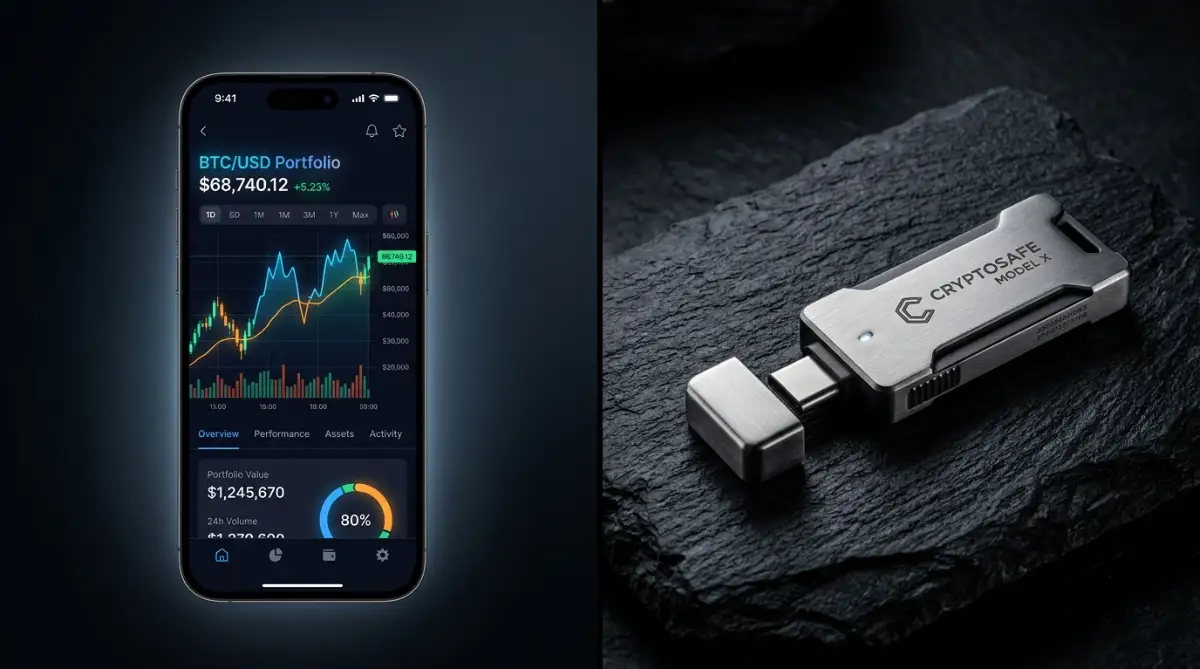
Cold wallets are physical hardware devices that look a lot like heavy-duty USB flash drives. Their only job is to generate and store your private keys entirely offline.
When you want to send money using a hardware device, you have to physically plug it into your computer and press actual, physical buttons on the device to approve the transaction.
The transaction gets signed inside the offline device, and only the mathematically approved signature gets sent back to your computer.
Your private keys never touch your computer screen. They never touch the internet.
Even if your laptop is completely infected with the worst malware on earth, the hacker can't steal your keys because the keys never leave the physical USB device.
Think of it like this.
Your hot wallet is the physical leather wallet in your back pocket. You keep enough cash in there for daily expenses, buying coffee, and paying for lunch.
Your cold storage is the heavy steel vault buried in the basement of a bank. That's where you keep your life savings, your gold bars, and your long-term investments.
You'd never walk through a crowded market with a million dollars in your pocket.
So why would you keep your entire investment portfolio in a browser extension?
Choosing between hot and cold isn't an either-or situation.
Smart investors use both.
They keep 90% of their long-term wealth locked down tight in cold storage, untouched and offline.
They keep the remaining 10% in a mobile app or browser extension to play around with new projects, make quick trades, and interact with the digital economy on the go.
If their hot wallet gets compromised by a bad link, they only lose their pocket change. The vault remains completely sealed.
Advanced Security Playbooks: Securing Your Specific Devices
Setting up a hardware wallet is only half the battle. Your digital hygiene on your daily devices dictates your true level of safety.
If your computer or phone is already compromised, even the best cold storage setup can face risks when you connect it.
You need to lock down your operating system before you ever type a password or approve a transaction. Let's break down exactly how to handle your specific setup.
The Windows vs. Mac Defense Strategy
Windows is the most targeted operating system for crypto malware. It's just a statistical fact.
If you're using a PC, your biggest threats are keyloggers and clipboard hijackers. These nasty background programs wait for you to copy a crypto address, and the moment you hit "paste," they swap your intended address with the hacker's address.
Always double-check the first four and last four characters of any address before sending funds. Make it a habit.
To secure Windows, you must stop downloading pirated software or cracked games. That free version of Photoshop you downloaded from a sketchy forum? It's likely bundled with a background script designed to hunt for wallet files. Stick strictly to official software, and rely on guidance from trusted cybersecurity agencies to recognize modern phishing attempts.
Mac users generally face fewer malware attacks, but they aren't immune.
Apple's Gatekeeper does a great job blocking unrecognized software. However, Mac users often fall victim to fake wallet updates pushed through email or malicious browser extensions.
Regardless of your OS, you should use a dedicated browser just for managing your digital assets. If you use Chrome for daily browsing and YouTube, download Brave or Firefox strictly for your financial transactions. Don't mix your daily digital life with your bank account.
The iOS vs. Android Mobile Threat
Mobile phones introduce a completely different set of vulnerabilities.
Android devices offer more freedom to sideload apps, which makes them incredibly dangerous for beginners. Never download a wallet app from a third-party website. Only use the official Google Play Store, and always verify the developer's name and review count.
Apple’s iOS is a closed ecosystem, making it harder for malware to sneak in. But iOS users have one massive blind spot: iCloud.
If you use a software wallet on your iPhone, the app might store your seed phrase locally. By default, iCloud automatically backs up app data to Apple's servers.
If a hacker gets into your Apple ID, they can restore your iCloud backup on a new device, extract your wallet data, and drain your funds.
You must manually turn off iCloud or Google Drive backups for any financial application. It's an easy setting to change, but failing to do it can cost you everything.
The Ultimate OS Deep Clean Checklist
Before moving large amounts of money off an exchange, run your computer through this damage control checklist.
- Step 1: The Purge. Uninstall any software, browser extensions, or apps you haven't used in the last three months. Less software means fewer entry points for hackers.
- Step 2: The Scanner. Run a full, deep-system malware scan using reputable software like Malwarebytes. Don't rely solely on default OS defenders if you've recently downloaded unverified files.
- Step 3: The Update. Force your operating system and web browsers to update to their latest versions. Hackers exploit out-of-date software patches daily.
- Step 4: The Bookmark. Manually type the official URLs for your exchanges and wallet providers into your browser and bookmark them. Never use Google search to find your wallet login page. Scammers buy Google Ads to place fake, identical websites at the very top of the search results.
- Step 5: The Extension Check. Review every active extension on your browser. Remove anything related to PDF converters, coupon clippers, or free VPNs.
The Pro Tip: For the absolute highest level of safety, consider buying a cheap, secondary laptop (like a basic Chromebook) that you use exclusively for your crypto transactions. No email, no social media, no casual browsing. Just pure financial management. For a deeper dive into defensive strategies, read our complete defense guide on protecting your digital wealth.
The Most Expensive Traps You Must Avoid
Scammers don't need to break into your house if they can just trick you into unlocking the front door for them.
The most common ways people lose their money have nothing to do with complex computer hacking. It's almost always human error and social engineering.
The fake customer support trap is easily the most successful scam on the internet.
Let's say you're having trouble transferring funds, so you post a question on Twitter or Reddit. Within seconds, a verified-looking account replies, claiming to be "Official Support."
They tell you they can fix your stuck transaction. They just need you to connect your wallet to their special "sync tool."
Here's the harsh truth. There is no sync tool. There is no customer support desk.
If you connect your wallet and sign their transaction, your funds are gone. A legitimate company will never, ever ask for your seed phrase or ask you to connect your wallet to a random link to fix a bug.
Another massive threat is the malicious smart contract approval.
Sometimes, scammers airdrop random, highly-valued tokens into your wallet for free. It looks like you just received ten thousand dollars out of nowhere.
You get excited and head to an exchange to sell them.
To sell the tokens, the platform asks you to "Approve" the transaction. But the smart contract you're interacting with isn't actually trying to sell the tokens. The hidden code is asking for infinite permission to spend the stablecoins already sitting in your wallet.
You click approve, expecting free money. Instead, your actual savings are instantly drained.
If you randomly receive unknown tokens you didn't buy, ignore them. Leave them alone. Don't interact with them. Learning how to spot these identifying crypto red flags is non-negotiable if you want to survive in this market.
Even smart investors lose money by ignoring standard password creation guidelines when setting up their exchange accounts. A weak exchange password is just as dangerous as a compromised seed phrase.
Your Immediate Next Steps
Reading about security won't protect your portfolio. You have to take physical action today.
First, order a reputable hardware wallet directly from the official manufacturer. Pay the standard shipping and wait patiently.
Second, while you wait for the device, do a massive digital cleanup. Remove your phone number from your exchange accounts and switch to an Authenticator app (like Google Authenticator or Authy) to prevent SIM-swap attacks.
Third, when your device arrives, set it up, write down the phrase, and send just five dollars to the new address. Wipe the device completely and use your paper backup to restore it.
Once you see your five dollars reappear, you know your backup works. Now you can safely move the rest of your portfolio.
High-Converting FAQ Section
What happens if I lose my physical hardware wallet?
Your funds are completely safe. Your money lives on the blockchain, not inside the physical device. You just buy a new hardware wallet, enter your paper seed phrase, and your assets will instantly appear on the new device.
Can a hardware wallet be hacked remotely?
No, it's physically impossible. Hardware wallets are completely offline devices. Since they aren't connected to the internet, remote hackers can't access them, even if the computer you plug them into is infected with viruses.
Is it safe to store my seed phrase in a password manager?
No, you shouldn't put your seed phrase in any digital password manager. While managers like 1Password or LastPass are highly secure for regular passwords, putting your seed phrase online creates a single point of failure. Keep it strictly on physical paper or metal.
Disclaimer: This guide is provided for educational and informational purposes only and does not constitute financial, investment, or technical advice. Cryptocurrency markets are highly volatile, and managing digital assets involves significant security risks. You are solely responsible for the safety of your funds and private keys. Always do your own research and consult with a certified financial professional before making investment decisions.